

AI won't replace developers — but ignoring it will cost you
Practical insights and a live demo on how AI tools like Kiro are reshaping the daily workflow of tech professionals, presented at the AWS User Group Rio Grande do Sul meetup.
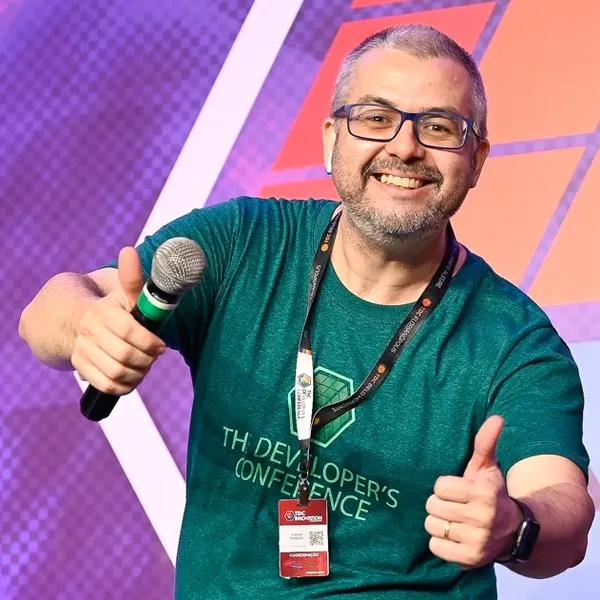
I had the opportunity to give a talk about Kiro at the AWS User Group Rio Grande do Sul meetup. It was an experience that made me reflect deeply on where we are in tech right now and how professionals need to position themselves when it comes to AI tools.
Reconnecting with Porto Alegre
I was introduced to the audience by Stephanie, the leader of the local User Group, with whom I've had a friendship spanning over 7 years — we were colleagues at a consulting firm in Porto Alegre back in 2019, when I used to visit the city weekly for nine months. Reconnecting with this tech ecosystem I know so well, now as a speaker, felt special.
The core message: AI doesn't replace, it amplifies
Before opening the terminal and starting to code live, I made sure to address the elephant in the room: the fear that AI will take developers' jobs. My view is straightforward — AI won't eliminate jobs for those who work in tech. But it will eliminate jobs for those who refuse to use it as a productivity tool. The difference is huge.
In my daily work as an AWS Community Builder and leader of the Campinas user group, I use Kiro constantly to build POCs and prototypes for new clients. What used to take days, I now deliver in hours, with enough quality for validation and testing. This doesn't happen because AI does everything on its own — it happens because I know how to direct the tool and, most importantly, validate what it delivers.
Building an app live, from scratch
The most fun part of the talk was the hands-on demo. I asked the audience for suggestions and someone humorously proposed we build a Meetup alternative — an event management application. I accepted the challenge.
I started from a completely empty directory. I created a
spec.md file with a deliberately generic description: Vue.js front-end, Python back-end with FastAPI, local storage with SQLite, and security guidelines following the AWS Well-Architected Framework and Zero Trust principles.What impressed the audience was that Kiro didn't just start generating code. It asked intelligent questions before implementing anything: whether it should include participant registration, which storage strategy to use, whether JWT authentication should be implemented now or later. This dialogue is essential — and it's exactly what sets a mature AI tool apart from a simple code generator.
Within minutes, we had a fully functional application: back-end on port 8000 with automatic API documentation, front-end on port 5173 with login and registration screens. I created an account, browsed events, created new ones, registered for events — everything working.
Rapid iteration: the real power
With the app running, I showed what I consider the biggest differentiator when using AI for development: the ability to iterate rapidly. I asked it to add a Google Maps link to the event location field. Within seconds, Kiro implemented the change and the location text became a clickable link pointing correctly to Porto Alegre on the map.
This back-and-forth — what many call "vibe coding" — is where productivity truly shines. But here's the crucial point: a generic request produces a generic response. The more precise your specification, the better the result. And that's where the developer's irreplaceable role comes in.
I also demonstrated everyday tasks: creating a Git repository with a contextual
.gitignore , generating a complete README.md , and creating automated tests. Kiro generated 16 tests covering all API endpoints — and they all passed on the first run. Then I converted those tests into a Postman collection with variables and Newman execution instructions, all automatically.What about legacy projects?
One of the most relevant questions came from someone working on a project with 10 years of development: how to use Kiro while respecting established code standards, team conventions, and Pull Request processes?
The answer lies in Kiro's rules system, where you define guidelines that are automatically applied. Combined with MCPs (Model Context Protocols) to incorporate additional tools, and the ability to create reusable custom prompts, the tool adapts to your project's context, not the other way around.
I also mentioned autonomous agents, still in preview, which promise to revolutionize the workflow: imagine an agent continuously monitoring your repository, checking for outdated dependencies, analyzing performance, and if a 500 error shows up in Datadog after a deploy, automatically identifying the problematic line and creating a Pull Request with the fix. All awaiting only human validation.
CLI and IDE: two entry points
I showed the two available interfaces. The Kiro CLI is ideal for those who live in the terminal and want to integrate AI directly into their workflow. The Kiro IDE offers a more structured experience, with two modes: Vibe Code, for conversational exploration and rapid iteration, and Spec, for requirements-driven planning, technical design, and structured implementation through tasks.
In the quick demo of Spec mode in the IDE, starting from that same generic initial description, Kiro automatically generated a detailed document with role definitions, CRUD features, capacity control for registrations, and even reports for organizers. Then it converted everything into executable tasks that can be controlled individually.
How to get started (it's free)
For those who want to try it out, the path is simple: create a free account at builder.aws.com with your AWS Builder ID. No credit card or AWS account required. You get a 500-credit initial bonus and a permanent monthly allowance of 50 free credits. For companies that need higher volume, corporate licenses are available through AWS partners.
What I take away from this meetup
I left Porto Alegre with a reinforced conviction: professionals who embrace AI tools as productivity assistants, rather than seeing them as threats, are positioning themselves better in the market. It's not about coding less — it's about coding smarter.
AI doesn't do magic. It needs someone who knows how to specify what they want, who can evaluate whether the result makes sense, who can identify security flaws, and who ensures the code meets expected standards. Non-technical people can create prototypes with these tools, but without proper validation from a professional, they can introduce serious problems.
If you haven't yet tried integrating AI into your development workflow, my suggestion is: start. Start with something small — a POC, a script, an automation. The initial learning curve exists, but once you find your rhythm, the productivity gains are transformative.
I'd like to thank Stephanie and the entire AWS User Group Rio Grande do Sul community for the incredible reception. The session recording is already available for anyone who wants to watch it in full. See you at the next meetup!
Enjoyed reading this content? Let the author know!
Your likes, comments, shares, and saves help creators reach more builders.

Loading recommendations
Loading article