
Amazon Cognito Resource Server Sprawl: The M2M Anti-Pattern to Avoid
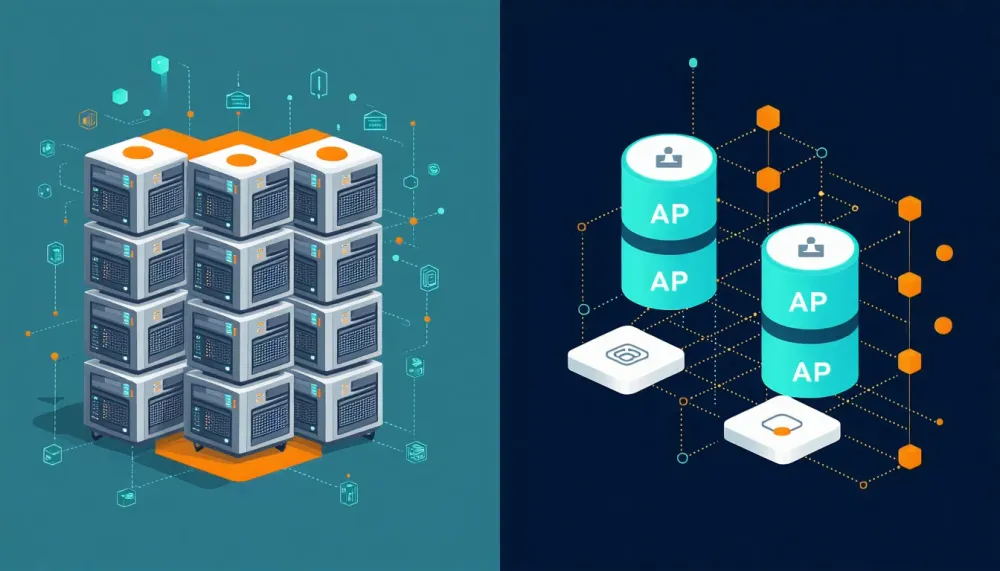
If you're creating a dedicated Amazon Cognito resource server for each tenant or environment in your M2M (machine-to-machine) architecture, you're building a pattern that won't scale with one resource server per app client. This post walks through why, and gives you three concrete alternatives that are architecturally sound and will scale with your needs.
The Anti-Pattern
I've been seeing this pattern more and more frequently: customers using Amazon Cognito for M2M authorization who create one resource server per tenant, and often one resource server per environment per tenant.
Here's what that looks like in practice:
A SaaS platform offers 3 APIs (resource servers). They have 100 tenants across 4 environments (dev, staging, QA, prod). Instead of defining 3 resource servers representing their 3 APIs, they're creating:
1
100 tenants × 4 environments × 3 APIs = 1,200 resource servers
The default limit for resource servers in a Cognito user pool is 25, with a maximum of 300. That math doesn't work- and it shouldn't, because this design is an anti-pattern.
Why This Doesn't Scale
Resource servers represent your APIs and protected resources- not your tenants, not your environments. They define the universe of scopes (permissions) that can be requested by app clients.
When you map resource servers 1:1 with tenants, you're conflating two concerns:
- Resource definition — "What APIs exist and what permissions do they expose?"
- Tenant isolation — "Who can access what and under which context?"
These are different problems with different solutions. Resource servers solve #1. Tenant isolation belongs in your authorization layer, at the API/resource level, evaluated at request time, bound to the app client.
The Correct Mental Model
Think of it this way:
| Concept | Cognito Construct | Cardinality |
|---|---|---|
| Your APIs/services | Resource Servers | 1:1 with your APIs (up to 300 limit) |
| Permissions on those APIs | Scopes | Per resource server (up to 100 each) |
| Machine identities (tenants, services) | App Clients | Per tenant/environment (up to 10,000) |
| Tenant context & isolation | Authorization logic | At the API layer, evaluated per request |
Your resource servers should be stable and few. Your app clients can be many and dynamic.
Three Scalable Alternatives
1. One Resource Server Per API — Isolate at Authorization Time
The simplest and most correct approach.
If you offer 3 services —
billing, analytics, data, each respectively having their own set of permissions, it would look similar to this:| Service/API | Permissions |
|---|---|
| billing | read, write, admin |
| analytics | query, export |
| data | read, write, delete |
This translates to the following resource servers and scopes in your Cognito user pool:
| Resource Server | Scopes |
|---|---|
| billing-api | read, write, admin |
| analytics-api | query, export |
| data-api | read, write, delete |
Then create a distinct app client per tenant, per environment:
| App Client | Scopes |
|---|---|
| tenant-a-prod | billing-api/read, billing-api/write, analytics-api/query |
| tenant-a-dev | billing-api/read, billing-api/write |
| tenant-b-prod | billing-api/read, data-api/read |
| tenant-c-prod | analytics-api/query, analytics-api/export, data-api/read |
Tenant isolation happens where it should — at the API/resource layer. When a request hits your API:
- Validate the access token
- Check the
sub(the app client's identity) - Verify the scopes match the requested operation
- Enforce tenant-specific authorization rules (what specific data this client can access)
This is your control plane. The token tells you who is calling and what they're allowed to do. Your API logic determines which data they can touch.
Why this scales: You can create up to 10,000 app clients per user pool. That's 10,000 distinct machine identities. From here you can add additional user pools as needed to gain another 10,000 app clients.
2. Leverage Scopes for Granular Differentiation
Each resource server supports up to 100 custom scopes. With the default limit of 25 resource servers, that's 2,500 unique resource-server/scope combinations out of the box.
Instead of creating 4 resource servers per tenant (one per environment), create a single resource server and define scopes that encode the differentiation:
1
2
3
4
5
6
my-api/prod-read
my-api/prod-write
my-api/staging-read
my-api/staging-write
my-api/dev-read
my-api/dev-write
Then assign the appropriate scopes to each app client. This alone achieves a 75% reduction in resource server usage compared to the per-tenant-per-environment pattern.
⚠️ Note: I recommend approach #1 over this in most cases. Encoding environment into scopes is a pragmatic middle ground, but ideally your environments are separate user pools or separate accounts entirely. Use this pattern when you have constraints that prevent full environment separation.
3. Use aws_client_metadata for Dynamic, Context-Rich Authorization
This is the most extensible option and the one that scales essentially without limit.
As of April 2025 , Amazon Cognito supports the
aws_client_metadata request parameter in M2M (client credentials) flows. Here's how it works:- The calling client includes
aws_client_metadatain the request to/oauth2/token - This metadata is passed directly to the Pre token generation Lambda trigger
- Your Lambda function can inspect the metadata, perform additional verification, and dynamically customize the token — including adding/removing scopes, adding custom claims, or rejecting the request entirely
Example flow:
1
2
3
4
5
POST /oauth2/token
grant_type=client_credentials
client_id=tenant-a-client
scope=my-api/access
aws_client_metadata={"tenant_id":"tenant-a","environment":"prod","service":"billing-api"}
Your Pre token generation trigger receives this metadata and can:
- Validate that the requesting client is allowed to operate in that environment
- Add custom claims (
custom:tenant_id,custom:environment) to the access token - Dynamically grant or restrict scopes based on tenant tier or feature flags
- Log the context for audit trails
Why this scales infinitely: You're no longer encoding tenant/environment identity into static Cognito constructs (resource servers or scopes). Instead, the identity and context flow dynamically through the token request and your Lambda has full control over the resulting token. For example, your Lambda function could look up validation data in a DynamoDB table and customize the access token accordingly.
Example: Pre Token Generation Lambda Trigger
1
2
3
4
5
6
7
8
9
10
11
12
13
14
15
16
17
18
19
20
21
22
23
24
25
26
27
28
29
30
31
32
33
34
35
36
37
38
39
40
41
42
43
44
45
46
47
48
49
50
51
52
const { DynamoDBClient } = require('@aws-sdk/client-dynamodb');
const { DynamoDBDocumentClient, GetCommand } = require('@aws-sdk/lib-dynamodb');

const client = new DynamoDBClient({});
const ddb = DynamoDBDocumentClient.from(client);

/**
 * Receives aws_client_metadata from the /oauth2/token request
 * and dynamically modifies the access token.
 */
exports.handler = async (event) => {
  // Extract the client metadata passed in the token request
  const clientMetadata = event.request.clientMetadata || {};

  const tenantId = clientMetadata.tenant_id;
  const environment = clientMetadata.environment || 'prod';

  if (!tenantId) {
    throw new Error('tenant_id is required in aws_client_metadata');
  }

  // Look up what this tenant is entitled to
  const { Item: entitlements } = await ddb.send(new GetCommand({
    TableName: 'TenantEntitlements',
    Key: { tenant_id: tenantId, environment },
  }));

  if (!entitlements) {
    throw new Error(`No entitlements found for tenant: ${tenantId}`);
  }

  // Add custom claims for downstream API authorization
  const claimsToAddOrOverride = {
    'custom:tenant_id': tenantId,
    'custom:environment': environment,
    'custom:tier': entitlements.tier || 'standard',
    'custom:allowed_resources': JSON.stringify(entitlements.resources || []),
  };

  // Lambda response back to Cognito
  event.response = {
    claimsAndScopeOverrideDetails: {
      accessTokenGeneration: {
        claimsToAddOrOverride,
        scopesToAdd: entitlements.allowed_scopes || [],
        scopesToSuppress: entitlements.denied_scopes || [],
      },
    },
  };

  return event;
};
The downstream API then reads
custom:tenant_id, custom:environment, and custom:allowed_resources directly from the validated access token — no additional lookup needed. The token itself carries the full authorization context.Putting It All Together
Here's how the three approaches compare:
| Pattern | Resource Servers Needed | Max Tenants (Cognito default limits) | Complexity |
|---|---|---|---|
| ❌ Per-tenant per-env | T × E × APIs | ~6 tenants (at 4 envs, 1 API) | High (hits limits fast) |
| ✅ #1: Per-API + app clients | # of APIs(up to 300) | 10,000 (app client limit) | Low |
| ✅ #2: Scopes for differentiation | # of APIs(up to 300) | 2,500+ scope combinations | Medium |
✅ #3: aws_client_metadata | # of APIs(up to 300) | Unlimited (dynamic) | Medium-High |
My recommendation for most customers:
- Start with #1 — it's the simplest, most correct, and covers the vast majority of use cases
- Add #3 when you need dynamic authorization logic that goes beyond static scope assignments
- Use #2 as a pragmatic bridge if you're migrating away from the anti-pattern incrementally
Beyond a Single User Pool
If you've exhausted these approaches and genuinely need more isolation, remember: you can create up to 1,000 user pools per region by default (max quota: 10,000 per region). Multiple user pools give you hard isolation boundaries — separate token signing keys, separate data stores, separate configuration. But in my experience, the three approaches above eliminate the need for user pool proliferation in the majority of cases.
Key Takeaways
- Resource servers = your APIs, not your tenants. Keep them stable and few.
- App clients = your machine identities. Create one per tenant per environment — you have headroom up to 10,000.
- Tenant isolation belongs at the authorization layer, not in your identity provider's resource model.
aws_client_metadatais a game-changer for M2M flows — use it to shift from static resource modeling to dynamic, context-driven authorization.- If you're hitting resource server limits, it's a signal to rethink your architecture — not to request a limit increase.
Have questions about this pattern or need help redesigning your M2M architecture on Cognito? Drop a comment below or reach out.
Enjoyed reading this content? Let the author know!
Your likes, comments, shares, and saves help creators reach more builders.

Loading recommendations
Loading article