
Automating Ad-Hoc Analytics: Building a Self-Correcting Data Agent with Amazon Nova
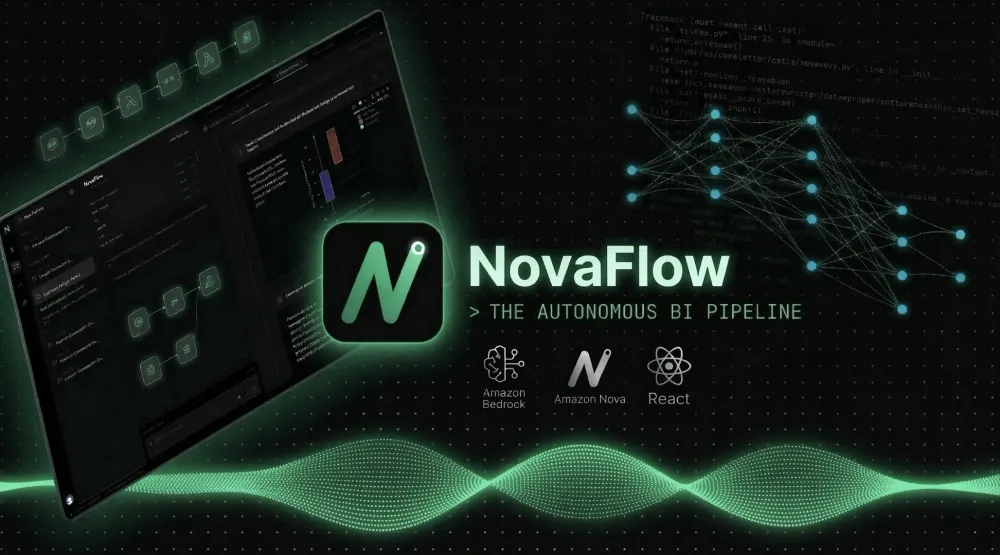
NovaFlow is a proof of concept for replacing manual ETL requests with a self-executing agent. It doesn't just wrap an LLM around a dataset but uses a closed-loop Critic Agent to read raw CSV schemas, write deterministic SQL, intercept its own errors, and fix them before execution. The final output isn't just text but more than that! The system automatically renders interactive Plotly graphs and synthesizes a Nova Sonic neural audio brief in under 15 seconds which is quite a feat for an agentic AI workflow.

The Struggle Behind the Code:-
As a 3rd-year B.Tech Data Science student, I spend most of my time doing the exact things I hate: performing manual ETL, cleaning messy CSVs, and writing repetitive SQL queries. Even with standard LLMs and AI chatbots, analyzing data felt like a manual chore. I was still doing all the heavy lifting like: cleaning datasets and spending hours brainstorming with visualization libraries, while my AI just nodded and said, "Great Execution!" instead of actually being a powerful tool.
I realized that my fellow data analysts (who know the pain of constantly manipulating thousands of rows every day) and I don't want another chatbot to talk to. We are busy. We want to be the orchestrators of our data, not the manual laborers. We need a system that actually executes the code.
That struggle was the exact seed for NovaFlow, built specifically for the Amazon Nova Hackathon.
Engineering a Zero-Idle Architecture:-
Being a student budgeting is the best thing I have ever learnt so far. When I started this project, my mind was figuring out how to make this product as cost-effective as possible.
I achieved it using The Zero-Idle Way (Serverless), to give a brief idea the old way of how anyone would work with the AWS architecture is like this: one would be paying 24/7 for the services by AWS like EC2 instance why? because it is what happens when one would deploy a standard python Streamlit app on a dedicated server.
Here is crux of how NovaFlow works:
I decoupled my frontend from backend to create a serverless pipeline.
- API gateway: React app would send a request to AWS API gateway. It costs nothing when idle.
- Amazon SQS (waiting room): if 1000 users upload CSVs at the exact same second, a normal server would crash. Amazon's Simple Queue Service(SQS) would line them up perfectly, so nothing gets dropped, ensuring a robust, fault-tolerant system.
- AWS lambda(worker): This is where magic becomes reality! Lambda wakes up, runs my python code, processes the data, saves the result to DynamoDB and immediately shuts down.
React -> API Gateway -> SQS -> Lambda (Amazon Nova) -> DynamoDB/S3

The result? If nobody uses NovaFlow, my AWS bill is exactly $0. ZERO idle cost. Maximized scalability!
The Brain: Discovering Amazon Nova Lite:-
Now talking about the brain of NovaFlow (usage of Amazon Nova Lite). It was surely a hackathon requirement I know. But if I wanted to scale this to enterprise level (its already version 1) I would stick loyal with Amazon Nova Lite probably because its cheap, lightweight and have advanced reasoning, which is a great agent to work with.
It writes SQL queries without hallucinating, if I would be going old school way and make a chatbot it would be a great conversationalist. If I ask it to write a poem it's brilliant! But if one would ask it to write a complex SQL query to find diabetes risk, it might guess, hallucinate a column name, and smile while doing it.
I was very frustrated when I had to go through whole docs of Nova to understand it and was taken away of the privilege of not using Claude haiku or anything else. But this was a blessing in disguise for me since NovaFlow is such a great Critic Agent. I don't want my AI to write poetry (be a chatbot) but needed a brain that could look at a raw CSV schema, write the Pandas or SQL code, read the error message if the code crashed and logically rewrite the code until it worked. Nova Lite provides that high-speed logical reasoning without costing $0.10 per query.
#Initializationfrom langchain_aws import ChatBedrock#Nova Lite specifically chosen for its cheap, fast and well reasoningnova_agent = ChatBedrock(model_id="amazon.nova-lite-v1:0",model_kwargs={"max_tokens": 4096,"temperature": 0.0 # Zero creativity, purely deterministic logic})By setting the temperature to 0.0, Nova Lite stops acting like a creative writer and transforms into a deterministic, surgical code executor.
I can go on telling about my struggles with making this agent as deterministic as possible but I might cover that in another blog since I don't feel like cramming every bits of details into this blog itself. Thus I will dig up the features which NovaFlow provides and why its great for you!
Beyond the Architecture: Enterprise-Grade Features:-
Building the Critic Agent was only half the battle. To make NovaFlow a viable SaaS product instead of just a script on my laptop, the backend infrastructure had to handle real-world user behavior without breaking. I built a central gatekeeper Lambda function to act as the traffic controller, handling a few critical features:
Bypassing the Payload Choke (S3 Presigned URLs):-
Standard API Gateways have a strict 10MB payload limit. If a hospital tries to upload a massive CSV of patient records directly through the API, the system crashes. Instead of routing the file through the backend, the Gatekeeper generates a 5-minute VIP pass:
#Generating a secure direct-upload pass
presigned_url = s3.generate_presigned_url(
ClientMethod='put_object',
Params={
'Bucket': S3_BUCKET_NAME,
'Key': file_key,
'ContentType': 'text/csv'
},
ExpiresIn=300
)
The React frontend uses this URL to upload the data directly to Amazon S3. Fast, secure, and completely bypasses the API bottleneck.
The Asynchronous Interceptor:-
Because Amazon Nova Lite is actively reasoning, writing SQL, and self-correcting, a request might take 10 to 15 seconds. An HTTP connection will time out if it waits that long. To fix this, the Gatekeeper lambda instantly returns a
task_id and tracks the state in DynamoDB. The React app simply polls a lightweight check_status endpoint every few seconds until the worker lambda flips the state to completed and injects the interactive chart_data payload.The Autonomous Data Profiler (Eliminating the 80% Grunt Work):-
Every data analyst knows the golden rule of the industry: you spend 80% of your time cleaning messy data and only 20% actually analyzing it.
When I was building NovaFlow, I realized that if a Chief Medical Officer or a business executive has to manually define schemas, fix null values, and map date formats before asking a question, the product has already failed. Moreover, if you just hand a raw, unindexed CSV directly to a foundation model, it will hallucinate. It will confidently try to calculate the mathematical average of a Zip Code column just because it contains numbers.
To solve this, I built the Autonomous Data Profiler.
Before the Amazon Nova Lite brain even reads the user's prompt, NovaFlow intercepts the uploaded file and acts as a senior data engineer. It scans the entire dataset, drops empty rows, normalizes erratic column names, and builds a strict, mathematical Ontology Map.
Here is a glimpse under the hood of how the profiler autonomously categorizes the data without someone's input:
# Autonomous profiling: Inferring strict boundaries for the AI
for col in df.columns:
    col_meta = {}

    # Isolate and sanitize numeric data
    if pd.api.types.is_numeric_dtype(df[col]):
        df[col] = df[col].fillna(df[col].median())
        col_meta['type'] = 'numeric'
        col_meta['min'] = round(float(df[col].min()), 2)
        col_meta['max'] = round(float(df[col].max()), 2)

    # Detect categorical boundaries to prevent LLM hallucination
    else:
        unique_count = df[col].nunique()
        if unique_count <= 20:
            col_meta['type'] = 'categorical'
            col_meta['allowed_values'] = df[col].unique().tolist()
Why does this feature even matters? By the time the data reaches the execution phase, it is all set. The AI knows exactly what the minimum and maximum ranges are, and it knows exactly which categorical values are permitted.
Hence, we don't let the AI guess the schema, we force it to operate within the strict, deterministic boundaries of the Ontology Map. This is the difference between a chatbot and a true Agentic workflow.
The Self-Healing Critic Agent (Why Prompt Engineering is a Trap):-
Honestly, the biggest lesson I learned during this hackathon was that prompt engineering is a trap when it comes to SQL. I spent hours trying to massage Nova Lite into writing flawless queries on the first try. It was a losing battle.
Take SQLite for example: it doesn't even have a native
MEDIAN() function. A standard chatbot doesn't care. It will just confidently hallucinate SELECT MEDIAN(insulin) FROM dataset , blow up your backend, and throw a 500 Internal Server Error. In a real company, that means a broken dashboard, a Jira ticket, and a data engineer waking up at 2:00 AM.So, I gave up on trying to prevent the error. Instead, I built an agent that fixes it.
I engineered this part as a closed-loop Critic Agent. When Nova Lite generates the dynamic SQL, it executes sql internally against an ephemeral database first. If the code crashes, the system catches the literal Python traceback, feeds it back to Nova Lite, and basically says, "You broke this. Fix it."
# The Critic Loop: Forcing the AI to read its own traceback errors
try:
    cursor.execute(current_sql)
    return cursor.fetchall(), current_sql

except Exception as error_encountered:
    # We don't crash the app. We run the Critic.
    update_status(table, task_id, "executing", f"SQL Failed. Triggering Critic..")
    critic_sys = f"""You are an expert SQLite Critic.
    ERROR: {error_encountered}
    FAILED SQL: {current_sql}
    ONTOLOGY: {json.dumps(ontology_map)}

    FIX THE SQL.
    Use 'FROM dataset' and NO complex math functions. Respond with ONLY the raw SELECT statement."""

    raw = call_nova("Rewrite the broken SQL perfectly.", critic_sys)
    current_sql = clean_sql(raw)
Why is this the killer feature? Because the user never sees the crash! They just see the terminal state: [CRITIC AGENT INITIATED: Correcting Syntax Schema...], followed a few seconds later by a perfectly rendered graph. NovaFlow stops being a fragile text generator and becomes a deterministic, self-healing data pipeline.
Killing the Static PNG (Because Data Analysts Deserve Breathing Graphs):-
Let me vent a little bit more. If you ask a standard AI agent to graph something, it takes the lazy route. It writes a basic Matplotlib or Seaborn script and spits out a dead, static .png image.
For a real data analyst, a static picture is an insult (It might be useful but still). If I am looking at a clinical dataset and I spot a massive outlier, say, a patient with an off-the-charts insulin variance. I don't want a picture of a dot. I want to hover over that dot. I want to zoom in, pan around, and inspect the exact underlying metrics. I need the graph to breathe.
I knew NovaFlow had to use Plotly combined with Pandas to generate fully interactive dashboards. Deciding to use Plotly was easy. Actually, getting Plotly to run autonomously inside a sterile, serverless AWS Lambda container? That cost me a piece of my soul T-T.
The AI couldn't just render a graph and save it to a file. It had to execute the SQL, map the dynamic axes, inject my custom dark-mode UI theme, and then perfectly serialize the entire interactive figure into pure JSON, so my Vercel React frontend could mount it natively without breaking CORS or payload limits. I spent hours fighting dict serialization errors, but I finally nailed the extraction logic:
# The Plotly Engine: Forcing the Lambda to serialize breathing graphs
if hasattr(px, c_type):
    plot_func = getattr(px, c_type)
    fig = plot_func(df_chart, x=x_col, y=y_col, color=actual_color)
else:
    # Fallback to bar chart if the AI hallucinates a weird chart type
    fig = px.bar(df_chart, x=x_col, y=y_col, color=actual_color, barmode='group')

# Stripping the background and injecting the dark mode UI state
fig.update_layout(
    template='plotly_dark',
    paper_bgcolor='rgba(0,0,0,0)',
    plot_bgcolor='rgba(0,0,0,0)'
)

# We don't send dead images. We send interactive JSON states.
c_json = json.loads(fig.to_json())
c_json["meta"] = {"scenario_id": p_id}
This feature is absolute heaven for a BI team. When NovaFlow finishes an analysis, it doesn't just hand you a screenshot. It hands you a highly interactive, zoomable Plotly component embedded right into the chat. You get the exact same level of granular interactivity as a heavy, expensive enterprise Tableau setup, autonomously generated from raw data in about 12 seconds.
The Boardroom Flex (Because Executives Don't Read Dashboards):-
Once the Critic Agent nails the SQL and Plotly renders the breathing graphs, I had already hit another wall. Let's be real: Chief Medical Officers and busy executives absolutely hate staring at complex dashboards. They don't want to dig for insights. They want to be briefed!
This is where I decided to max out the hackathon's Multimodal and Voice AI capabilities.
I didn't want NovaFlow to just spit out a boring wall of text summarizing the data. I wanted it to actually speak. Once Nova Lite isolates the target data (like identifying a hidden "Skinny-Fat" risk phenotype in a clinical diabetes dataset), I wired the final diagnostic text directly into Amazon Nova 2 Sonic.
But there was a catch. Audio payloads are kinda heavy. If I tried to shove a raw base64 audio string into my DynamoDB tables, it would instantly crash the database. I had to engineer a workaround. The worker Lambda generates the neural audio, drops the
.wav file securely into an Amazon S3 bucket, and hands a presigned URL back to the React frontend:-# Routing the massive Nova Sonic audio payload to S3
try:
audio_bytes = base64.b64decode(audio_b64)
file_key = f"audio_artifacts/{task_id}.wav"
s3.put_object(
Bucket=S3_BUCKET_NAME,
Key=file_key,
Body=audio_bytes,
ContentType="audio/wav"
)
return s3.generate_presigned_url('get_object', Params={'Bucket': S3_BUCKET_NAME, 'Key': file_key}, ExpiresIn=86400)But getting the audio into S3 was only half the struggle. If a user has to sit there staring at a dumb loading wheel while the browser downloads a heavy
.wav file, the magic AI illusion instantly dies.If you just slap a standard
<audio src={audioUrl} /> tag into your React JSX, React's render cycle and the browser's native downloading will fight each other. You get stuttering and the spinner of death. "You can build the sickest AWS backend on the planet, but if the UI is clunky, the product fails." Wise words huh.To fix this last-mile latency, I built a Hybrid Voice Edge integration. Instead of letting React manage the DOM element, I wrote a custom hook that entirely bypasses the virtual DOM, mounts the stream directly to the browser's native Audio API, and forces a pre-fetch the millisecond the S3 URL resolves:
// the frontend's magic: Bypassing the React DOM for zero-latency
useEffect(() => {
    if (!audioUrl) return;

    // We don't wait for React to render an <audio> tag. We hijack the native API.
    const edgeStream = new Audio(audioUrl);
    edgeStream.preload = "auto";

    edgeStream.oncanplaythrough = () => {
        setIsBuffering(false);
        // The buffer is hot. Play it instantly before the user even blinks.
        edgeStream.play().catch(e => console.warn("Autoplay blocked, but buffer is hot."));
    };
}, [audioUrl]);
The playback is virtually instant. It doesn't feel like you are waiting for a file download; it feels like you are sitting on a zero-latency Zoom call with a data scientist.
Instead of just returning a graph, the system synthesizes a broadcast-quality audio brief on the fly. Hearing an autonomous system write its own SQL, generate an interactive heatmap, and then audibly brief you on the physiological risk factors entirely bridges the gap between raw tabular data and the boardroom.
The data pipeline isn't just automated anymore. It has a voice!
The "Cherry on Top" UI (Because Aesthetics Actually Matter):-
Let’s be real. You can build the most advanced autonomous AWS backend in the world, but if your frontend looks like a 1990s db portal, users will bounce in three seconds. I spent an embarrassing amount of time obsessing over my React UI because I wanted this to feel like a premium tool, not a weekend hackathon project.
The entire app sits on a sleek, dark-mode grid aesthetic. It doesn't feel like you are doing data entry. It feels like you are commanding a workspace. But I didn't want users to just type to the AI. I wired in Speech-to-Text (STT), meaning a busy executive can literally just hit the mic and ask their data a question out loud!

And when Nova Sonic speaks back with the clinical brief? I refused to use a boring default HTML play button. I built a dynamic, glowing audio waveform that physically reacts to the AI's voice. It’s pure eye candy, but it’s the exact kind of UI magic that makes the Agent feel alive instead of just being a script running in the cloud.

Throw in a sliding, timestamped chat history sidebar where simply hovering over a past session instantly previews your prompt context, and the whole experience just clicks. It’s those meticulous little UX hooks that bridge the gap between a clunky prototype and a product people actually want to pay for.

But a beautiful UI doesn't mean anything if the enterprise doesn't trust you. Signing in and saving your workspace progress is critical, that's why I wired up Clerk authentication to handle secure user sessions.
However, what happens when a hospital or a corporate finance team uploads a highly sensitive dataset? They are terrified of data leaks. I had to think about the actual lifecycle of enterprise data analysis. Once you generate the insights, you either securely archive the metrics for the future, or you burn the raw data for security purposes.
To build immediate B2B trust, I configured the Amazon S3 bucket with a strict 1-day lifecycle policy. The moment the raw CSV is uploaded and processed, the clock starts. Within 24 hours, the dataset is automatically incinerated by AWS. Building a B2B SaaS isn't just about having cool AI features and a long Terms of Service page but majorly about actually proving to the enterprise that their critical data isn't sitting exposed in one's database forever.

Wrapping Up: Becoming the Orchestrator
This entire project started because I was a tired 3rd-year B.Tech Data Science student who wanted to stop performing manual ETL, cleaning messy CSVs, and writing repetitive SQL queries. I just wanted a tool that would do the heavy lifting for me, so I could actually focus on the data science.
Building NovaFlow for the Amazon Nova Hackathon forced me to rethink how we interact with data. By stringing together a zero-idle AWS serverless backend, the deterministic self-healing reasoning of Nova Lite, the voice capabilities of Nova Sonic, and a high-speed React Edge frontend, I didn't just build a chatbot. I built an autonomous BI analyst.
And because I want this to actually survive in the real world, I even wired a Product-Led Growth (PLG) paywall into DynamoDB. Users get to experience the "Aha!" moment before hitting a hard limit because a good hackathon project should eventually be able to pay for its own AWS bill right?
Data pipelines shouldn't hold business intelligence hostage. Executives shouldn't have to wait three weeks for a dashboard. With NovaFlow, you just upload a CSV, ask your question, and listen to the AI brief you on the results.
I'm officially done being a manual data laborer. It’s time to be the orchestrator.
I could have said much more about my project NovaFlow's inner technical beauty but I never wanted to cram this blog feeling like a doc for NovaFlow. I might cover more powerful aspects of it and the struggle I went through in another article as a developer's digest. I hope you like the brief about my project which I have poured my heart and time into.
Try it yourself: Experience the live dashboards and the Nova Sonic executive audio briefs at NovaFlow | Enterprise AI .
Build on it: Want to spin up your own zero-idle autonomous agent? Check out the NovaFlow Github repo to run the AWS backend locally!
Enjoyed reading this content? Let the author know!
Your likes, comments, shares, and saves help creators reach more builders.

Loading recommendations
Loading article