
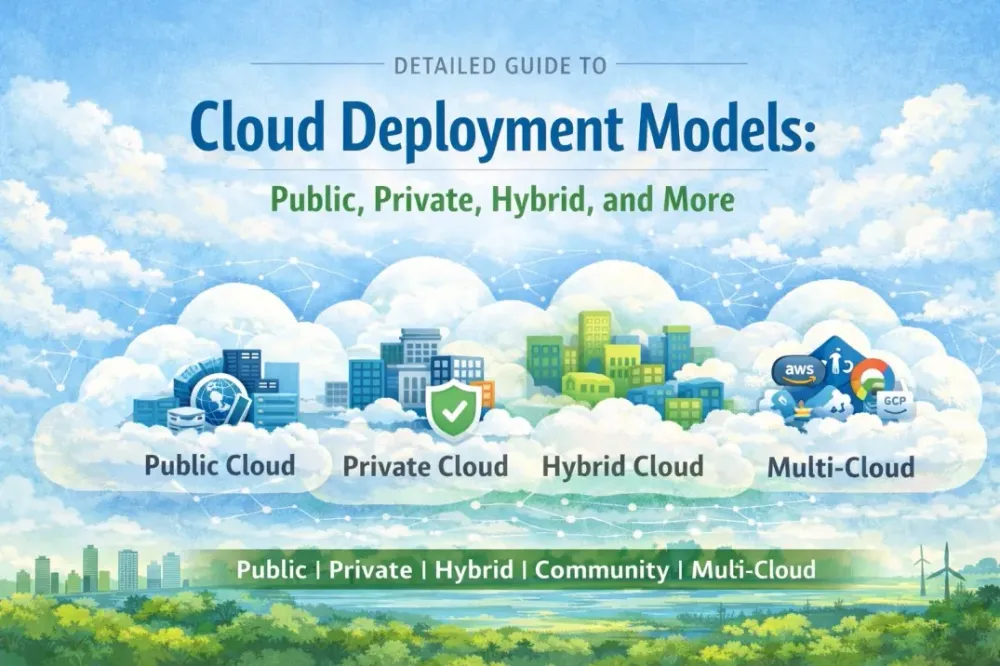
Detailed Guide to Cloud Deployment Models: Public, Private, Hybrid, and More
Unlock the perfect cloud strategy in 2026: Master Public, Private, Hybrid, Community & Multi-Cloud models with pros, cons, real examples, and the ultimate comparison to skyrocket your business

AWS cloud engineer | serverless
Cloud computing has revolutionized how organizations manage IT resources, offering unprecedented scalability, flexibility, and efficiency. While service models like IaaS, PaaS, and SaaS define is delivered, deployment models determine and those resources are hosted and accessed. The main deployment models—Public, Private, Hybrid, Community, and Multi-Cloud—cater to varying needs in terms of control, security, cost, and compliance. In this blog post, we'll explore each model in depth, including their features, real-world examples, advantages, and disadvantages. We'll also include a comparison to help you decide which fits your business.
Understanding Cloud Deployment Models
A cloud deployment model refers to the environment where cloud resources are located and who controls them—whether it's a third-party provider, your organization, or a mix. These models influence factors like data sovereignty, performance, and regulatory adherence. Choosing the right one depends on your workload sensitivity, budget, and scalability requirements. As of 2026, hybrid and multi-cloud setups are increasingly popular due to rising concerns over vendor lock-in and data privacy.
Public Cloud
The public cloud is the most common deployment model, where resources are owned and operated by a third-party provider and shared among multiple users over the internet. It's like renting space in a multi-tenant apartment building—efficient but with shared amenities.
Key Features
- Multi-Tenancy: Resources are shared, but data is isolated via virtualization.
- On-Demand Access: Pay-as-you-go pricing for computing, storage, and services.
- Global Reach: Providers offer data centers worldwide for low-latency access.
- Management: Provider handles all infrastructure maintenance.
Examples
- Amazon Web Services (AWS): Widely used for web hosting and AI workloads.
- Microsoft Azure: Popular for enterprise integrations.
- Google Cloud Platform (GCP): Strong in data analytics and machine learning.
Advantages
- : No upfront capital expenses; scale resources dynamically to match demand.
- Rapid Scalability: Easily handle traffic spikes without hardware investments.
- Innovation Access: Providers frequently update with cutting-edge tools like AI and edge computing.
- Ease of Use: Quick setup for startups and small businesses.
Disadvantages
- : Shared infrastructure increases risks of data breaches or "noisy neighbor" issues.
- Limited Customization: Less control over hardware and configurations.
- Compliance Challenges: May not meet strict regulations (e.g., HIPAA, GDPR) without additional configurations.
- Vendor Lock-In: Migrating away can be complex and costly.
Public clouds are ideal for non-sensitive applications like e-commerce sites or development environments.
Private Cloud
In a private cloud, resources are dedicated exclusively to a single organization, either on-premises or hosted by a provider. It's akin to owning a private home—more control but higher maintenance.
Key Features
- Single-Tenancy: Isolated environment for enhanced security.
- Customization: Tailor hardware, software, and policies to specific needs.
- Deployment Options: On-premises (self-managed) or hosted (managed by a third party).
- Integration: Seamless with existing legacy systems.
Examples
- VMware Private Cloud: For virtualized on-premises setups.
- OpenStack: Open-source platform for building private clouds.
- AWS Outposts or Azure Stack: Hosted private clouds extending public providers.
Advantages
- : Full control over data and access, ideal for sensitive information.
- Compliance-Friendly: Easier to meet industry standards like PCI-DSS or government regulations.
- Performance Predictability: No resource contention from other tenants.
- Customization Flexibility: Optimize for unique workloads, such as high-performance computing.
Disadvantages
- : Significant upfront investment in hardware and ongoing management.
- Scalability Limits: Expanding requires physical additions, which can be slow.
- Maintenance Burden: Organizations handle updates, security, and downtime.
- Resource Underutilization: Fixed capacity may lead to idle resources.
Private clouds suit industries like finance, healthcare, or government where data privacy is paramount.
Hybrid Cloud
Hybrid cloud combines public and private clouds, allowing data and applications to move between them seamlessly. It's a balanced approach, like having a home office with occasional co-working space usage.
Key Features
- Interconnectivity: Tools like VPNs or APIs enable workload portability.
- Burst Capability: Use public cloud for overflow during peaks.
- Data Tiering: Keep sensitive data private while leveraging public for less critical tasks.
- Orchestration: Platforms manage workflows across environments.
Examples
- IBM Cloud: Integrates on-premises with public services.
- Azure Arc: Extends Azure management to any infrastructure.
- Google Anthos: Multi-cloud hybrid management.
Advantages
- : Combine public scalability with private security.
- Cost Optimization: Run steady workloads privately and burst to public.
- Flexibility: Easier migration and disaster recovery.
- Innovation with Control: Access public AI tools while protecting core data.
Disadvantages
- : Integrating and managing multiple environments requires expertise.
- Security Risks: Data transfer between clouds can introduce vulnerabilities.
- Higher Costs: Dual management and integration tools add expenses.
- Compatibility Issues: Ensuring seamless operation across vendors is challenging.
Hybrid is growing in popularity for enterprises transitioning to the cloud gradually.
Community Cloud
Community cloud is shared among organizations with similar requirements, such as regulatory compliance or industry-specific needs. Think of it as a co-op housing for like-minded groups.
Key Features
- Shared Governance: Multiple entities collaborate on management and costs.
- Targeted Compliance: Built for specific standards (e.g., healthcare or finance).
- Cost-Sharing: Distributed expenses among participants.
- Isolation: More secure than public but less exclusive than private.
Examples
- GovCloud (AWS): For U.S. government agencies.
- Financial Services Cloud (Salesforce): Shared among banks.
- Healthcare Community Clouds: Like those from Oracle for medical data sharing.
Advantages
- : Shared infrastructure reduces individual expenses.
- Collaboration: Facilitates data sharing among trusted partners.
- Tailored Security: Meets collective compliance needs.
- Scalability: Benefits from group investments in resources.
Disadvantages
- : Decisions require consensus, slowing changes.
- Dependency Risks: Relies on the community's stability.
- Niche Availability: Not as widespread as other models.
- Integration Challenges: Aligning with diverse member systems.
Community clouds are niche but valuable for sectors like education or non-profits.
Multi-Cloud
Multi-cloud involves using services from multiple public cloud providers to avoid dependency on one. It's like shopping at different stores for the best deals.
Key Features
- Vendor Diversity: Mix providers for optimal services (e.g., AWS for storage, GCP for AI).
- Redundancy: Enhances resilience against outages.
- Portability Tools: Use containers (Kubernetes) for easy movement.
- Management Platforms: Tools like Terraform for unified oversight.
Examples
- Netflix: Uses AWS, GCP, and others for global streaming.
- Spotify: Leverages multiple clouds for data and compute.
Advantages
- : Negotiate better pricing and features.
- Resilience: Mitigate single-provider failures.
- Best-of-Breed: Select top services from each vendor.
- Geographic Optimization: Use region-specific strengths.
Disadvantages
- : Managing APIs, billing, and security across providers.
- Higher Costs: Overhead from duplication and integration.
- Skill Gaps: Teams need multi-vendor expertise.
- Data Consistency: Ensuring synchronization is tough.
Multi-cloud is trending for large enterprises seeking agility.
Comparison of Cloud Deployment Models
Here's a quick comparison table:
Model | Control Level | Cost | Security | Scalability | Best For |
|---|---|---|---|---|---|
Public | Low | Low | Medium | High | Startups, web apps |
Private | High | High | High | Medium | Sensitive data, compliance |
Hybrid | Medium | Medium-High | High | High | Transitioning enterprises |
Community | Medium | Medium | High | Medium | Industry collaborations |
Multi-Cloud | Medium | Medium-High | Medium-High | High | Resilience-focused orgs |
Conclusion
Cloud deployment models offer tailored solutions for diverse business needs, from cost-saving public options to secure private setups. As technology advances, expect more emphasis on hybrid and multi-cloud for flexibility. Evaluate your priorities—security, cost, scalability—before choosing. If you're in Rawalpindi and exploring local cloud options, providers like AWS have regional support in Asia. What's your preferred model? Share in the comments!
Enjoyed reading this content? Let the author know!
Your likes, comments, shares, and saves help creators reach more builders.

Loading recommendations
Loading article