
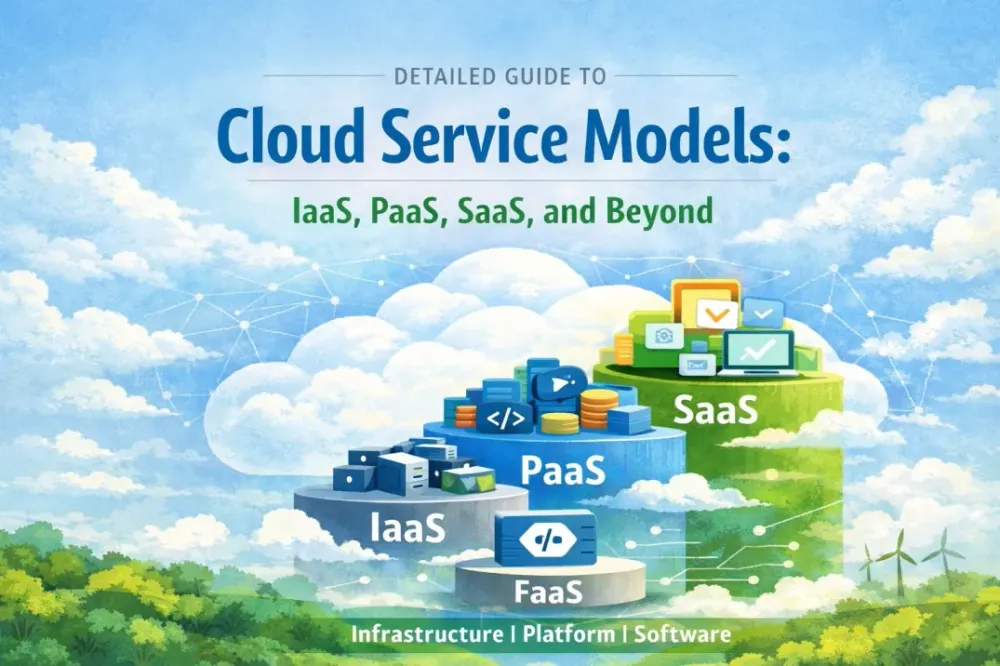
Detailed Guide to Cloud Service Models: IaaS, PaaS, SaaS, and Beyond
Unlock the cloud's power: Master IaaS, PaaS, SaaS (and serverless FaaS) to build smarter, scale faster, and ditch the hardware hassle forever!

AWS cloud engineer | serverless
Cloud computing has transformed the way businesses and individuals access technology resources, offering scalability, flexibility, and cost-efficiency without the need for extensive on-premises infrastructure. At the heart of cloud computing are the service models, which define how resources are delivered and managed. The three primary models—Infrastructure as a Service (IaaS), Platform as a Service (PaaS), and Software as a Service (SaaS)—cater to different needs, from raw computing power to ready-to-use applications. In this blog post, we'll dive deep into each model, explore their key features, examples, advantages, and drawbacks, and compare them to help you choose the right one for your needs. We'll also touch on emerging models like Function as a Service (FaaS).
What Are Cloud Service Models?
Cloud service models refer to the different ways cloud providers deliver computing services over the internet. These models are often visualized as a stack, with IaaS at the bottom providing foundational infrastructure, PaaS in the middle offering development platforms, and SaaS at the top delivering end-user applications. Each model shifts more responsibility from the user to the provider, allowing organizations to focus on their core business rather than IT management.
The models are defined by what the provider manages (e.g., hardware, software, data) versus what the user handles. This abstraction enables on-demand access, pay-as-you-go pricing, and global availability. Now, let's break them down one by one.
Infrastructure as a Service (IaaS)
IaaS is the most flexible cloud service model, providing virtualized computing resources over the internet. It essentially rents out the building blocks of IT infrastructure, such as servers, storage, and networking, allowing users to build and manage their own systems without owning physical hardware.
Key Features
- Virtual Machines (VMs): Users can provision VMs with customizable CPU, RAM, and storage.
- Scalability: Easily scale resources up or down based on demand.
- Networking and Security: Includes firewalls, load balancers, and virtual private networks (VPNs).
- Management: Users handle the operating system, applications, and data, while the provider manages the underlying hardware.
Examples
- Amazon Web Services (AWS) EC2: Offers scalable virtual servers.
- Microsoft Azure Virtual Machines: Provides Windows and Linux VMs.
- Google Compute Engine: Focuses on high-performance computing.
Advantages
- High control and customization, ideal for developers and IT teams.
- Cost-effective for variable workloads, as you pay only for what you use.
- Supports migration of existing applications to the cloud with minimal changes.
Disadvantages
- Requires technical expertise to manage OS and applications.
- Potential for higher costs if not optimized, due to ongoing management overhead.
- Security responsibilities largely fall on the user.
IaaS is best suited for businesses needing maximum control, such as startups building custom environments or enterprises hosting legacy systems.
Platform as a Service (PaaS)
PaaS builds on IaaS by providing a ready-to-use platform for developing, testing, and deploying applications. It abstracts away the infrastructure management, allowing developers to focus on coding and innovation rather than servers and databases.
Key Features
- Development Tools: Includes frameworks, databases, and middleware.
- Auto-Scaling: Automatically adjusts resources based on application needs.
- Integration Services: Built-in support for APIs, DevOps tools, and collaboration.
- Management: Provider handles infrastructure, OS, and runtime; users manage applications and data.
Examples
- Google App Engine: Supports multiple languages and auto-scales apps.
- Heroku: Popular for web apps, with easy deployment via Git.
- Microsoft Azure App Service: Integrates with .NET, Java, and more.
Advantages
- Accelerates development cycles by reducing setup time.
- Simplifies collaboration for distributed teams.
- Built-in security and compliance features.
Disadvantages
- Less flexibility in customizing the underlying infrastructure.
- Vendor lock-in risks if relying on proprietary tools.
- Potential limitations on supported languages or databases.
PaaS is ideal for software developers and teams building web or mobile applications, as it streamlines workflows and empowers faster launches.
Software as a Service (SaaS)
SaaS is the most user-friendly model, delivering fully managed applications over the internet on a subscription basis. Users access software via a web browser without worrying about installation, updates, or maintenance.
Key Features
- Subscription-Based: Pay monthly or annually per user.
- Multi-Tenancy: Shared infrastructure for multiple users, with data isolation.
- Automatic Updates: Provider handles patches, upgrades, and backups.
- Management: Everything is handled by the provider; users only manage their data and configurations.
Examples
- Salesforce: CRM platform for sales and marketing.
- Google Workspace (formerly G Suite): Email, docs, and collaboration tools.
- Zoom: Video conferencing software.
Advantages
- Quick deployment with no upfront costs.
- Accessibility from anywhere with an internet connection.
- Scalable for growing teams, with minimal IT involvement.
Disadvantages
- Limited customization compared to on-premises software.
- Dependency on the provider for uptime and security.
- Data privacy concerns, as information is stored off-site.
SaaS is perfect for end-users and businesses seeking out-of-the-box solutions, like productivity tools or enterprise software.
Emerging Models: Function as a Service (FaaS)
Beyond the core trio, FaaS (also known as serverless computing) is gaining traction. It allows developers to run code in response to events without managing servers. The provider executes functions on-demand, charging only for execution time.
Examples
- AWS Lambda: Runs code for virtually any type of application.
- Google Cloud Functions: Integrates with other Google services.
- Azure Functions: Supports multiple languages.
FaaS is great for event-driven architectures, like IoT or microservices, but it can lead to cold starts (delays in function initialization) and is less suited for long-running processes.
Comparison of Cloud Service Models
To help visualize the differences, here's a comparison table:
Aspect | IaaS | PaaS | SaaS | FaaS |
|---|---|---|---|---|
Managed By Provider | Hardware, Virtualization | Infrastructure, OS, Runtime | Everything (App, Data Mgmt) | Runtime, Execution Environment |
User Responsibility | OS, Apps, Data | Apps, Data | Data, Configurations | Code Functions |
Flexibility | High | Medium | Low | High (for code) |
Use Cases | Custom VMs, Data Centers | App Development | Productivity Tools | Event-Driven Tasks |
Cost Model | Pay for Resources | Pay for Platform Usage | Subscription per User | Pay per Execution |
Examples | AWS EC2, Azure VMs | Heroku, Google App Engine | Salesforce, Zoom | AWS Lambda |
This table highlights how responsibility shifts upward in the stack, with IaaS offering control and SaaS prioritizing ease of use.
Conclusion
Choosing the right cloud service model depends on your technical needs, team expertise, and business goals. IaaS provides foundational control for complex setups, PaaS boosts developer productivity, and SaaS offers simplicity for everyday tools. As cloud technology evolves, hybrid approaches—combining models—are becoming common. For instance, a company might use IaaS for data storage, PaaS for app development, and SaaS for collaboration.
If you're starting your cloud journey, assess your requirements and consider consulting providers like AWS, Azure, or Google Cloud. The future of cloud computing promises even more innovation, making it an exciting space to watch. What are your experiences with these models? Share in the comments!
Enjoyed reading this content? Let the author know!
Your likes, comments, shares, and saves help creators reach more builders.

Loading recommendations
Loading article