
Response Streaming on AWS Serverless
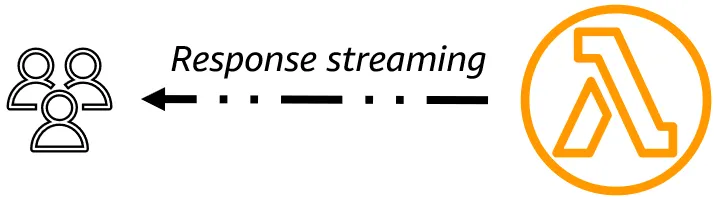
Response streaming transforms user experience by sending data progressively as it becomes available, reducing perceived latency from seconds to milliseconds and enabling memory-efficient handling of large files. AWS's recent completion of serverless streaming support with API Gateway REST API eliminates previous limitations and enables fully streaming AI applications without complex workarounds. Includes a description of a pattern demonstrating an API Gateway REST API that invokes a Python Lambda function.
Series: Serverless (2 articles)
- 2Response Streaming on AWS Serverless This article


Update, November 2026: a few things have changed since I wrote this in December 2025:
- .NET now streams natively. Since August 2026, .NET 8+ Lambda functions can stream responses without the Web Adapter, including through API Gateway REST API.
- Lambda Web Functions launched (October 2026). A Node.js HTTP server on Lambda streams out of the box: SSE, chunked or plain text, no special handler.
- Lambda functions are now called Event Functions. Same functions, new name.
- Python still needs a workaround, so the FastAPI + Lambda Web Adapter pattern below is still the way to stream from Python.
Response streaming allows you to incrementally stream responses back to clients rather than waiting for the entire response to be buffered first, reducing Time to First Byte (TTFB), and making your applications more responsive to users. Let's start off with a quick review of how technology has evolved, an overview of what response streaming is and how it works, before diving into how response streaming is supported on AWS.
Evolution of the web
The web started with simple request-response interactions where users waited for complete page reloads after every click. AJAX and JavaScript in the early 2000s enabled dynamic updates without page refreshes, but still required waiting for complete responses from the server. REST APIs and GraphQL improved how applications exchanged structured data, yet both still delivered complete payloads after processing finished. WebSockets introduced real-time bidirectional communication. Today's applications often need to handle large datasets or AI inference that takes time, creating poor user experiences with long loading periods. Response streaming solves this by sending data progressively as it becomes available, letting users see results appear incrementally rather than waiting for everything to complete.
Inside the tech
HTTP/1.1 introduced chunked transfer encoding and persistent connections, which laid the foundation for response streaming but was limited by head-of-line blocking where only one request could be processed at a time per connection. HTTP/2 revolutionized streaming with binary multiplexing, allowing multiple concurrent streams over a single connection, plus flow control and stream prioritization to manage backpressure and resource allocation. HTTP/3, built on QUIC, eliminated TCP-level head-of-line blocking entirely and provided faster connection establishment, making streaming even more efficient. These protocol advances transformed streaming from a workaround requiring multiple connections to a first-class feature where applications can handle dozens of concurrent streams efficiently on a single connection. Response streaming doesn't require HTTP/3 and QUIC. It works with HTTP/1.1's chunked transfer encoding (available since 1997), which most streaming APIs like ChatGPT and AWS Lambda Response Streaming use today. HTTP/2 and HTTP/3 provide performance improvements like multiplexing and better mobile performance, but they're enhancements, not requirements for streaming functionality.
Response streaming works by keeping HTTP connections open and sending data in chunks as it becomes available, rather than waiting for complete responses. The server uses Transfer-Encoding: chunked or Server-Sent Events (text/event-stream) to send progressive data, while clients use JavaScript's Fetch API with streams or EventSource to process chunks immediately as they arrive. This requires careful connection management, back pressure handling to prevent overwhelming slow clients, and error handling for mid-stream failures. The key benefit is transforming user experience from "wait then see everything" to "see results as they happen," reducing perceived latency and memory usage while improving responsiveness for applications like AI text generation, large dataset queries, and real-time updates.
Response streaming serves two key purposes: improving responsiveness for slow operations (like AI generation where users see progress immediately) and enabling memory-efficient handling of large files (streaming gigabyte files with only kilobytes of RAM usage instead of loading everything into memory). This makes streaming essential both for user experience and server scalability when dealing with large data.
Response streaming dramatically improves TTFB by sending the first chunk within 50-200ms instead of waiting seconds or minutes for complete processing, reducing TTFB by 80-99% for complex operations. While total processing time remains the same, perceived latency drops significantly because users see immediate progress rather than blank loading screens. For example, AI text generation goes from a 30-second TTFB to 100ms with words appearing progressively, making applications feel 30x faster even though the underlying computation takes the same time.
Response streaming on AWS
If you wanted to build an application or API with response streaming, what AWS services would you use?
- AWS Lambda response streaming (Function URLs or the InvokeWithResponseStream API)
- Amazon API Gateway REST API response streaming
- AWS AppSync GraphQL subscriptions
- AWS Lambda Web Functions (since October 2026). Run a standard Node.js HTTP server (Express, Fastify, Hono) on Lambda. Because it's an ordinary server, every
res.write()reaches the client as it happens, so Server-Sent Events and chunked streaming work exactly as they do on your laptop. Streams are bounded by the request timeout (up to 15 minutes). Node.js 24 on Arm64 at launch. See Announcing AWS Lambda Web Functions .
Since November 2025, API Gateway REST APIs now support response streaming. This is exciting because it completes AWS's serverless streaming story. Now you can build fully streaming AI applications without complex workarounds, eliminates the 10MB limit and 29-second timeout restrictions, and enables real-time user experiences where AI responses appear word-by-word instead of after long waits.
Streaming also raises Lambda's maximum response size from 6 MB to 200 MB (10 MB when streaming through API Gateway).
Amazon API Gateway REST API to AWS Lambda Python pattern
- The pattern uses AWS SAM as IaC - you simply need to do a
sam build && sam deployto get it working.
- To enable response streaming on an API Gateway REST API, it sets
responseTransferMode: "STREAM"on the API GW resource.
- Then on the API GW Lambda proxy integration, the ARN or URI uses a different date for the API version and a different service action compared to Lambda proxy integration. This is because API GW now invokes Lambda using
InvokeWithResponseStream.
- In the Lambda function, I chose the Python runtime. Lambda Event Functions stream natively on Node.js and, since August 2026, on .NET 8 and later ( announcement ). Python isn't natively supported yet ( native Python support is on the Lambda roadmap ), so for Python you need a custom runtime or the Lambda Web Adapter . The Web Adapter lets you package a familiar HTTP web app, such as FastAPI, Flask, Express or Spring Boot, and deploy it on Lambda. With Python and the Web Adapter, I chose FastAPI, based closely on this FastAPI response streaming with Function URL example.
- The Lambda function then calls Bedrock using the
InvokeModelWithResponseStreammethod.
- The streamed response is passed back from Bedrock, to Lambda, to API Gateway, then onto the client.
What's next: Lambda has changed a lot since I wrote this. In Lambda grew up and moved out of the handler , I cover Web Functions, MicroVMs and the other workarounds you can now stop building.
Any opinions in this article are those of the individual author and may not reflect the opinions of AWS.
Series: Serverless (2 articles)
- 2Response Streaming on AWS Serverless This article
Enjoyed reading this content? Let the author know!
Your likes, comments, shares, and saves help creators reach more builders.

Loading recommendations
Loading article