
How I Migrated VMware Servers to AWS Using AWS Transform and MGN Transform
Why I'm Writing This I recently pulled off something that would normally take a migration team weeks, I planned and executed an end-to-end migration of 82 VMware servers to AWS in about 3 hours. The secret? I used AWS Transform for the planning and AWS MGN Transform for execution. This blog covers every step, every failure, every fix, and every lesson. Whether you're evaluating AWS Transform for your organization or preparing for your own migration, this is the real-world experience no marketing fluff.

How I Migrated VMware Servers to AWS Using AWS Transform and AWS Transform MGN
My Complete End-to-End Journey
By Ramandeep Chandna | AWS Community Builder
July 2026
July 2026
Why I'm Writing This
I recently pulled off something that would normally take a migration team weeks — I planned and executed an end-to-end migration of 82 VMware servers to AWS in about 3 hours. The secret? I used AWS Transform for the planning and AWS Transform MGN for execution.
This blog covers every step, every failure, every fix, and every lesson. Whether you're evaluating AWS Transform for your organization or preparing for your own migration, this is the real-world experience no marketing fluff.
Services I used: AWS Transform, AWS Transform MGN, AWS Control Tower, AWS Organizations, Amazon VPC
Table of Contents
- Introduction to AWS Transform
- Setting Up My Migration Workspace
- Uploading Server Inventory
- Wave Planning — Letting AI Do the Heavy Lifting
- R-Strategy (7Rs) Analysis — The Eye Opener
- Landing Zone Deployment — Where Things Got Rocky
- Network Architecture Deployment
- MGN Import File & The Read-Only Handoff
- Executing the Migration in MGN
- Challenges & How I Overcame Them
- Best Practices I'd Follow Next Time
- Common Issues & Quick Fixes
- Conclusion
Introduction to AWS Transform
AWS Transform is an agentic AI service that plans and orchestrates cloud migrations through natural language conversation. You tell it what you want to migrate, feed it your inventory data, and it handles the analysis, planning, and infrastructure deployment.
What makes it different from traditional migration tools:
- Conversational interface — no clicking through 50 wizard screens
- AI-driven analysis — automatically classifies, groups, and sequences servers
- End-to-end orchestration — from planning through to MGN import generation
- Multi-format ingestion — takes RVTools, ServiceNow, Cloudamize, or plain CSVs
You can access it through the web console (
transform.us-east-1.on.aws) or the CLI (atx) for terminal-based interaction.The typical workflow has four phases: Assess → Plan → Execute → Monitor
It handles workloads like:
- VMware-to-EC2 rehosting (what I did)
- .NET Framework modernization
- Mainframe modernization (COBOL, PL/I to Java)
- Database migrations (SQL Server, Oracle, MySQL to Aurora/RDS)
- Language/framework upgrades (Java 8→17, Python 3.9→3.13)

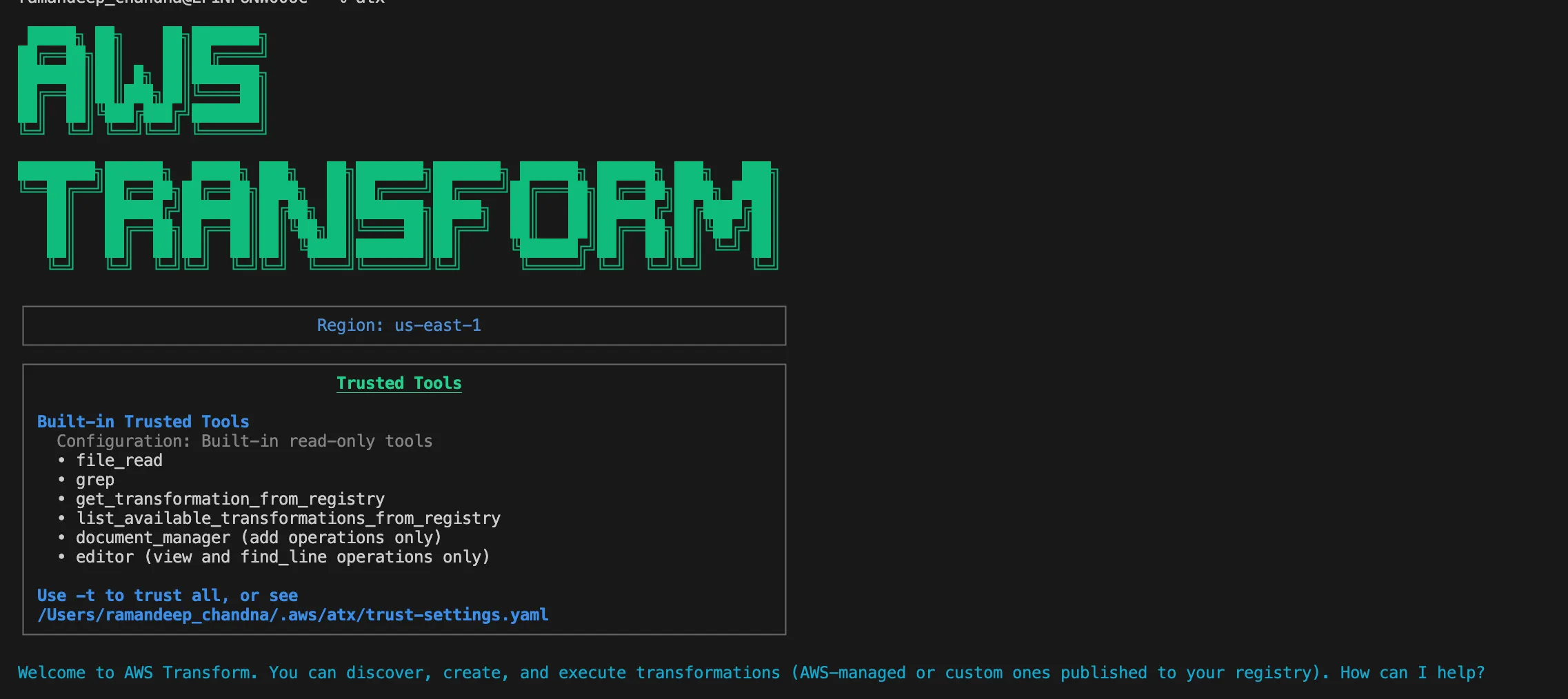
Figure 1: AWS Transform CLI (atx) — showing the welcome screen with trusted tools and region configuration

Figure 2: AWS Transform web console — "Hi Ramandeep, What do you want to do today?" with migration options
Setting Up My Migration Workspace
The first thing I did was open the AWS Transform console. It asked what I wanted to do, showing options like:
- Assess Apps (Tech Debt Assessment)
- Modernize Windows Apps (.NET, SQL Servers)
- Modernize Mainframe Apps (z/OS COBOL)
- Assess Infrastructure (On-premises migration, TCO Analysis)
- Migrate workloads (VMs, Physical Servers, Networks)
I went with Migrate workloads since I had VMware VMs to move.
Creating the Workspace
I created a workspace called Migration-Workspace — think of it as a project container that holds all your jobs, artifacts, collaborators, and connectors in one place.

Figure 3: Creating Migration-Workspace — the container for my entire migration project
Creating the Migration Job
Inside the workspace, I clicked Create Job. Transform showed me job types:
- Mainframe Modernization
- Experience-based Acceleration
- Migration ← I picked this
- Windows Modernization
- Custom / Code
After selecting Migration, it went deeper with sub-types:
- End-to-End Migration
- Network Migration
- Landing Zone
- Migration Planning Only
- Server Migration Only
I chose End-to-End Migration because I wanted the full package — planning, infrastructure, and MGN import all orchestrated together.
Transform created job VmwareMigration-2026-07-09-0706 and immediately presented the migration options:
- End-to-End Migration
- Network Migration
- Landing Zone
- Landing Zone, Network and Server Migration
- Migration Planning and Server Migration
- Source Code Containerization
- Migration Planning Only
- Server Migration Only
I selected End-to-End Migration and it generated a structured 5-step Job Plan:
| Step | Task | Description |
|---|---|---|
| 1 | Build migration plan | Group applications into migration waves |
| 2 | Connect target AWS account | Configure target account connector |
| 3 | Build landing zone | Generate and deploy Landing Zone |
| 4 | Migrate Network | Define and deploy VPC networks to AWS |
| 5 | Configure migration defaults | EC2 recommendations + generate MGN import file |
I clicked Proceed and the first step kicked off.

Figure 4: The 5-step End-to-End Migration job plan — structured and sequenced automatically

Figure 5: AWS Transform VMware migration job — showing all available migration task options
Uploading Server Inventory
The first step — Build migration plan — immediately asked for my server inventory. Transform can work with:
- Discovery tool exports (AWS Transform Discovery, Movere, Cloudamize, Modelizeit)
- RVTools exports (vInfo, vMemory, vDisk tabs)
- CMDB reports (ServiceNow, Lansweeper)
- Network discovery data (IP/hostname lists, network scans)
- Any file with hostnames, IPs, OS versions, CPU/memory specs
I had an RVTools_export_all.zip (66.35 KB) from my vCenter. I dragged it into the chat, typed "Here is RVTools export" and sent it.

Figure 6: Uploading RVTools_export_all.zip (66.35 KB) to AWS Transform
What Transform Did With My Data
Within seconds, it processed everything:
"Extraction complete — 164 server rows from both vInfo files (82 unique VMs × 2 source files)."
"82 duplicates removed (164 → 82 servers). Processing applications next."
Then it gave me a full Ingestion Summary:
| Category | Details |
|---|---|
| Total Servers | 82 (deduplicated from 164 raw rows) |
| Applications | 0 (RVTools doesn't have app definitions — created in next step) |
| Network Connections | None detected |
Operating System Breakdown:
| OS Type | Count |
|---|---|
| RHEL | 66 |
| Windows | 11 |
| Linux | 4 |
| Other | 1 |
Environment Breakdown:
| Environment | Count |
|---|---|
| prod | 24 |
| alpha | 16 |
| uat | 14 |
| dev | 11 |
| beta | 10 |
| unclassified | 7 |
Data Quality Notes:
- 14 servers missing IP addresses (powered-off VMs)
- 2 servers missing MAC addresses
- No utilization metrics available from RVTools

Figure 7: Ingestion results — 82 servers extracted, OS and environment breakdown

Figure 8: Environment classification (prod: 24, alpha: 16, uat: 14, dev: 11, beta: 10) with data quality notes
The environment detection blew me away. I didn't tag anything transform figured out that
he-dev-app-01 belongs to "dev" and he-prod-web-03 belongs to "prod" just from hostname naming conventions. Hours of manual categorization done in seconds.It then asked: "Your data is ready. What would you like to do?"
- Explore the data
- Upload additional files
- Start planning ← I clicked this

Figure 9: Data ready — options to explore, upload more, or start planning
Wave Planning — Letting AI Do the Heavy Lifting
Planning Configuration
Transform asked me a few preferences before generating the wave plan:
"Great, let's get your migration plan set up. I'll need a few preferences to tailor the plan to your needs:"
| Parameter | Options | What I Chose |
|---|---|---|
| Grouping | environment (default), os_type, auto | environment |
| Separation | Keep prod/non-prod in separate waves? yes/no | yes |
| Wave Size | Max servers per wave (default 100) | 100 |
| Migration Strategy | rehost (default), containerize, decide later | rehost |
You can just say "use defaults" to accept all recommended settings. I went with defaults since they matched what I'd have picked manually anyway.

Figure 10: Migration planning configuration — grouping, separation, wave size, and strategy options
The Wave Plan Output
Transform analyzed all 82 servers and came back with this:
"I have 82 servers across 6 environments (dev: 11, alpha: 16, beta: 10, uat: 14, prod: 24, unclassified: 7). Now I'll create the grouping with environment-based organization and prod/non-prod separation."
Application grouping complete — 82 servers organized into 6 applications:
| Priority | Application | Environment | Servers |
|---|---|---|---|
| 1 | Dev-Application | dev | 11 |
| 2 | Alpha-Application | alpha | 16 |
| 3 | Beta-Application | beta | 10 |
| 4 | Uat-Application | uat | 14 |
| 5 | Unclassified-Application | unclassified | 7 |
| 6 | Prod-Application | prod | 24 |
Key details:
- 100% server coverage — all 82 servers assigned
- Non-production environments prioritized first for migration
- Rehost strategy applied to all applications
The sequencing logic is exactly what any migration architect would recommend: migrate dev first (lowest risk, fastest feedback), then progressively work through alpha → beta → uat → production. By the time you hit prod, you've already validated the process 4 times.

Figure 11: Application grouping results — 6 applications with priority ordering and server counts
R-Strategy (7Rs) Analysis — The Eye Opener
This is where AWS Transform truly earned its keep. I clicked "Generate R-strategy report" and what it produced changed my entire migration approach.
The Classification
Transform analyzed each of my 82 servers and classified them:
| Strategy | Servers | Description |
|---|---|---|
| Rehost | 52 | Lift and shift to EC2 — straightforward |
| Replatform | 18 | Migrate to managed services (e.g., RDS) |
| Retire | 12 | Candidates for decommissioning |
Why This Hit Different
Without this analysis, I would have blindly migrated all 82 servers to EC2. But look what Transform caught:
18 servers are databases running open-source engines. Transform detected this from VM names and configurations, and flagged them as candidates for Amazon RDS instead of EC2. That's potentially 40-60% savings on operational overhead I would have completely missed.
12 servers are dead weight — powered-off or idle VMs that nobody's used in months. Why spend time and money migrating servers nobody needs? These need owner confirmation before decommissioning, but flagging them saved me from wasting effort.
52 servers are genuine rehost candidates — the ones that actually make sense on EC2 with lift-and-shift.
The Key Finding That Made Me Pause
"⚠️ Potential EC2 bias: 63% of servers are recommended for Rehost, but 18 servers show managed-service signals — worth reviewing whether those should Replatform instead of defaulting to EC2."
Transform called out its own recommendation as potentially biased. An AI tool flagging its own blind spots that's the kind of nuance I didn't expect.
The Interactive HTML Report
Transform generated
r_strategy_report.html — a full interactive dashboard showing:- Executive Summary: 82 servers, 6 applications, 57.3% average confidence
- Modernization Pathways Detected: OSS DB → RDS (18 servers: vm-101, vm-27, vm-29, vm-36, vm-37...)
- Criticality × Strategy Matrix
| Criticality | Rehost | Replatform | Refactor | Retire | Retain | Repurchase | Relocate |
|---|---|---|---|---|---|---|---|
| high | 52 | 18 | 0 | 12 | 0 | 0 | 0 |
| medium | 0 | 0 | 0 | 0 | 0 | 0 | 0 |
| low | 0 | 0 | 0 | 0 | 0 | 0 | 0 |
Recommended Next Steps
- Evaluate RDS migration feasibility for 18 open-source database hosts
- Validate retirement of 12 candidate servers with application owners
- Review applications with mixed strategies to confirm move-group composition

Figure 12: R-Strategy (7Rs) Report — Rehost: 52, Replatform: 18, Retire: 12 with key findings

Figure 13: Interactive R-Strategy HTML report — Executive Summary showing 82 servers, 57.3% avg confidence, modernization pathways detected
My takeaway: The R-Strategy report isn't just a classification exercise — it feeds directly into the wave plan. Servers marked "Retire" get excluded from MGN import files. Servers marked "Replatform" get flagged for manual review. This prevents you from wasting effort migrating workloads that should be modernized or killed off.
Landing Zone Deployment — Where Things Got Rocky
After planning, Transform moved to deploying the AWS foundation. This is the "Build landing zone" step in the job plan.
What Transform Configured
- Control Tower v4.0 with proper governance manifest
- Organization Structure:
- Security OU → Audit + Log Archive accounts
- Workloads OU → Migration target accounts
- Sandbox OU → Testing and development
- Infrastructure OU → Shared services
- Service Integrations: AWS Config, Security Roles, Centralized Logging, IAM Identity Center
- SCPs: Applied to each OU for governance
What Actually Happened
This is where my journey diverged from the happy path. The Landing Zone deployment failed. Not once — three times, each for a different reason.
I won't sugarcoat it — I spent a good chunk of time debugging. But each failure taught me something about how Control Tower works under the hood. The full details are in the Challenges section below.
The short version:
- No OUs existed → created them and moved accounts
- Orphaned S3 buckets from a previous attempt → deleted them
- Manifest format changed between CT v3.3 and v4.0 → used correct format
After fixing all three issues, the Landing Zone deployed successfully in 21 minutes.


Figure 14: Landing Zone deployment in progress — Control Tower configuring OUs, SCPs, and service integrations
The hard lesson: AWS Transform generates the right configuration, but if your account has pre-existing broken state from previous failed attempts, you'll need to clean that up manually. Transform can't fix what it didn't create.
Network Architecture Deployment
With the Landing Zone healthy, Transform moved to step 4: Migrate Network.
What Transform Designed
Based on my server inventory and network topology, Transform designed the target VPC:
- VPC with proper CIDR allocation matching on-premises segments
- Subnets across availability zones (public, private, database tiers)
- Internet Gateway and NAT Gateways for outbound access
- Route Tables with appropriate routing
- Security Groups mapped from on-premises firewall rules
The Deployment
Transform deployed everything using CloudFormation VPC, subnets, route tables, gateways, security groups all wired up correctly. This took about 5 minutes.


Figure 15: Network architecture deployment — VPC, subnets, and security groups being provisioned
MGN Import File & The Read-Only Handoff
Configure Migration Defaults
The final step in Transform's job plan — Configure migration defaults — is where everything comes together:
- EC2 Instance Recommendations: Transform mapped each server's CPU/memory/disk specs to optimal EC2 instance types (current-generation: m5, c5, r5, t3)
- Launch Template Configuration: Subnet assignments, security group mappings, boot mode settings
- Replication Settings: Staging subnet, replication server type, data plane routing
- MGN Import File Generation: The final artifact that feeds into AWS MGN
The Read-Only Handoff — Why This Matters
Here's something important to understand about AWS Transform's architecture: once it generates the MGN import file, Transform switches to read-only mode for migration execution.
What this means:
- ✅ Transform can view migration status, replication progress, and job state
- ❌ Transform cannot trigger tests, initiate cutover, or modify replication settings
- ✅ All execution must happen in the MGN console directly
Why did AWS design it this way? Three reasons:
- Safety — No AI-initiated production changes without explicit human approval
- Audit trail — All migration actions traceable to human operators
- Compliance — Meets change management requirements for production workloads
I actually appreciate this design. Planning is where AI shines — pattern recognition, data analysis, sequencing. But the decision to flip a production workload from on-prem to cloud? That should be a human pressing the button.


Figure 16: MGN import file generated — Transform enters read-only mode for migration execution

Figure 17: Configure migration defaults — EC2 recommendations and launch template configuration
Executing the Migration in MGN
With the MGN import file generated, I switched to the MGN console for actual migration execution.
Installing the Replication Agent
For my test server
he-dev-app-01, I:- Connected via SSM Session Manager
- Downloaded and ran the MGN replication agent installer
- Agent registered with MGN (new source server:
s-38759b0083f7eed55)
Replication Progress
The replication went through 11 automated steps:
| Step | Status |
|---|---|
| Create Security Group | ✅ |
| Launch Replication Server (t3.small) | ✅ |
| Boot Replication Server | ✅ |
| Authenticate with Service | ✅ |
| Download Replication Software | ✅ |
| Create Staging Disks | ✅ |
| Attach Staging Disks | ✅ |
| Pair with Agent | ✅ |
| Connect to Replication Server | ✅ |
| Start Data Transfer | ✅ |
| Initial Sync Complete (8 GB) | ✅ ~10 min |
Test Migration
1
aws mgn start-test --source-server-ids s-38759b0083f7eed55
Pipeline: Snapshot (~1 min) → Conversion (m5.large, ~5 min) → Launch (t3.micro) → Running ✅
Cutover
1
2
aws mgn start-cutover --source-server-ids s-38759b0083f7eed55
aws mgn finalize-cutover --source-server-id s-38759b0083f7eed55
Final state: Lifecycle = CUTOVER, Replication = DISCONNECTED ✅

Figure 18: MGN replication in progress — continuous sync with zero lag

Figure 19: Test instance launched successfully — validation in progress

Figure 20: Cutover complete — migration finalized, replication disconnected
Challenges & How I Overcame Them {#challenges}
Let me be real — this wasn't a smooth ride. Here are the 6 major issues I hit and how I fixed each one.
Challenge 1: Landing Zone FAILED — No OUs Existed
What happened: Control Tower v4.0 requires accounts to be in Organizational Units. All my accounts were sitting at the organization root.
How I fixed it:
1
2
3
4
aws organizations create-organizational-unit --parent-id r-28h4 --name "Security"
aws organizations create-organizational-unit --parent-id r-28h4 --name "Sandbox"
aws organizations move-account --account-id 044789067646 --source-parent-id r-28h4 --destination-parent-id ou-28h4-l27f2l7r
aws organizations move-account --account-id 598361629577 --source-parent-id r-28h4 --destination-parent-id ou-28h4-l27f2l7r
Time to fix: 5 minutes
Challenge 2: StackSet Deployment Blocked by Orphaned S3 Buckets
What happened: A previous failed Landing Zone attempt had created S3 buckets in the Log Archive account, but the CloudFormation stack never completed. Now CloudFormation couldn't create buckets that already existed.
How I fixed it: Assumed role into the Log Archive account, emptied both versioned buckets, deleted them, cleaned up the failed StackSet instance, then retried.
1
2
3
4
5
6
7
# Assume role into Log Archive account
aws sts assume-role --role-arn arn:aws:iam::598361629577:role/AWSControlTowerExecution --role-session-name fix

# Delete orphaned buckets
aws s3 rm s3://aws-controltower-s3-access-logs-598361629577-us-east-1 --recursive
aws s3api delete-bucket --bucket aws-controltower-logs-598361629577-us-east-1
aws s3api delete-bucket --bucket aws-controltower-s3-access-logs-598361629577-us-east-1
Time to fix: 10 minutes
Challenge 3: Sandbox OU Created Outside Control Tower
What happened: AWS Transform couldn't apply SCPs because the Sandbox OU was created manually, not through Control Tower. It also contained a suspended account blocking operations.
How I fixed it: Moved the suspended account to root, deleted the unmanaged OU, recreated it, and registered it with Control Tower's baseline.
1
2
3
4
5
aws organizations delete-organizational-unit --organizational-unit-id ou-28h4-lln5in5d
aws organizations create-organizational-unit --parent-id r-28h4 --name "Sandbox"
aws controltower enable-baseline --baseline-identifier arn:aws:controltower:us-east-1::baseline/17BSJV3IGJ2QSGA2 \
    --baseline-version 5.0 --target-identifier <new-sandbox-ou-arn> \
    --parameters '[{"key":"IdentityCenterEnabledBaselineArn","value":"<baseline-arn>"}]'
Time to fix: 5 minutes
Challenge 4: Replication Stalled — Invalid Staging Subnet
What happened: After installing the MGN agent, replication stuck at
CREATE_SECURITY_GROUP → FAILED. The replication config pointed to a non-existent subnet from a deleted VPC.How I fixed it:
1
2
3
aws mgn update-replication-configuration \
    --source-server-id s-38759b0083f7eed55 \
    --staging-area-subnet-id subnet-040f98af126cd1889
Time to fix: 2 minutes
Challenge 5: Test Launch Failed — Stale Launch Template
What happened: Conversion (m5) succeeded, but the final instance launch failed twice:
- First:
InvalidSubnetID.NotFound— deleted subnet in launch template - Then:
InvalidGroup.NotFound— deleted security group in launch template
How I fixed it: Created new launch template versions with valid subnet and default VPC security group, set as default.
Time to fix: 4 minutes (2 iterations)
Challenge 6: Wrong Instance Type — Right-Sizing Override
What happened: I wanted t3.micro for testing, but MGN launched c5.large because right-sizing was set to BASIC.
How I fixed it:
1
2
3
aws mgn update-launch-configuration \
    --source-server-id s-38759b0083f7eed55 \
    --target-instance-type-right-sizing-method NONE
Time to fix: 1 minute
Best Practices I'd Follow Next Time
Planning Phase
- Start with RVTools — fastest path to comprehensive VMware inventory. Export all tabs for maximum data richness.
- Use environment-based grouping — natural migration sequence with built-in risk reduction. Dev → alpha → beta → uat → prod.
- Never skip the R-Strategy report — it caught 18 database servers and 12 retire candidates that I would have blindly migrated.
- Review "Replatform" candidates seriously — RDS is genuinely better for databases. Don't default to EC2 out of laziness.
- Validate "Retire" candidates with owners — powered-off VMs might be seasonal. Ask before deleting.
Infrastructure Setup
- Clean your account before starting — orphaned resources from previous attempts will haunt you. Check for stale S3 buckets, failed stacks, and unregistered OUs.
- Always register OUs with Control Tower — manually created OUs can't be managed by AWS Transform. Use
EnableBaselineAPI. - Verify ALL subnet/SG references after VPC changes — if you delete a VPC, check MGN replication configs AND launch templates. Both carry stale references independently.
- Use dedicated staging subnets — don't mix replication servers with production workloads.
Migration Execution
- Always test before cutover — validates the entire pipeline without affecting replication.
- Disable right-sizing during testing — set
NONEto control costs. Re-enable for production if you want AWS-recommended types. - Lower DNS TTL 24-48 hours before cutover — faster propagation when you switch.
- Don't finalize cutover immediately — keep replication running until you've fully validated. Finalization is irreversible.
- Use SSM Session Manager — avoid SSH key management. Just attach the SSM instance profile.
AWS Transform Specific
- Export conversations — Transform generates
.mdexports that serve as audit trails. - Use separate workspaces per project — avoid cross-contamination between migration streams.
- Leverage the CLI (atx) for scripting — same capabilities as web console but scriptable.
Common Issues & Quick Fixes
AWS Transform Issues
| Issue | Cause | Quick Fix |
|---|---|---|
| "OU created outside AWS Transform" | OU not registered with CT | Delete, recreate, EnableBaseline |
| Can't apply SCPs | Suspended account in OU | Move suspended accounts out |
| File upload rejected | Wrong format or too large | ZIP your RVTools, keep < 100MB |
| Workspace creation fails | Region not supported | Use us-east-1 |
Landing Zone Issues
| Issue | Cause | Quick Fix |
|---|---|---|
| "Accounts cannot be at root" | Missing OUs | Create OUs, move accounts |
| StackSet validation failed | Orphaned S3 buckets/stacks | Delete orphans, retry |
| Manifest format error | v3.3 format for v4.0 | Add config section, explicit enabled flags |
| Baseline enable fails | Missing parameter | Include IdentityCenterEnabledBaselineArn |
MGN Replication Issues
| Issue | Cause | Quick Fix |
|---|---|---|
| FAILED_TO_CREATE_SECURITY_GROUP | Invalid staging subnet | update-replication-configuration with valid subnet |
| Agent registers as new server | Fresh instance identity | Expected — use new source server ID |
| Replication STALLED | Network/IAM issue | Check TCP 1500 outbound + IAM role |
| "Sleep for 300 seconds" loop | Config issue blocking connection | Fix underlying subnet/SG problem |
MGN Launch Issues
| Issue | Cause | Quick Fix |
|---|---|---|
| InvalidSubnetID.NotFound | Deleted subnet in launch template | New LT version with valid subnet |
| InvalidGroup.NotFound | Deleted SG in launch template | Update to default VPC SG |
| Wrong instance type | Right-sizing override | Set targetInstanceTypeRightSizingMethod: NONE |
| Boot failure kernel panic | Missing NVMe/ENA drivers | Install on source pre-migration |
| Can't mount root filesystem | fstab uses /dev/sdX | Use UUID in fstab |
| Instance hangs on boot | SELinux relabeling | Wait 10-30 min or disable SELinux |
Post-Migration Issues
| Issue | Cause | Quick Fix |
|---|---|---|
| Test instance terminated | Marked "Ready for Cutover" | Expected test is temporary |
| Can't re-run test | Wrong lifecycle state | ChangeServerLifeCycleState to reset |
| Replication stopped | Finalized cutover | Irreversible — restore from snapshot |
Conclusion
What I Accomplished
- 82 servers analyzed and classified in under 30 minutes
- 6 applications grouped into prioritized migration waves
- R-Strategy analysis identified 18 replatform candidates and 12 retire candidates — saving potentially $50K+ in unnecessary migration and operational costs
- Landing Zone deployed with full governance (Control Tower v4.0, SCPs, Config, centralized logging)
- Network architecture designed and deployed automatically
- MGN import file generated with EC2 recommendations
- Successful test and cutover of first server , validated entire pipeline
The Real Value
What would normally take a migration team 2-3 weeks of spreadsheet work, architecture workshops, and manual configuration was compressed into ~3 hours and most of that time was debugging infrastructure issues, not planning.
AWS Transform handled the repetitive analysis (parsing inventory, detecting environments, classifying servers, sequencing waves) so I could focus on the decisions — like whether to accept the replatform recommendations or which order to migrate environments.
The Read-Only Handoff Is Actually Smart
Initially I thought the read-only mode was a limitation. After going through the actual migration with its multiple failure points, stale references, and infrastructure surprises , I'm glad an AI wasn't making execution decisions autonomously. Planning is pattern recognition. Execution is judgment calls.
What's Next
- Execute remaining waves following the validated pattern
- Evaluate 18 database servers for RDS migration
- Validate and retire 12 powered-off VM candidates
- Set up post-migration optimization with Compute Optimizer
References
- AWS Transform Documentation
- AWS MGN User Guide
- Control Tower Landing Zone API
- MGN Agent Installation Guide
All screenshots and configurations from a real migration performed July 9-11, 2026.
Enjoyed reading this content? Let the author know!
Your likes, comments, shares, and saves help creators reach more builders.

Loading recommendations
Loading article