
Complete Guide to Amazon Q - Agentic AI Assitant
This article provides a deep dive into Amazon Q, exploring its evolution into a powerful, agentic AI assistant. Learn how to use its Chat and Agent Modes for everything from writing code and refactoring to integrating services like S3 and Bedrock, all while adhering to AWS-specific security and best practices.

Lead Architect | AWS Community Builder - AI Engineering
This article is based on a verbatim transcript of the podcast, "Coding Talks with Vishnu VG," an episode focusing on the intelligent AWS AI assistant, Amazon Q**.**
Welcome, everyone, to another episode of Coding Talks with Vishnu VG. I am Vishnu VG, a .NET programmer, AWS Community Builder, and cloud architect working with different cloud technologies like AWS, Azure, and GCP.
The podcast is available on all leading audio platforms, like Spotify, Apple Music, and so on. Also, the verbatim transcription of this podcast is available on LinkedIn, the Community Builder blog (
builder.aws.com ), and also on the Medium platform. The same podcast is also available on YouTube. A regional Malayalam version is also available. Feel free to check out whatever version is convenient for you. https://www.youtube.com/watch?v=rul9CYceApw Just a disclaimer before we start: All the opinions, information, examples, and everything I present through this podcast are purely personal and do not represent any of my employer's views in any way.
The topic of today's discussion is about Amazon Q, which is an intelligent AI assistant that can help with your coding or development activities, as well as for understanding your business better.
Amazon Q is the evolution of the service previously known as Amazon CodeWhisperer. Amazon introduced that service around two to three years ago when they were launching their generative AI services under the AI umbrella, including Bedrock. CodeWhisperer was exposed as an extension for your Visual Studio Code. When I first used it, it helped me understand code better, generate code, assist with development activities, and provide best practices, tips, and suggestions.
Those initial features are still valid, but Amazon has added significantly more on top of the service and enhanced the integration—that's what we will focus on today.
Understanding the Two Versions of Amazon Q
Amazon Q is an AI assistant you can think of as an AWS expert sitting next to you, ready to answer questions. It can help you build applications, especially for enterprises, and understand complex tasks like analyzing existing legacy codebases.
A key advantage is that Amazon Q is updated frequently with the latest AWS features and documentation, ensuring you receive current best practices. Since it is optimized for the AWS ecosystem, developers working with AWS services will find it especially helpful.
Amazon Q is divided into two distinct versions:
1. Amazon Q Developer (The AI Coding Assistant)
This version is specifically for your software development lifecycle. It assists with writing code, debugging issues, explaining existing code, and integrating AWS services into your application.
For instance, if you are migrating from a local file storage system to Amazon S3, Amazon Q Developer can help generate the necessary code changes.
Modes of Interaction: Chat vs. Agent
- Chat Mode: This is like having a conversation with an AWS expert. You use it for learning new services, exploring architectural ideas, troubleshooting quickly, or asking for explanations of specific code methods. Q remembers the context within a single chat session.
- Agent Mode: This is an action-oriented mode. You provide a prompt, and the agent creates an execution plan, splits it into tasks, and iteratively works to achieve the specified goal without constant supervision. This is ideal for refactoring complex, spaghetti-like code into cleaner, maintainable classes or implementing new features entirely.
Underlying Model Architecture
The foundation model used is from Anthropic, specifically Cloud Sonnet. However, what makes Amazon Q unique is its behind-the-scenes optimization. Based on your prompt—whether it's about S3 architecture or troubleshooting a specific error—it automatically adjusts, selecting the best-tailored internal model variation to provide the exact answer you need without requiring you to switch models manually, unlike other AI systems where you might select GPT-4 or another variant explicitly.
2. Amazon Q for Business (The Enterprise Knowledge Assistant)
This acts as an enterprise knowledge assistant. When working on a project, in addition to technical knowledge, you must understand the business domain. Amazon Q Business connects to your company's documents, wikis, and business systems to answer questions about your organization, its procedures, and internal knowledge.
Important Security Note: The information used by either Amazon Q Developer or Amazon Q Business (whether it is code or internal enterprise documents) stays within your AWS account. It is not used for training any models or shared outside your environment.
Accessing Amazon Q: Where and How to Connect
You can connect with Amazon Q and utilize its features in several ways:
- IDE Extension (VS Code, JetBrains): This is the most common path for developers. Install the extension, sign in with your free AWS Builder ID, and access the chat interface directly within your editor.
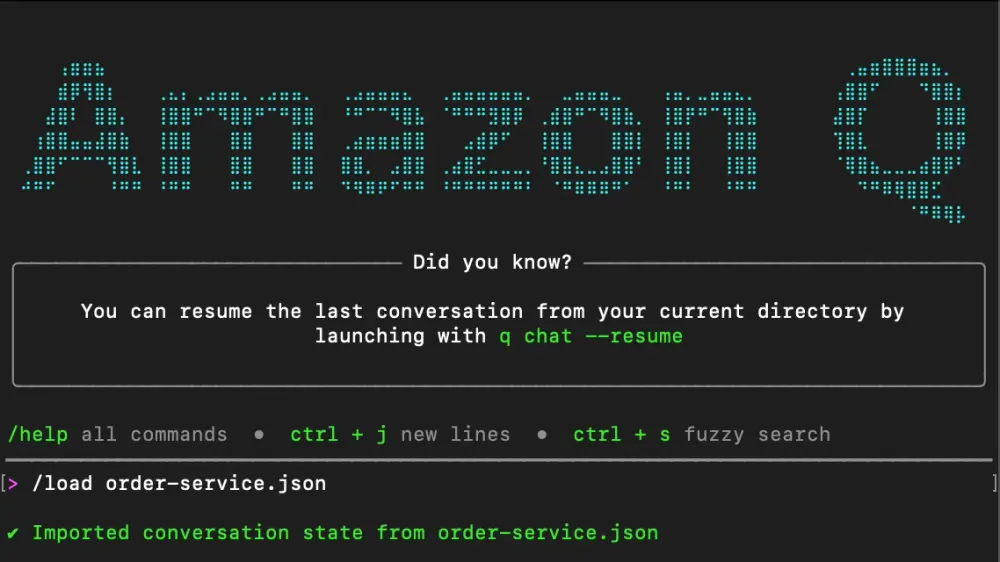
- AWS Q CLI: This command-line interface is useful for DevOps teams or those who prefer working in the terminal.
- AWS Console: Operations teams often use the AWS Console interface to troubleshoot live issues or check existing service configurations against best practices.
Pricing and Enterprise Security
Amazon Q Developer offers different access points:
- Free Tier: Generous access for individual developers to try out chat functionality, code suggestions, and a limited number of agent interactions per month.
- Pro Tier ($19/user/month): This tier is for professional development teams needing intensive usage, unlimited conversations, enhanced agent capabilities, and critical enterprise features like IP indemnity and centralized policy management.
Data Privacy and IAM: Amazon Q is built with enterprise security in mind. It respects your IAM permissions; if you ask it about production data but your IAM role doesn't have access, Q will not provide that data.
Developer Best Practice: While AWS ensures your code stays private, it is best practice to avoid sharing highly sensitive information like API keys, passwords, or proprietary algorithms directly in the chat. Focus on architecture, patterns, and general AWS best practices.
Role-Specific Usage Scenarios
Different teams leverage Amazon Q based on their workflows:
- Development Teams: Primarily use the IDE extension for coding assistance, writing boilerplate code, and ensuring AWS SDK usage aligns with best practices.
- Operations Teams: Use the AWS Console interface to troubleshoot issues, understand current service configurations, and get guidance on service maintenance.
- DevOps Engineers: Use Q, often via the CLI or console, to quickly diagnose live production issues, identify potential causes, and generate resolution steps.
- Architecture Teams: Focus on using Q to explore different design patterns, validate architectural decisions, and quickly stand up Proof of Concepts (POCs) using sample applications.
- Learning & Development: Use Q as a learning tool to get explanations of complex concepts or learn about brand-new AWS services as soon as they launch.
Infrastructure as Code (IaC) Support
Q is excellent for working with Infrastructure as Code (IaC), particularly CloudFormation templates. If you inherit a template you don't understand, Q can read it, explain what resources it creates, and validate that the creation logic is correct. This is a significant aid for developers new to the IaC approach.
Mastering Prompts: Context is King
The accuracy of Amazon Q's response depends heavily on the quality of your prompt. Think of it as communicating with a new colleague—you must provide context.
- Be Specific About Technology: Instead of, "How do I deploy my app?", ask: "How do I deploy a Node.js application to AWS Lambda using the AWS CLI?"
- Provide Troubleshooting Context: When debugging, always describe the goal, what you have already tried, and include any error messages you received. This is crucial when dealing with complex issues like Lambda connection timeouts to RDS, where you should mention the use of VPC and Security Groups so Q understands the potential network restrictions.
- Tailor to Your Expertise: If you are an expert in a similar technology (e.g., MongoDB), mention it so Q can provide suggestions while drawing parallels to your existing knowledge of the field.
Example 1: Code Generation via Agent Mode
If you want to generate a program that interacts with AWS:
Prompt Example: "Create a new .NET Core console program to read from S3 and display files. I need it to list all objects in a specified bucket and show their names and sizes."
When Agent Mode is active, Amazon Q will handle structure creation, install the necessary AWS SDK, include proper error handling, store credentials securely (e.g., in environment variables rather than hardcoding), and generate the iteration code to display the file information. If build errors occur, the agent will attempt to recover, rebuild, and fix the issues iteratively until success.
Example 2: Legacy Application Modernization with Bedrock
If you have a legacy application and want to use generative AI for a new summary feature:
Prompt Example: "Please find the existing application code in this file. I need it to connect to AWS Bedrock to summarize the content from the description section into a single paragraph summary at the top. Please use the Claude model, and include secure development principles in the integration."
Amazon Q's agent will then proceed to set up the Bedrock Client, configure the API invocation, handle the data transfer, collect the summary result, and properly format the output back into your application code.
Final Thoughts
Amazon Q is similar to other agentic services like Copilot or ChatGPT, but what sets it apart is its deep integration with the AWS ecosystem and the specific improvements AWS has layered on top to support the entire AWS development workflow—from infrastructure-as-code validation to service troubleshooting.
If you are a developer, operator, or architect involved in AWS development, this tool is definitely worth exploring. Remember to experiment, be specific in your prompts, and always provide the relevant context by having the necessary files open.
Thanks, everyone, for tuning into Coding Talks with Vishnu VG. Have a great day. We will come up with another episode soon.
🔗 AWS and Podcast Resources
Here is a list of resources related to this episode:
- Amazon Q Official Page: Official AWS page for the AI assistant, pricing, and features:
https://aws.amazon.com/q/developer/
- AWS Builder ID: Sign up for the free profile required to use Amazon Q’s free tier:
https://aws.amazon.com/developer/
- Coding Talks with Vishnu VG (Podcast): Subscribe to the main audio podcast feed: https://open.spotify.com/episode/4c0zanLK4gg9HwPFZanbTZ
- Coding Talks with Vishnu VG (Video): Watch video versions, demos, and related content on the YouTube channel: https://www.youtube.com/watch?v=rul9CYceApw
Enjoyed reading this content? Let the author know!
Your likes, comments, shares, and saves help creators reach more builders.

Loading recommendations
Loading article