
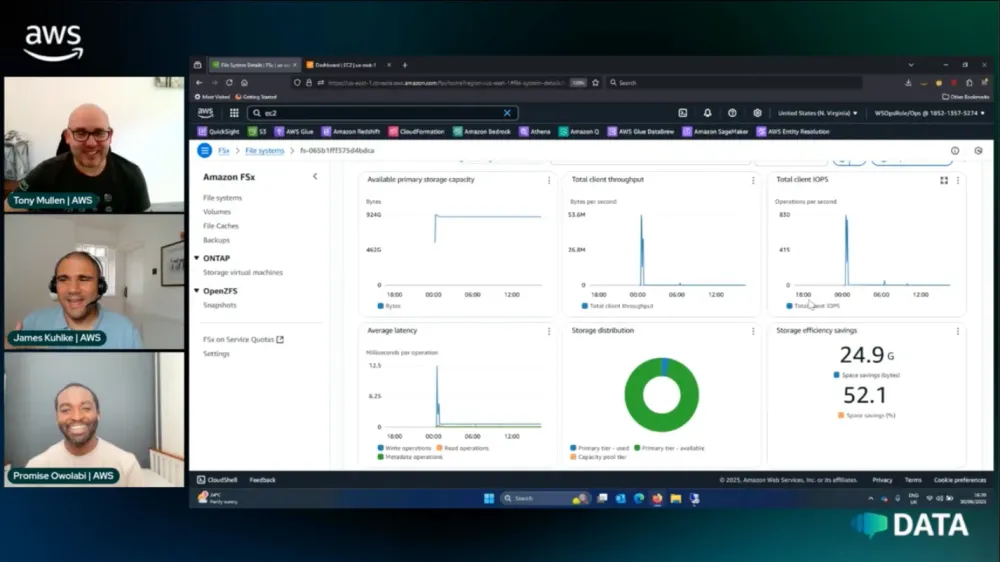
Improve your Database Agility with Amazon FSx
Level up your database game with Amazon FSx! Join us for a hands-on session showing how to boost database performance and flexibility using FSx. Watch live demos of rapid backup/restore operations, storage scaling, and thin provision cloning. Learn real-world integration patterns for data management, and cross-region replication. Perfect for DBAs and cloud architects seeking high-performance storage solutions. Includes deployment templates and automation scripts. Join us for live demos and expert Q&A!


The show focused on improving database agility with Amazon FSx, a family of fully managed file systems offered by AWS. The hosts explained that FSx provides high-performance, scalable file storage for various workloads, including databases. They discussed the different types of FSx offerings, including FSx for Windows, Lustre, OpenZFS, and ONTAP. The hosts emphasized FSx's ability to provide features like data compression, deduplication, and rapid cloning, which can significantly improve database operations and reduce storage costs.
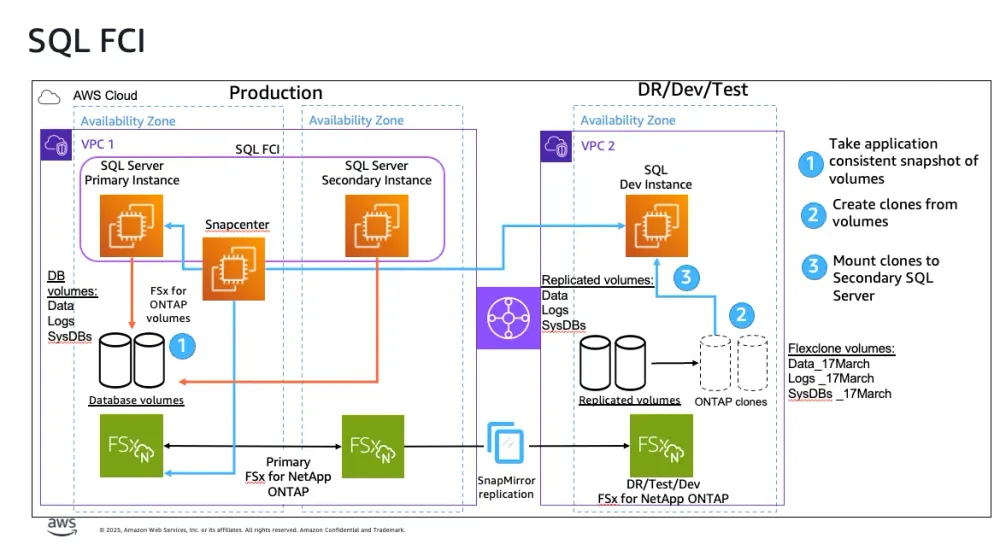
The hosts then demonstrated how to set up and use Amazon FSx for ONTAP with Microsoft SQL Server. They showed how to create an FSx file system, configure it for database use, and perform rapid database cloning operations. The demo highlighted how FSx can create near-instantaneous database clones with minimal storage overhead, allowing developers to quickly provision test environments or create copies for reporting purposes. They also discussed how FSx integrates with database backup and recovery processes, providing features like log backup and point-in-time recovery.
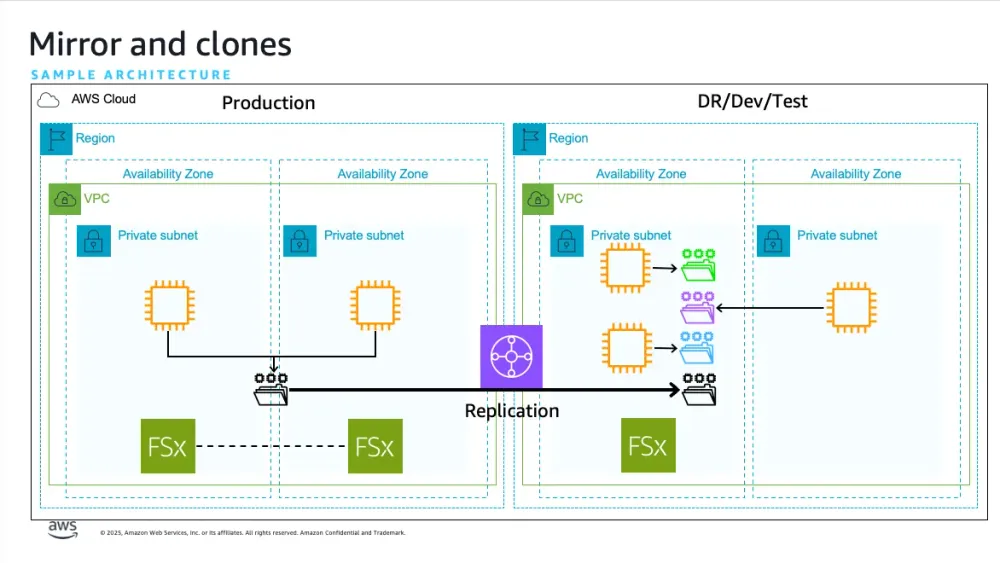
Throughout the show, the hosts emphasized the benefits of using FSx for database workloads, including improved performance, simplified management, and cost savings through storage efficiencies. They discussed various use cases, such as dev/test environments, reporting, and disaster recovery. The hosts also touched on best practices for architecting database solutions with FSx, including considerations for multi-AZ deployments, encryption, and backup strategies.
Key highlights:
- Amazon FSx offers multiple file system types optimized for different workloads
- FSx provides features like data compression and deduplication, reducing storage costs
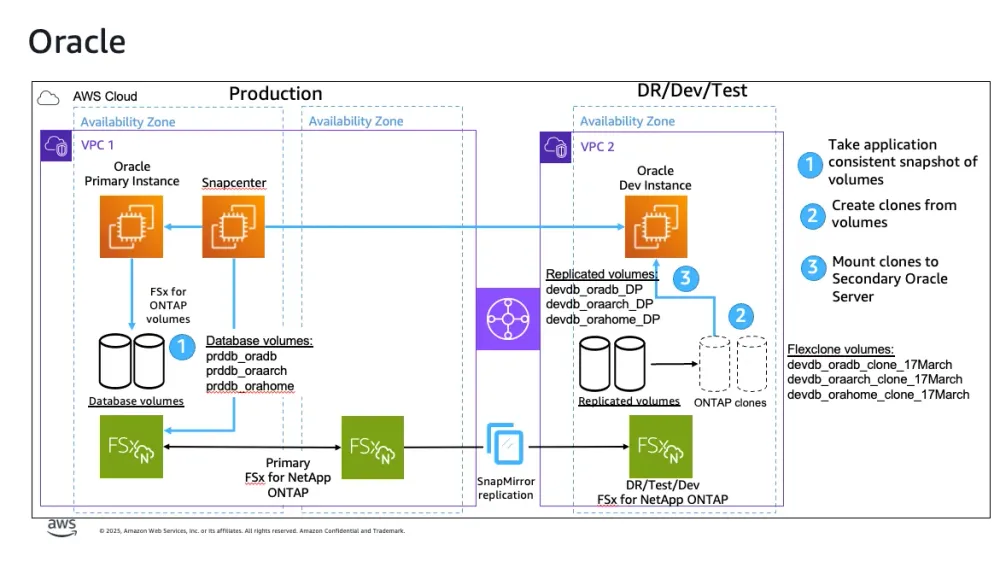
- Rapid cloning allows near-instantaneous creation of database copies with minimal storage overhead
- FSx integrates with database backup and recovery processes
- FSx can significantly improve database agility and reduce management overhead
- Best practices include considering multi-AZ deployments and encryption options
- FSx can be used for various database use cases, including dev/test, reporting, and disaster recovery
Watch on Catch-up:
Sample Architectures:
Hosts of the show 🎤
Tony Mullen - Senior Database Specialist @AWS
Guests 🎤
Promise Owolabi - Global Solutions Architect @ AWS
James Kuhlke - Principal Solution Architect @ AWS
Links from today's episode
Useful blogs to share
- Synchronize your Oracle databases quickly and easily with Amazon FSx for OpenZFS
- Accelerate development refresh cycles and optimize cost with Amazon FSx for NetApp ONTAP cloning
- Protect your SQL Server workloads using NetApp SnapCenter with Amazon FSx for NetApp ONTAP
- Protect Oracle Databases on Amazon EC2 using NetApp SnapCenter with Amazon FSx for NetApp ONTAP
- Running Oracle Hypervisors on Amazon EC2 Bare Metal
- Best practice configuration of Amazon FSx for NetApp ONTAP for Microsoft SQL Server workloads
Enjoyed reading this content? Let the author know!
Your likes, comments, shares, and saves help creators reach more builders.

Loading recommendations
Loading article