
I taught AI agents to build game levels so I don't have to
Learn how MCP turns text into game levels

I spent three hours last week designing a single level for my 2D platformer. Click, place tile. Click, place enemy. Test. Delete half of it. Start over. By the time I had something playable, I'd forgotten why I thought "ice cave with sliding puzzles" sounded fun in the first place.
Game development tools have gotten incredibly powerful, but level design still feels like pixel art. You translate your creative vision ("challenging volcano escape") into hundreds of manual tile placements. There has to be a better way.
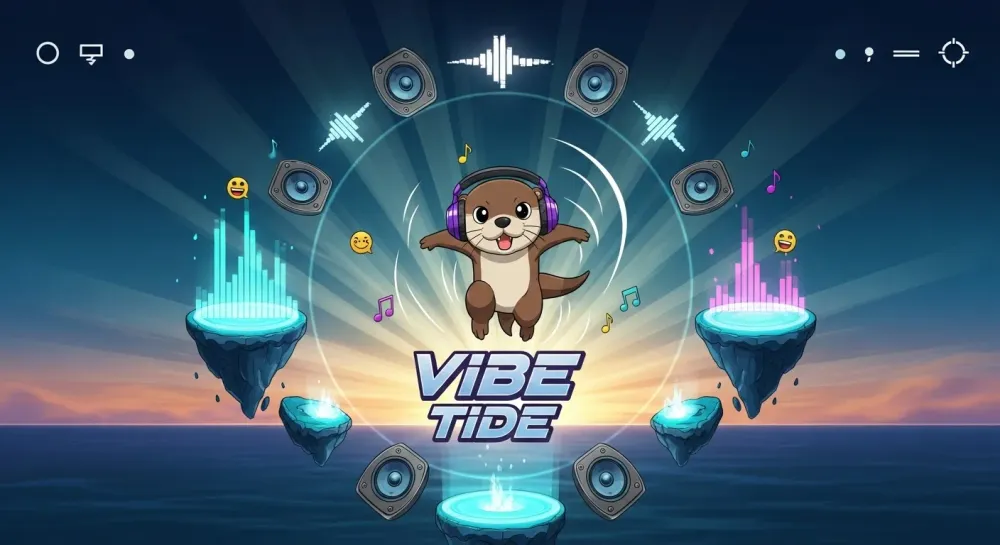
Andrej Karpathy's Software 3.0 talk hit me at the perfect time. He describes a future where we program not by writing code (Software 1.0) or training models (Software 2.0), but by having conversations with AI. I decided to build something that embodies this concept: VibeTide.
VibeTide in Action
VibeTide is a 2D platformer built with Unity and the Corgi Engine. The Corgi Engine makes it easy to build 2D platformer games, handling physics, controls, and mechanics so I could focus on game mechanics.
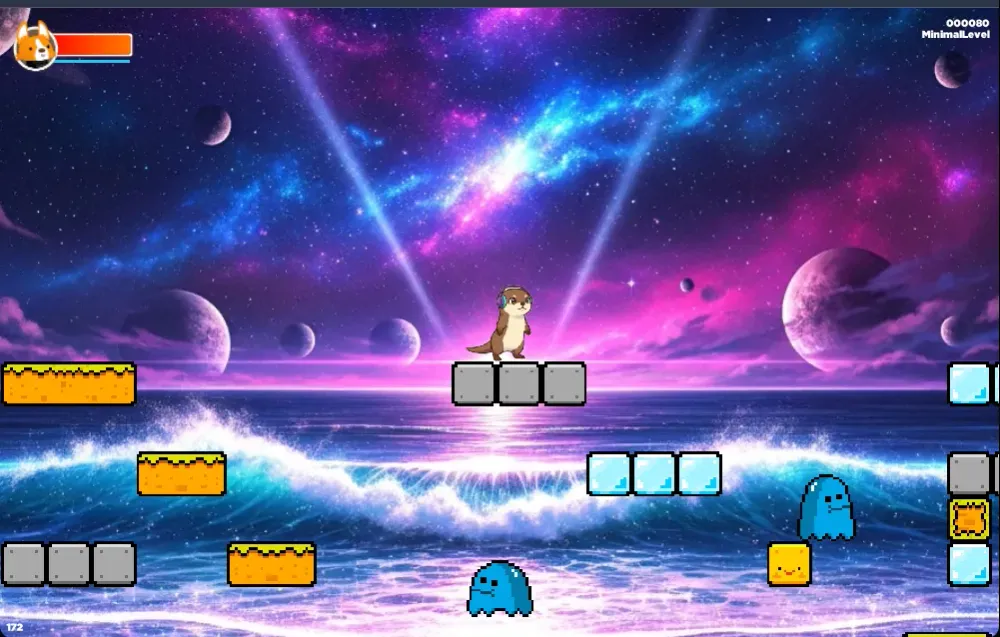
Instead of opening Unity's tile editor, I now design levels like this:
"Create a fiery temple with many platforms and lots of spikes"Ten seconds later, I'm playing it. The AI agent understood that a fiery temple should have the red block textures, many platforms should be spread out, and spikes should be in places to make the level challenging.
Here's how the game renders these levels:
1
2
3
4
5
6
7
8
9
10
11
12
13
14
15
16
17
18
public class PlatformGenerator : MonoBehaviour {
    public GameObject[] tilePrefabs; // 0=empty, 1=grass, 2=rock, etc.

    public void GeneratePlatform(int[,] levelData) {
        ClearExistingPlatform();

        for (int y = 0; y < levelData.GetLength(0); y++) {
            for (int x = 0; x < levelData.GetLength(1); x++) {
                int tileType = levelData[y, x];
                if (tileType > 0 && tileType < tilePrefabs.Length) {
                    Vector3 position = new Vector3(x * tileSize, -y * tileSize, 0);
                    GameObject tile = Instantiate(tilePrefabs[tileType], position, Quaternion.identity);
                    tile.transform.parent = transform;
                }
            }
        }
    }
}
The magic happens before this code runs. The AI agent converts natural language into these tile arrays, and I can play the result immediately.
Why AI Agents Work for This
Let's strip away the hype. An AI agent is essentially a microservice that understands natural language. Instead of calling an API with parameters, you have a conversation. Instead of getting JSON back, it performs actions.
For VibeTide, I wanted what Karpathy calls the "Iron Man suit" approach. The AI doesn't replace me as the designer. It amplifies my capabilities. When I say "make this section more challenging," the AI knows to add precisely spaced platforms and enemies, not just random obstacles.
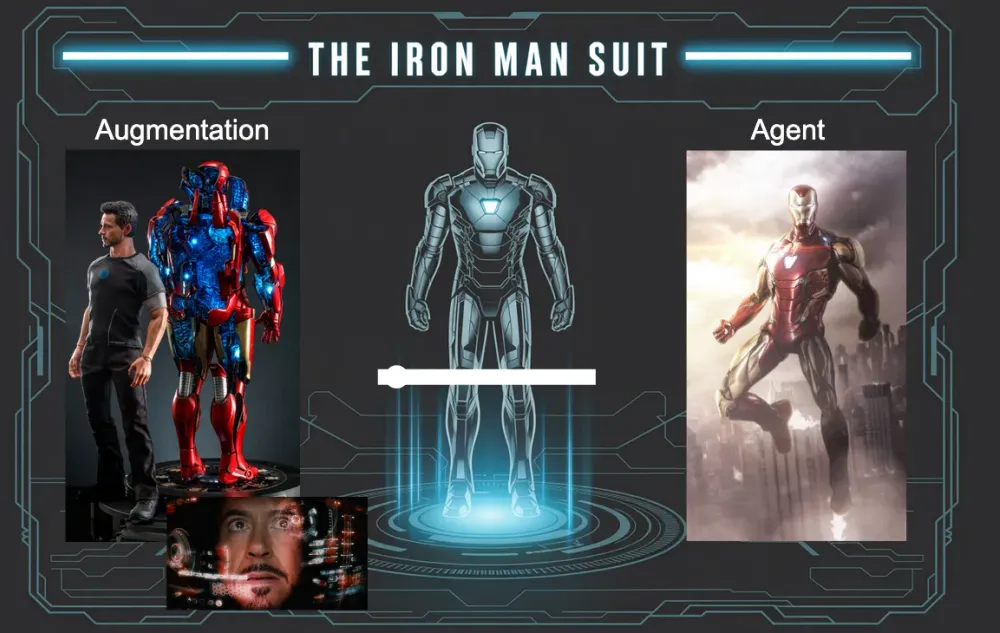
The goal was embedding an agentic experience directly into game design:
- Natural language understanding of game concepts ("challenging" means different things for platformers vs puzzle sections)
- Instant visual feedback (I see the level in seconds, not minutes)
- Conversational iteration (refine through description, not clicking)
Here's what changed my workflow:
1
2
3
4
5
# Before: 30+ minutes in tile editor
# After: 30 seconds of conversation
"Create a lava escape sequence with rising danger"
# AI generates appropriate platforms, lava tiles, and timing
# Manually refine level
Building the MCP Server
The Model Context Protocol (MCP) is an open standard that lets AI assistants use tools. Think of it as giving AI agents hands to interact with your applications. Without MCP, I'd be copying and pasting level data between Claude and Unity. With MCP, the AI can directly create, modify, and preview game levels.
I built an MCP server that hits what Karpathy calls the sweet spot on the "autonomy slider." The AI has enough freedom to be creative but stays within the constraints of valid game design. It can't break the physics engine or create unplayable levels.
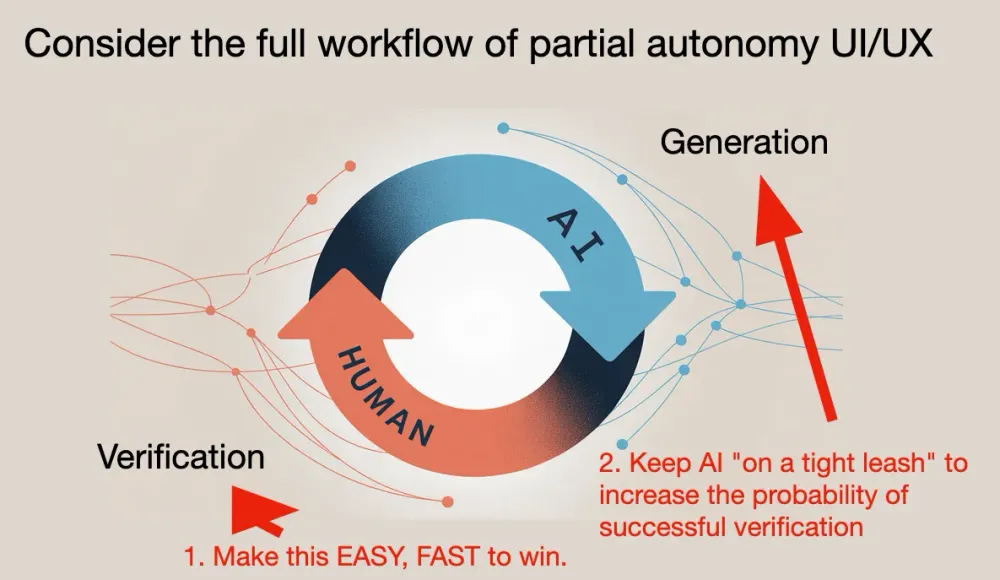
The MCP server exposes several tools, but
create_level is the workhorse. It takes natural language and returns a playable game:1
2
3
4
5
6
7
8
9
10
11
12
13
14
15
16
17
18
19
async def create_level(description: str, difficulty: str = "medium") -> dict:
"""Generate a new VibeTide level from natural language"""
# Parse description into game elements
level_params = parse_description(description)
# Generate tile array with game design rules
level_data = generate_level_array(level_params, difficulty)
# Encode entire level in URL for instant play
encoded_level = base64.b64encode(json.dumps(level_data).encode()).decode()
return {
"level_id": level_id,
"play_url": f"VIBETIDE_URL?level={encoded_level}",
"preview_png": generate_preview_image(level_data),
"ascii_view": render_ascii(level_data)
}That base64 encoding is key. The entire level data lives in the URL, so clicking the link immediately loads your custom level. No database lookups, no loading screens. Just instant gratification.
Connecting to MCP Clients
You can connect Vibe Tide to any MCP Client such as Claude Desktop, Amazon Q Developer , and Amazon Q CLI. You just add the server to your config:
1
2
3
4
5
6
7
8
{
  "mcpServers": {
    "vibe-tide": {
      "command": "uvx",
      "args": ["--from", "vibe-tide-mcp-server", "vibe-tide-mcp-server"]
    }
  }
}
Once connected, you design levels through conversation. In Amazon Q Developer, you chat naturally. In Amazon Q CLI, you run
q "create a volcano level with lava rivers". Same MCP server, different interfaces, instant playable results.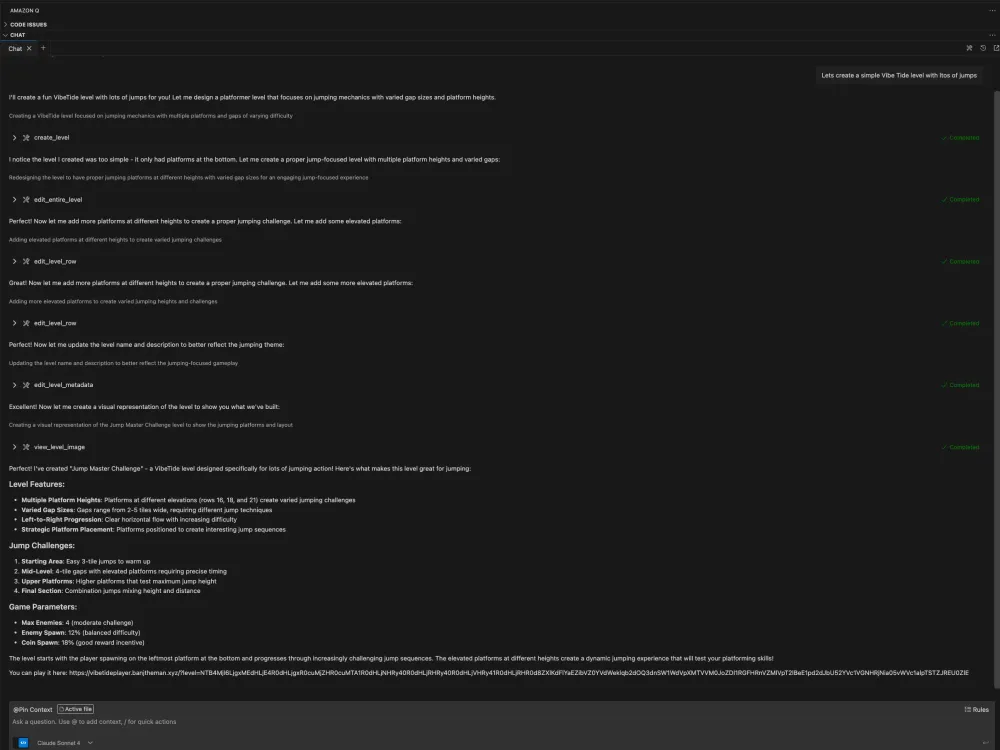
Embedding in Applications with Strands Agents
Strands Agents is a simple-to-use, code-first framework for building agents. This let me embed VibeTide's level generation into larger applications:
1
2
3
4
5
6
7
8
9
10
11
12
13
14
15
16
17
18
19
20
21
22
23
24
25
26
27
28
29
from mcp import StdioServerParameters, stdio_client
from strands import Agent
from strands.models import BedrockModel
from strands.tools.mcp import MCPClient

# VibeTide MCP Client
vibe_tide_client = MCPClient(
    lambda: stdio_client(
        StdioServerParameters(
            command="uvx",
            args=["--from", "vibe-tide-mcp-server", "vibe-tide-mcp-server"],
        )
    )
)

bedrock_model = BedrockModel(
    model_id="us.anthropic.claude-sonnet-4-20250514-v1:0",
    temperature=0.7,
)

SYSTEM_PROMPT = """
You are an expert level designer for the VibeTide platformer game. You are given a prompt and you need to create a level that is fun and engaging. Make sure to return the url of the level to play and the path of the image of the level.
"""

with vibe_tide_client:
    all_tools = vibe_tide_client.list_tools_sync()
    agent = Agent(tools=all_tools, model=bedrock_model, system_prompt=SYSTEM_PROMPT)

    response = agent("Cretae a fun ice themed level")
The Speed of Iteration
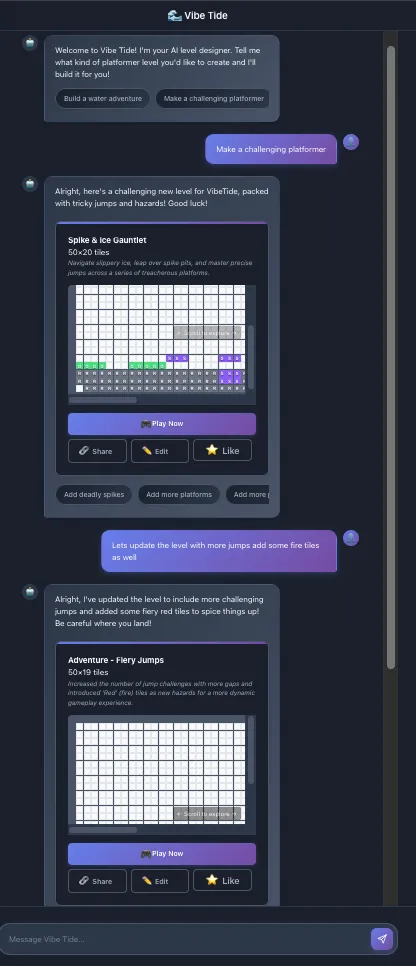
Traditional level design loops are painful. Edit tiles, compile, playtest, realize the jump is impossible, go back to editor, repeat. With VibeTide's conversational approach, iteration happens at the speed of thought:
1
2
3
4
5
6
7
8
9
10
11
12
13
14
15
16
17
async def edit_entire_level(level_id: str, section: str, modification: str) -> dict:
"""Modify a section of an existing level"""
level_data = load_level(level_id)
# AI interprets the modification request
# "Make the middle section harder" -> adds spikes/enemies
# "Add secret path on the left" -> modifies tile arrangement
modified_data = apply_modification(level_data, section, modification)
save_level(modified_data, level_id)
return {
"play_url": f"VIBETIDE_URL?level={level_id}",
"changes_preview": highlight_changes(level_data, modified_data)
}I play the level, think "that jump sequence needs more tension," tell the AI, and I'm playing the improved version before I finish my coffee.
What This Changes
Building VibeTide taught me that natural language can eliminate the tedious parts of level design. When I say "create a series of floating platforms with increasing gaps," I get a playable starting point in seconds instead of manually placing dozens of tiles. I'm not starting from a blank canvas anymore.
The instant feedback loop changes how I think about game design. The level might need refinement (gaps too wide, pattern needs variation) but when every idea takes 30 seconds to test instead of 30 minutes, I try things I wouldn't have bothered with before. "What if the entire level was upside down?" becomes a quick experiment, not a commitment. It's the difference between editing a rough draft and staring at a blank page.
The base64 URL encoding means I can share levels instantly. No uploads, no waiting, just "here's my level" with a link. Players can even modify the level to tweak difficulty or add their own challenges.
Try It Yourself!
Ready to design levels with text instead of editors? Here's how:
Connect the MCP server to Amazon Q Developer, or your favorite MCP Client, or build your own agent with strands and start creating!
1
2
3
4
5
6
7
8
{
  "mcpServers": {
    "vibe-tide": {
      "command": "uvx",
      "args": ["--from", "vibe-tide-mcp-server", "vibe-tide-mcp-server"]
    }
  }
}Play a Level I Made:
Have a level you want to share? Build it now and drop the link in the comments!
I'm excited to see what kinds of levels people create when the barrier between imagination and implementation disappears.
Software 3.0 isn't just about making coding easier. It's about making creation more natural. VibeTide is my small experiment in that direction.
Now go build!
Enjoyed reading this content? Let the author know!
Your likes, comments, shares, and saves help creators reach more builders.

Loading recommendations
Loading article