
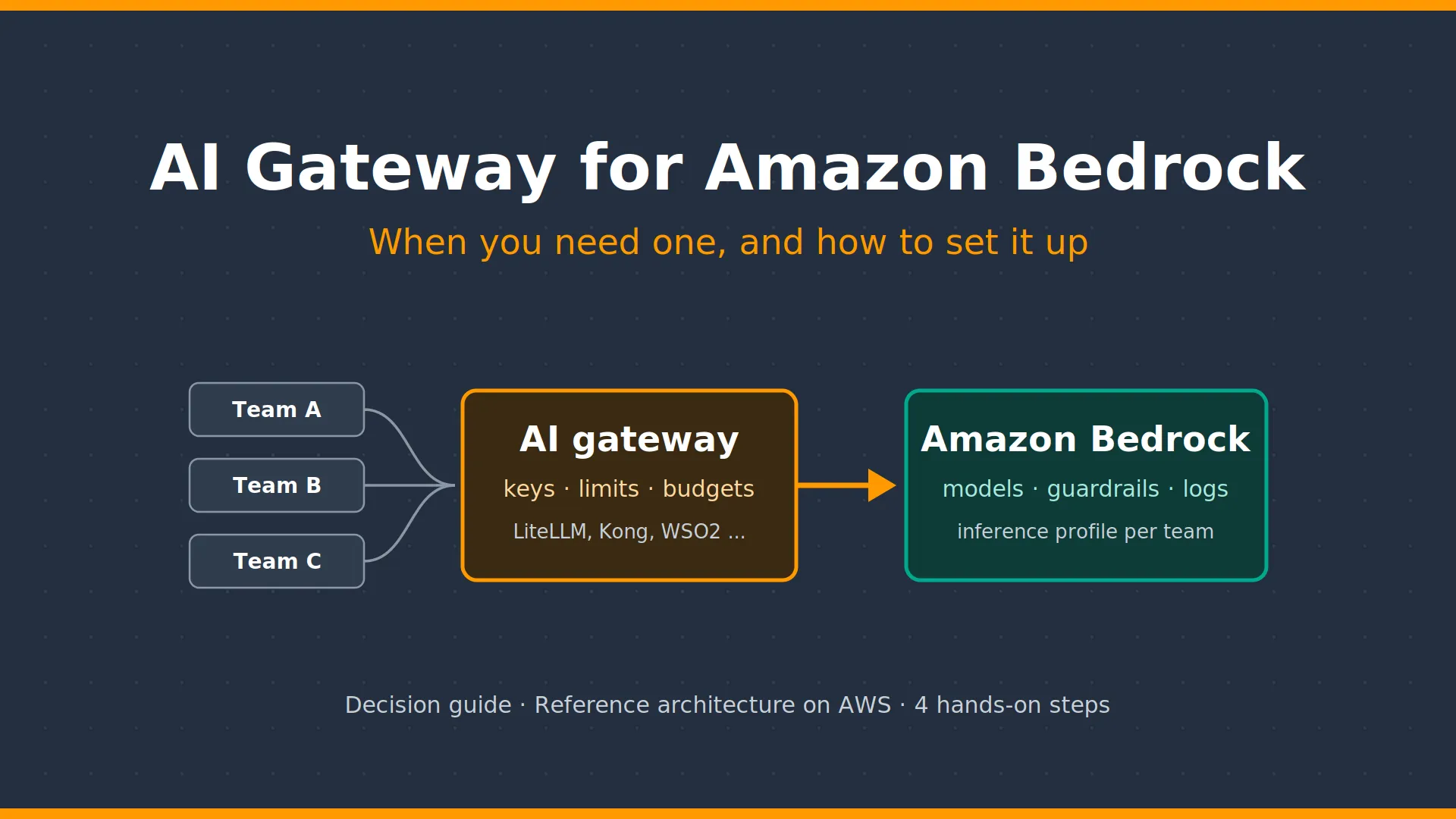
AI Gateway for Amazon Bedrock: When You Need One (and How)
Learn when Amazon Bedrock alone is enough and when to add an AI gateway (LLM gateway) like LiteLLM or Kong for per-team budgets, token limits and cost control.
Series: GenAI (1 article)
- 1AI Gateway for Amazon Bedrock: When You Need One (and How) This article

Quick answer: do you need an AI gateway for Amazon Bedrock?
Amazon Bedrock alone is enough for a few apps that only use Bedrock models. Add an AI gateway in front of Bedrock when many teams share the models and each team needs its own limit and budget, or when you also use models outside Bedrock.
The gateway does not replace Bedrock. It controls who can use how much. Bedrock still runs the models, the safety filters and the logging.
What is an AI gateway (LLM gateway)?
An AI gateway, also called an LLM gateway, is a single door between your apps and the AI models. Every app calls the gateway, and the gateway handles four things:
- Access: which team or app may use which model.
- Limits and budgets: how many tokens and how much money each team may use.
- Safety: filtering personal data and harmful content.
- Tracking: logging every call and showing who spent what.
What Amazon Bedrock already does without a gateway
Bedrock covers more of this than most people think:
| Need | Built into Bedrock |
|---|---|
| Access | IAM decides which app can call which model. A VPC endpoint keeps traffic private. |
| Limits | Service quotas cap tokens per minute, but for the whole account, not per team. |
| Safety | Bedrock Guardrails filters harmful content and masks personal data. |
| Tracking | CloudWatch logs and metrics. Application inference profiles split usage by team for AWS Cost Explorer. |
The feature most teams miss is the application inference profile. You create one profile per team, tag it (for example
team=payments), and the app calls the profile instead of the model. Each team's cost then shows up separately in Cost Explorer (AWS re:Post ).For a small setup, this is all you need:

When Amazon Bedrock alone is not enough
Bedrock shows you who spent what, but it cannot stop a team that goes over its budget. Its limits are shared by everyone in the account, so one busy team can slow down the others. And it only manages models that run on Bedrock.
Even AWS recommends a gateway for budget control. Its own blog points to an open-source gateway called LiteLLM for this job (AWS Machine Learning Blog ).
| Your situation | Bedrock alone | Add a gateway |
|---|---|---|
| How many teams use AI? | One or a few | Many teams |
| Where are the models? | Only on Bedrock | Bedrock plus other providers or your own servers |
| Need a hard limit per team? | No, a monthly cost report is enough | Yes, block requests when the budget runs out |
A simple rule: start planning a gateway when the second team or the second model provider arrives.
AI gateway reference architecture on AWS
AWS publishes a ready-made design for this: the Guidance for Multi-Provider Generative AI Gateway on AWS . It runs an AI gateway (LiteLLM in the AWS design) on Amazon ECS, in front of Bedrock. The numbers in the diagram match the steps below.

A request goes through five steps:
- The app calls the gateway with its own key.
- A load balancer sends the call to a gateway container (Amazon ECS on Fargate, in two Availability Zones).
- The gateway checks the key, the team's limit and its remaining budget (stored in ElastiCache and RDS).
- If the call is allowed, the gateway calls Bedrock privately through a VPC endpoint, using the team's inference profile.
- Bedrock applies Guardrails, runs the model and logs the call.
One warning: if the gateway goes down, every AI feature goes down with it. Run it in at least two Availability Zones.
Why LiteLLM? Using Kong AI Gateway or other LLM gateways with Bedrock
Short answer: LiteLLM is my choice for this walkthrough, not the only option. The same pattern works with any AI gateway that can call Amazon Bedrock, for example Kong AI Gateway.

I chose LiteLLM for three reasons:
- AWS uses it in its own reference design. The Guidance for Multi-Provider Generative AI Gateway on AWS is built on LiteLLM, and the AWS Machine Learning Blog points to it for enforcing budgets on Bedrock.
- It is open source and runs in your own AWS account. You can follow this post without buying a license.
- It works with Bedrock's own controls. It can call per-team inference profiles and Bedrock Guardrails, the two features this post relies on.
The trade-off: you run it yourself (updates, monitoring, high availability), and some advanced admin features are in a paid enterprise edition.
Equivalent products work just as well. AWS itself has published how Kong AI Gateway sits between applications and Amazon Bedrock as a control layer, adding token-based cost controls, routing across multiple models and usage monitoring (AWS Partner Network Blog ). WSO2, Portkey and similar gateways follow the same idea. Pick the one that fits what your company already runs; if your API team already uses Kong, Kong AI Gateway is a natural choice.
Whichever gateway you choose, keep the same rule: the gateway enforces limits, Bedrock runs the models, and each team calls its own inference profile.
How to set up LiteLLM with Amazon Bedrock in 4 steps
Values in
<angle brackets> are placeholders. Budget numbers are examples only.The steps use LiteLLM. With Kong AI Gateway or another gateway, steps 1 and 4 stay the same; steps 2 and 3 use that product's own settings for models, keys and budgets.
1. Create an inference profile for the team
1
2
3
4
5
aws bedrock create-inference-profile \
  --region us-east-1 \
  --inference-profile-name team-payments-claude \
  --model-source '{"copyFrom": "arn:aws:bedrock:us-east-1:<account-id>:inference-profile/<cross-region-profile-id>"}' \
  --tags '[{"key": "team", "value": "payments"}]'
Then turn on
team as a cost allocation tag in the Billing console.2. Point the gateway to the profile
In LiteLLM's
config.yaml, add the profile ARN as model_id. The guardrails block makes the gateway check every prompt with Bedrock Guardrails first (LiteLLM docs ).1
2
3
4
5
6
7
8
9
10
11
12
13
14
model_list:
- model_name: claude-payments
litellm_params:
model: bedrock/<model-id>
model_id: arn:aws:bedrock:us-east-1:<account-id>:application-inference-profile/<profile-id>
guardrails:
- guardrail_name: bedrock-pii-guard
litellm_params:
guardrail: bedrock
mode: pre_call
guardrailIdentifier: <guardrail-id>
guardrailVersion: "1"
default_on: trueThe gateway's IAM role only needs permission to invoke the profile and apply the guardrail.
3. Give the team a budget and a key
1
2
3
4
5
6
7
8
9
10
curl -X POST https://<gateway-host>/team/new \
  -H "Authorization: Bearer $LITELLM_MASTER_KEY" \
  -H "Content-Type: application/json" \
  -d '{"team_alias": "payments", "models": ["claude-payments"],
       "max_budget": 500, "budget_duration": "30d", "tpm_limit": 200000}'

curl -X POST https://<gateway-host>/key/generate \
  -H "Authorization: Bearer $LITELLM_MASTER_KEY" \
  -H "Content-Type: application/json" \
  -d '{"team_id": "<team-id>", "key_alias": "payments-chatbot"}'
When the team reaches its budget, the gateway rejects new requests. This is the part Bedrock alone cannot do.
4. Call it from the app
1
2
3
4
5
6
7
8
from openai import OpenAI

client = OpenAI(base_url="https://<gateway-host>", api_key="<virtual-key>")
response = client.chat.completions.create(
    model="claude-payments",
    messages=[{"role": "user", "content": "Summarize this ticket in three lines."}],
)
print(response.choices[0].message.content)
Finally, check that the team's spend in the gateway matches Cost Explorer for the
team tag. If it does not, someone is calling Bedrock directly and skipping the gateway.Key takeaways
- Start simple. One team using only Bedrock models? IAM, Guardrails and inference profiles are enough. No gateway yet.
- Tag from day one. Create an inference profile per team now, so your cost history is already split when you grow.
- Add a gateway when you need hard limits per team, or models outside Bedrock. Then remove direct Bedrock access, so no one can skip the gateway.
- Choose the gateway that fits your company. LiteLLM is a free, AWS-backed starting point; Kong AI Gateway, WSO2 or Portkey work the same way. The Bedrock side does not change.
Bedrock is the engine; the gateway is the brakes. Larger organizations need both.
How do you handle this today? Vote in my poll, Is Amazon Bedrock enough to govern your LLM usage, or do you add a gateway layer?, and share your setup in the comments.
Sources
- Create an application inference profile, Amazon Bedrock User Guide
- How do I add cost allocation tags when I invoke Amazon Bedrock on-demand models?, AWS re:Post
- Build a proactive AI cost management system for Amazon Bedrock, Part 1, AWS Machine Learning Blog
- Guidance for Multi-Provider Generative AI Gateway on AWS
- Guidance repository on GitHub
- Bedrock Guardrails integration, LiteLLM docs
- Unlock Advanced AI Control with Kong AI Gateway and Amazon Bedrock, AWS Partner Network Blog
Series: GenAI (1 article)
- 1AI Gateway for Amazon Bedrock: When You Need One (and How) This article
Enjoyed reading this content? Let the author know!
Your likes, comments, shares, and saves help creators reach more builders.

Loading recommendations
Loading article