

Managing Amazon Q CLI Access via Q Developer Pro
Securely enable and restrict Amazon Q CLI access for select users using Amazon Q Developer Pro. Set fine-grained controls to ensure only authorized use.

Customer Challenges:
Organizations face difficulties enforcing granular, role-based access to Amazon Q CLI in Amazon Q Developer Pro, resulting in over-permissioning or access denials that disrupt workflows and increase security risks.
A customer wants to enable and restrict access to Amazon Q CLI using Amazon Q Developer Pro for exactly 'X' users through IAM Identity Center (IDC). They need a secure, scalable way to grant these specific users access while ensuring no other users can use the CLI. The challenge lies in configuring IAM Identity Center groups and permission sets precisely to enforce this limit, managing subscription activation, and avoiding delays or over-permissioning.
Solution:
In this blog, I will demonstrate how to enable and restrict access to only 'X' users for Amazon Q CLI with Amazon Q Developer Pro using IAM Identity Center (IDC). You can follow these steps:
- Ensure you have IAM Identity Center set up and configured in your AWS account, see Enable IAM Identity Center .
- Subscribe to Amazon Q Developer Pro :
- Navigate to the Amazon Q Developer console in your AWS account.
- Click on "Subscribe to Amazon Q" and then choose "Subscribe" to enable Q Developer Pro.
- Create a group in IAM Identity Center for the 10 users who need access:
- In the IAM Identity Center console, create a new group (e.g., "Q-Developer-Pro-Users").
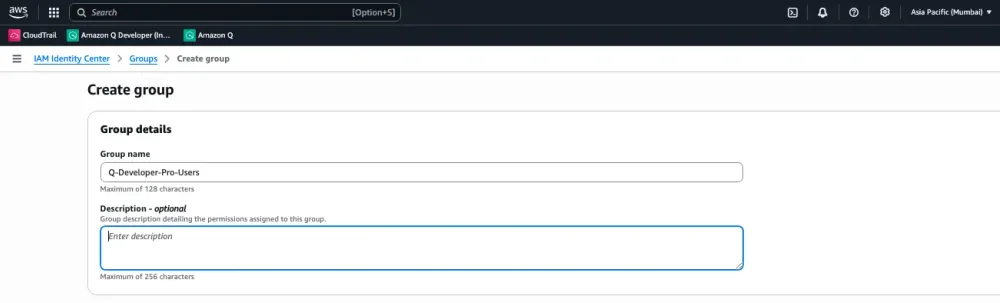
- Add the 'X' specific users to this group.
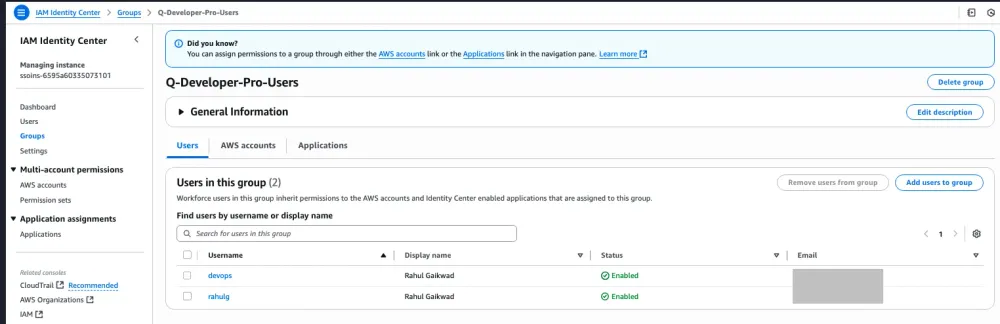
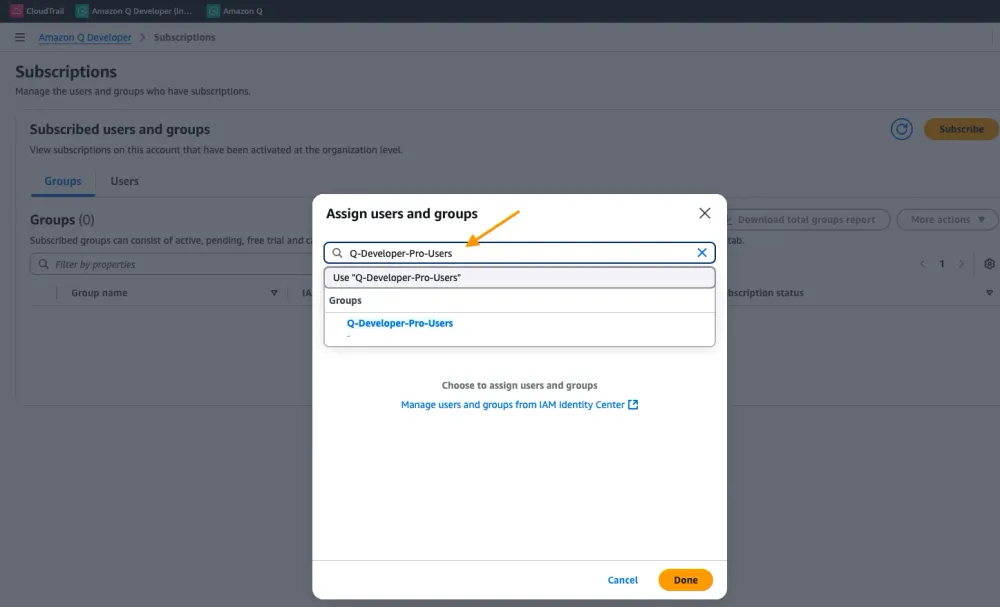
4. Assign access to Amazon Q Developer Pro:
5.Set up permissions:
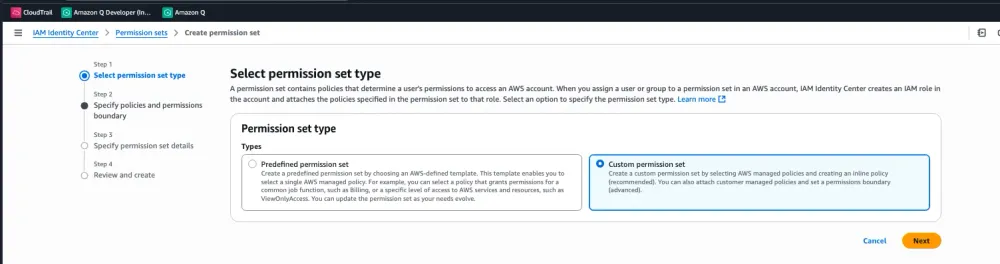
- Here , I created Inline policy, for more details see AmazonQDeveloperAccess
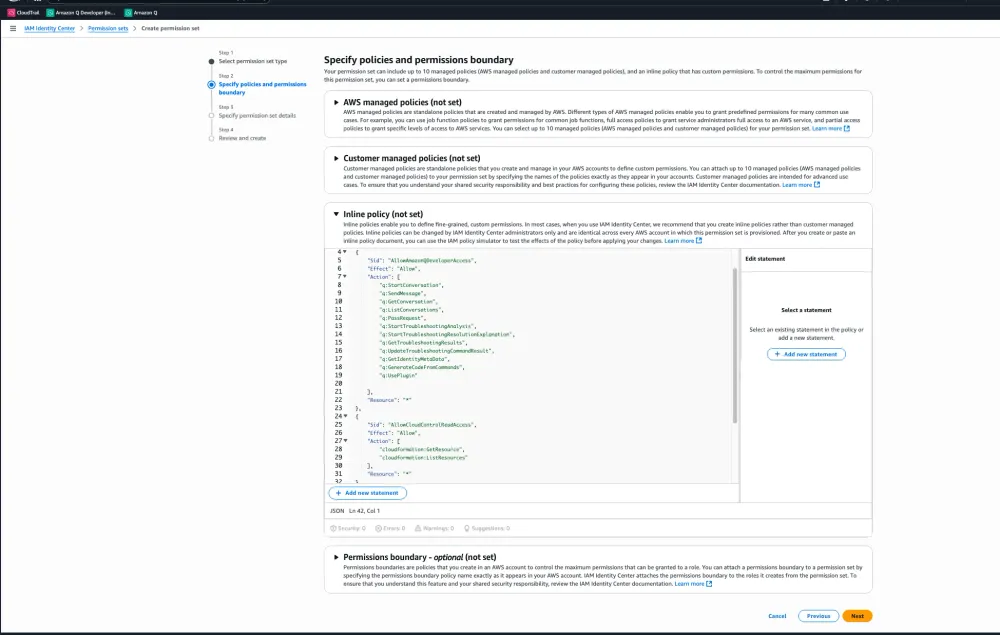
I used below policy used to create inline policy.
1
2
3
4
5
6
7
8
9
10
11
12
13
14
15
16
17
18
19
20
21
22
23
24
25
26
27
28
29
30
31
32
33
34
35
36
37
38
39
40
41
42
{
 "Version": "2012-10-17",
 "Statement": [
  {
      "Sid": "AllowAmazonQDeveloperAccess",
      "Effect": "Allow",
      "Action": [
          "q:StartConversation",
          "q:SendMessage",
          "q:GetConversation",
          "q:ListConversations",
          "q:PassRequest",
          "q:StartTroubleshootingAnalysis",
          "q:StartTroubleshootingResolutionExplanation",
          "q:GetTroubleshootingResults",
          "q:UpdateTroubleshootingCommandResult",
          "q:GetIdentityMetaData",
          "q:GenerateCodeFromCommands",
          "q:UsePlugin"

      ],
      "Resource": "*"
  },
  {
      "Sid": "AllowCloudControlReadAccess",
      "Effect": "Allow",
      "Action": [
          "cloudformation:GetResource",
          "cloudformation:ListResources"
      ],
      "Resource": "*"
  },
  {
      "Sid": "AllowSetTrustedIdentity",
      "Effect": "Allow",
      "Action": [
          "sts:SetContext"
      ],
      "Resource": "arn:aws:sts::*:self"
  }
 ]
}- I can define session duration for your Permission set.
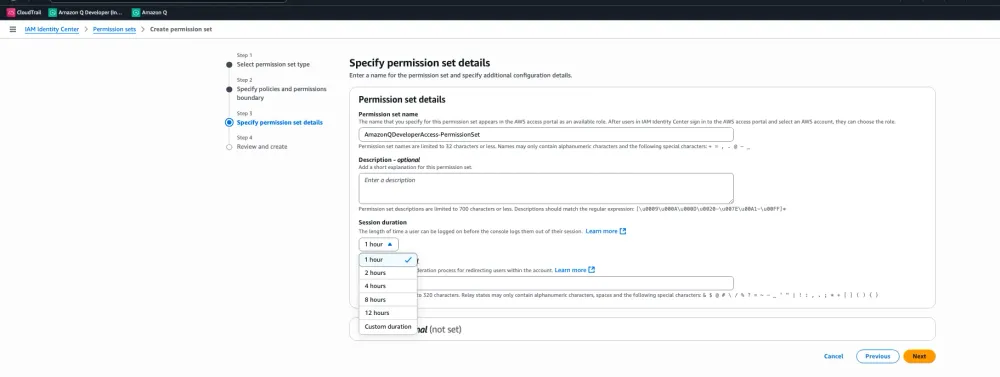
- Permission sets initially created with "No Provisioned" status.

- Assign this permission set to the group you created.
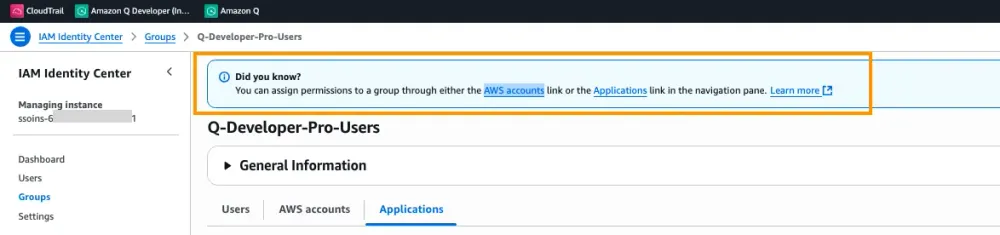
- Assigning Group to AWS Accounts.
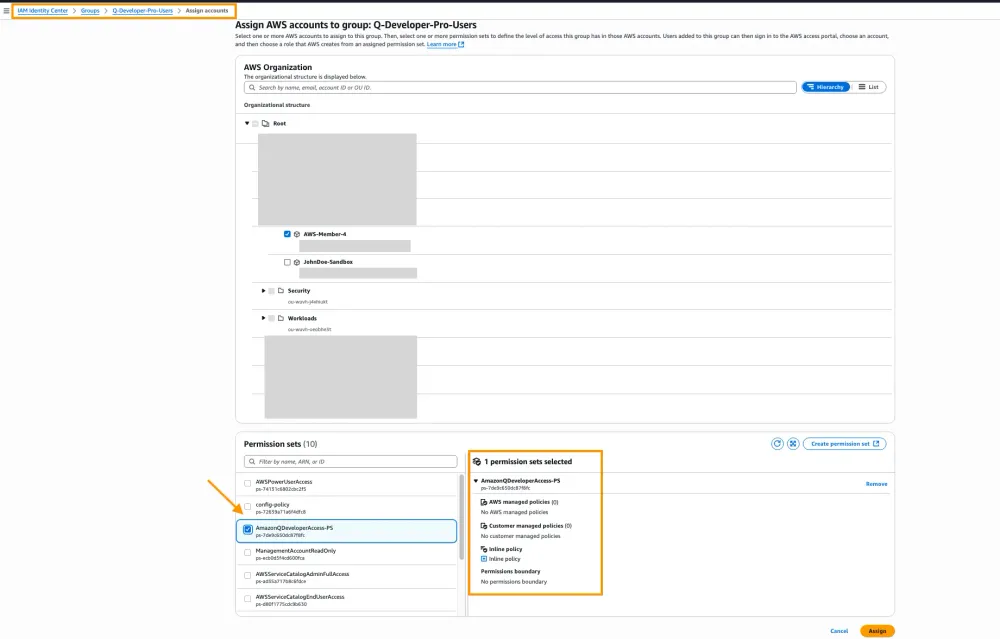
- AWS Account is assigned to Group.
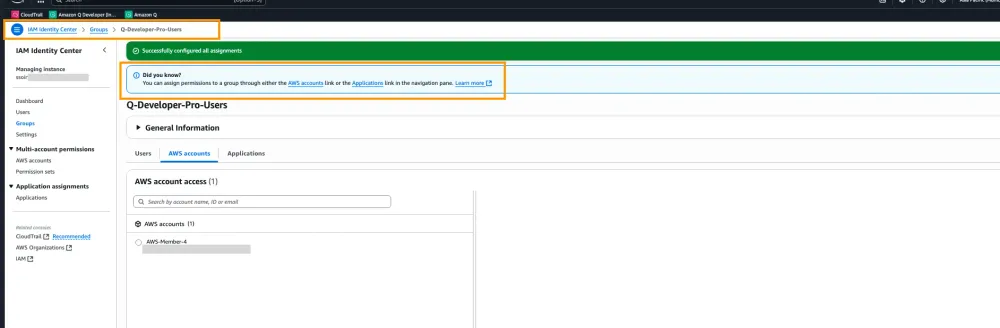
- Now you can see, Permission set status changed to "Provisioned".

7. Configure CLI access:
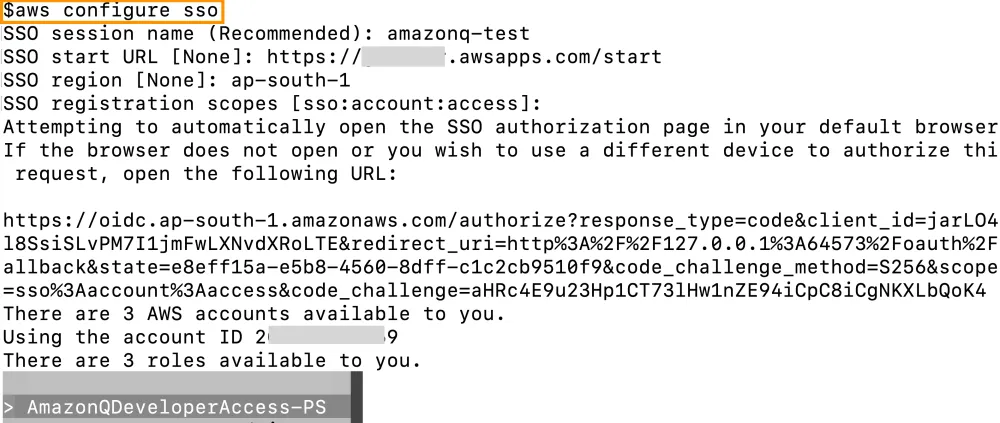
- Ensure the users have the AWS CLI installed and configured to use IAM Identity Center for authentication.
- Users will need to run 'aws configure sso' to set up their CLI access using their IAM Identity Center credentials.
8. Verify access:
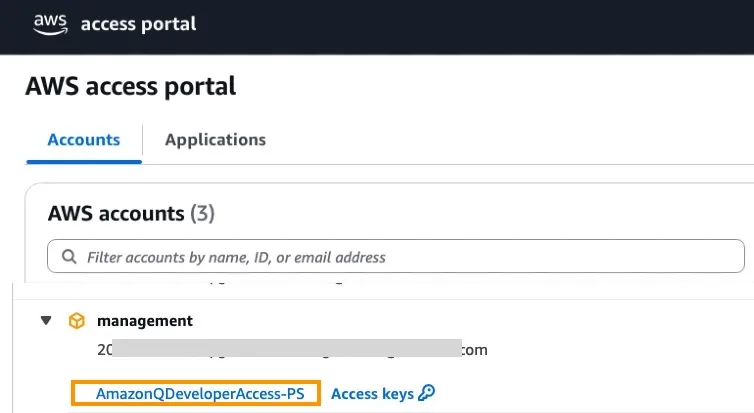
- Have the users log in to the AWS Management Console using their IAM Identity Center credentials.
- They should see Amazon Q Developer Pro available in their console and be able to use it via the CLI.
Conclusion
In this blog, I explored how to securely enable and restrict Amazon Q CLI access to a specific number of users using IAM Identity Center in Amazon Q Developer Pro. By precisely configuring groups and permission sets, you can prevent over-permissioning and avoid access issues, ensuring a smooth and secure workflow. Following these steps helps maintain strong access control while supporting your organization’s security and compliance goals.
Enjoyed reading this content? Let the author know!
Your likes, comments, shares, and saves help creators reach more builders.

Loading recommendations
Loading article