
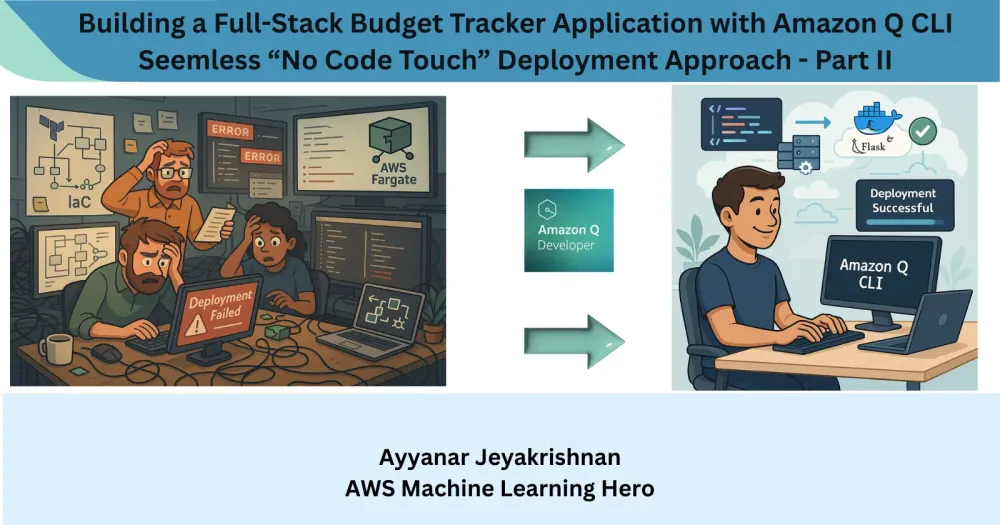
Deploying a Flask Application to AWS Fargate with Amazon Q
A Journey of "No-Touch Coding"

Learn, Share, Innovate
Introduction
Deploying containerised applications to AWS can be challenging, especially when dealing with infrastructure as code, container compatibility issues, and the intricacies of services like AWS Fargate. In this blog post, I'll share my experience deploying a Flask-based Budget Tracker application to AWS Fargate using Amazon Q CLI as my coding assistant. What made this journey unique was the "no-touch code" approach - I relied entirely on Amazon Q to generate and fix code based on my prompts, without manually editing any files myself.
Quick View of Application: Simple Budget Tracker
Our application is a Flask-based expense tracking system with a RESTful API and a responsive frontend. It allows users to:
- Add, update, and delete expenses
- Categorize expenses
- View summary reports by category
- Filter expenses by date range
The application was containerized using Docker and ready for deployment to AWS Fargate.
Deployment Journey with Amazon Q
Step 1: Creating the AWS SAM Template
I started by asking Amazon Q to generate an AWS SAM template for deploying the containerized application to Fargate:
My Prompt:
Generate AWS SAM template to deploy the containerized BudgetTracker Flask API to AWS Fargate. Ask me as input for VPC and Subnet Settings. Amazon Q responded by asking for specific VPC and subnet information:
1. Do you have an existing VPC you'd like to use, or should I create a new one in the template?
2. If using an existing VPC, what is the VPC ID?
3. Do you have specific subnets you want to use for the Fargate service? If so, what are the subnet IDs?
4. Do you need public or private subnets for your Fargate service?
5. Do you have a specific security group to use, or should I create one?
I provided my existing VPC and subnet information, and Amazon Q generated a comprehensive SAM template (
template.yaml ) that included:- ECR repository configuration
- ECS cluster and service definitions
- Task definition with container configuration
- Load balancer and target group setup
- IAM roles and security groups
Step 2: First Deployment Attempt and IAM Policy Error
When I tried to deploy the template, I encountered my first error:
CREATE_FAILED AWS::IAM::Role TaskRole Resource handler returned message: "Policy arn:aws:iam::aws:policy/AmazonECS-FullAccess does not exist or is not attachable." I asked Amazon Q to fix this issue:
My Prompt: (I manually fed this information since Policy Name was changed recently
Update the Role to arn:aws:iam::aws:policy/AmazonECS_FullAccess Amazon Q identified that the policy ARN had a hyphen instead of an underscore and updated the template:
# BeforeManagedPolicyArns:  - 'arn:aws:iam::aws:policy/AmazonECS-FullAccess'
# AfterManagedPolicyArns:  - 'arn:aws:iam::aws:policy/AmazonECS_FullAccess'
Step 3: Docker Execution Format Error
After fixing the IAM policy issue, I encountered a Docker execution error when the container tried to start:
exec /usr/local/bin/gunicorn: exec format error I asked Amazon Q to help with this issue:
My Prompt:
getting error while running exec /usr/local/bin/gunicorn: exec format error Amazon Q identified that the issue was with the Gunicorn WSGI server and updated the Dockerfile to use Python directly:
# BeforeCMD ["gunicorn", "--bind", "0.0.0.0:5000", "src.app:app"]
# AfterCMD ["python", "src/app.py"]
######
It also updated the Flask application to bind to all interfaces:# Beforeif __name__ == '__main__':    app.run(debug=True)
# Afterif __name__ == '__main__':    app.run(debug=False, host='0.0.0.0', port=5000)
Step 4: ECR Repository Already Exists Error
When redeploying, I encountered another error:
Resource handler returned message: "Resource of type 'AWS::ECR::Repository' with identifier 'budget-tracker' already exists." I asked Amazon Q to update the template to handle this case:
Prompt:
Update the template yaml file to ignore the if ECR repository exisit. Create only if not exist Amazon Q modified the template to make the ECR repository creation conditional:
Parameters:  CreateECRRepository:    Type: String    Default: "false"    AllowedValues: ["true", "false"]    Description: Whether to create a new ECR repository (set to false if it already exists)
Conditions:  ShouldCreateECRRepository: !Equals [!Ref CreateECRRepository, "true"]
Resources:  BudgetTrackerRepository:    Type: AWS::ECR::Repository    Condition: ShouldCreateECRRepository    # ... other properties ...
Step 5: Architecture Mismatch Error
When deploying to Fargate, I encountered yet another error:
exec /usr/local/bin/python: exec format error I asked Amazon Q for help:
My Prompt:
while running fargate getting below error "exec /usr/local/bin/python: exec format error" Amazon Q identified that this was an architecture mismatch issue (I was building on an ARM-based machine but deploying to x86_64/amd64 architecture in Fargate) and updated the Dockerfile:
# BeforeFROM python:3.11-slim
# AfterFROM --platform=linux/amd64 python:3.11-slim
This explicitly specified the target platform to ensure compatibility with AWS Fargate.
Step 6: Optimizing Resource Usage with Auto Scaling
Finally, I wanted to optimize resource usage by reducing the number of Fargate tasks and implementing auto-scaling:
Prompt:
currently we have 2 fargate is running, I want reduce it to 1 - scale maximum of 5 in case of more request Amazon Q updated the template to:
- Reduce the default task count from 2 to 1
- Add auto-scaling configuration to scale up to 5 tasks based on CPU utilization
Parameters:  MinContainerCount:    Type: Number    Default: 1    Description: Minimum number of containers to run
  MaxContainerCount:    Type: Number    Default: 5    Description: Maximum number of containers to run
  AutoScalingTargetCpuUtilization:    Type: Number    Default: 70    Description: Target CPU utilization percentage for auto scaling
# ... and later in the template:
ServiceScalingTarget:  Type: AWS::ApplicationAutoScaling::ScalableTarget  Properties:    MaxCapacity: !Ref MaxContainerCount    MinCapacity: !Ref MinContainerCount    # ... other properties ...
ServiceScalingPolicy:  Type: AWS::ApplicationAutoScaling::ScalingPolicy  Properties:    PolicyType: TargetTrackingScaling    # ... other properties ...    TargetTrackingScalingPolicyConfiguration:      PredefinedMetricSpecification:        PredefinedMetricType: ECSServiceAverageCPUUtilization      TargetValue: !Ref AutoScalingTargetCpuUtilization
Key Lessons Learned
1. Architecture Compatibility is Critical
When deploying containerized applications, ensuring architecture compatibility between your build environment and the deployment environment is crucial. If you're building on an ARM-based machine (like Apple M1/M2) but deploying to x86_64/amd64 architecture (AWS Fargate), you need to explicitly specify the target platform:
FROM --platform=linux/amd64 python:3.11-slim 2. IAM Policy Names Matter
AWS IAM policy ARNs are precise - a hyphen versus an underscore can cause deployment failures. Always verify the exact policy ARN:
# Incorrect'arn:aws:iam::aws:policy/AmazonECS-FullAccess'
# Correct'arn:aws:iam::aws:policy/AmazonECS_FullAccess'
3. Conditional Resource Creation
When working with infrastructure as code, make resources conditional to handle cases where they might already exist:
Conditions:  ShouldCreateResource: !Equals [!Ref CreateResource, "true"]
Resources:  MyResource:    Condition: ShouldCreateResource    # ... properties ...
4. Container Command Flexibility
Sometimes simpler is better. When facing execution errors with production-grade servers like Gunicorn, falling back to the built-in development server can be a practical solution for testing:
# More complex (might cause issues)CMD ["gunicorn", "--bind", "0.0.0.0:5000", "src.app:app"]
# Simpler and more reliable for testingCMD ["python", "src/app.py"]
5. Auto-Scaling for Cost Optimization
Implementing auto-scaling not only improves application resilience but also optimizes costs by running only the necessary resources:
ServiceScalingPolicy: Type: AWS::ApplicationAutoScaling::ScalingPolicy Properties: PolicyType: TargetTrackingScaling TargetTrackingScalingPolicyConfiguration: PredefinedMetricSpecification: PredefinedMetricType: ECSServiceAverageCPUUtilization TargetValue: 70 # Scale when CPU utilization exceeds 70%The Power of "No-Touch Coding" with Amazon Q
What made this deployment journey remarkable was that I never had to manually edit any code. Amazon Q handled all the code generation and fixes based on my prompts. This "no-touch coding" approach demonstrates the power of AI-assisted development:
- Iterative Problem Solving: Each error was addressed through a specific prompt to Amazon Q
- Contextual Understanding: Amazon Q understood the deployment context and suggested appropriate fixes
- Complete Solutions: The fixes weren't just snippets but complete, ready-to-use code updates
- Learning Opportunity: Each fix came with explanations that helped me understand the underlying issues
Conclusion
Deploying a containerised Flask application to AWS Fargate using Amazon Q demonstrated both the challenges of cloud deployment and the power of AI-assisted development. By leveraging Amazon Q's capabilities, I was able to overcome various deployment issues without manually editing code.
The "no-touch coding" approach proved to be not just a novelty but a genuinely effective way to solve complex deployment problems. As AI coding assistants like Amazon Q continue to evolve, they're becoming invaluable tools for developers navigating the complexities of modern cloud infrastructure.
Whether you're dealing with architecture mismatches, IAM policy issues, or resource optimization, Amazon Q can provide targeted solutions that get your application running in the cloud with minimal friction.
Youtube Video for Step by Step Explanation
Have you tried using Amazon Q for deployment tasks? What challenges did you face, and how did AI-assisted development help you overcome them? Share your experiences in the comments below!
Enjoyed reading this content? Let the author know!
Your likes, comments, shares, and saves help creators reach more builders.

Loading recommendations
Loading article