

Solving Captchas with Amazon Nova Act: A Developer’s Guide
This article introduces Amazon Nova Act, a generative AI-powered API designed to perform complex reasoning tasks. One potential use case is solving captchas such as reCAPTCHA and hCaptcha. The guide walks developers through account setup, environment preparation, and how to interact with the API to support automation workflows.

Overview
Captchas are a common defense mechanism used to differentiate between human users and bots. While essential for security, captchas can disrupt legitimate automation workflows such as web scraping, automated testing, and bulk account management.
To address this challenge, we can using Amazon Nova Act, a Generative AI-powered API capable of solving a variety of captchas - including reCAPTCHA and hCaptcha - efficiently and reliably. Nova Act empowers developers to maintain automation workflows without compromising ethical or security standards.
Get Started
1. Create an Amazon Nova Act Account
To begin using Nova Act:
- Visit the registration page: https://nova.amazon.com/act
- Sign up for a new account.
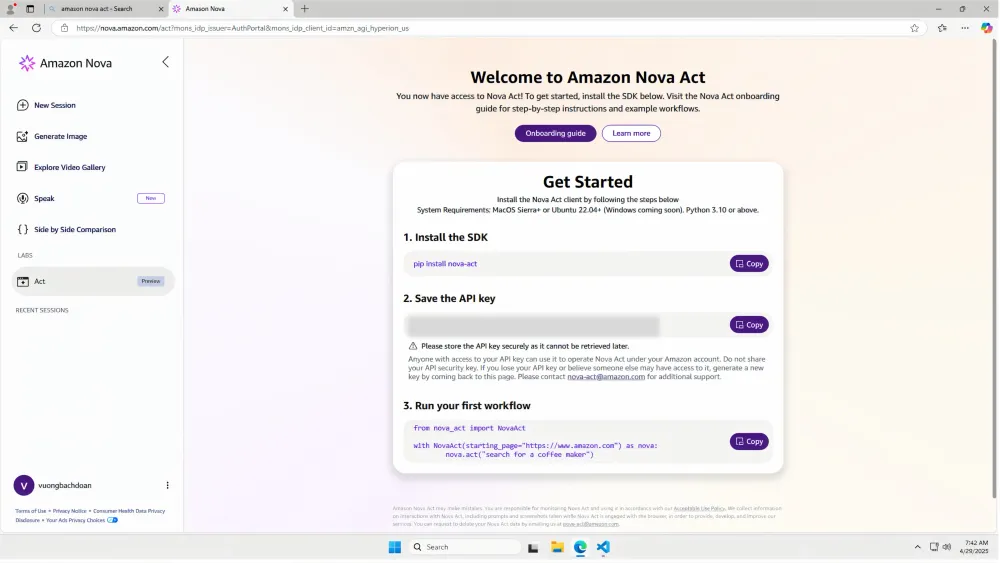
- Once registered, you'll be redirected to the Nova Act console (see image below).
- Generate an API key from the console and store it securely. You'll need it for API requests.
2. Initialize Your Project
Open a terminal and run the following commands to set up your local project environment:
Bash
mkdir nova && cd novapython -m venv .venvsource .venv/bin/activatepip install nova_act
With your environment configured, you’re ready to interact with the Nova Act API.
3. Sample Code to Interact with Nova Act
Below is a simple Python script that sends a task to Nova Act:
Python
import fire # type: ignorefrom nova_act import NovaActdef main(user_data_dir: str = None, headless: bool = False) -> None:"""Automates interaction with the MTCaptcha demo page using NovaAct.Args:user_data_dir (str, optional): Directory to store user data (e.g., for Chrome profile). Defaults to None.headless (bool, optional): Whether to run the browser in headless mode. Defaults to False."""with NovaAct(starting_page="https://2captcha.com/demo/mtcaptcha",user_data_dir=user_data_dir,headless=headless,) as nova:nova.act("If a cookie consent banner appears, close it. ""View the case-sensitive captcha character text at the center of the page. ""Enter the captcha text in the input field with placeholder 'Enter text from image'. ""Click the Check button.")if __name__ == "__main__":fire.Fire(main)
Amazon Nova Act uses your task description to understand and solve the captcha using generative AI model.
4. Verify Result
Bash
Administrator@EC2AMAZ-LHMLS5H MINGW64 ~/Desktop/Nova/nova-act/src/nova_act/samples (main)$ python captcha.py2025-04-29 07:33:54,840 - nova_act.impl.playwright - WARNING - The Nova Act SDK is unable to run with `chrome_channel='chrome'` and is falling back to 'chromium'. If you wish to use an alternate `chrome_channel`, please install it with `python -m playwright install chrome`. For more information, please consult Playwright's documentation: https://playwright.dev/python/docs/browsers.start session 1489e281-f900-46ba-8616-0c0ac9627663 on https://2captcha.com/demo/mtcaptcha logs dir C:\Users\ADMINI~1\AppData\Local\Temp\2\tmpju27dmhq_nova_act_logs\1489e281-f900-46ba-8616-0c0ac96276631489> act("If a cookie consent banner appears, close it. View the case-sensitive captcha characters text at center of page. Enter the captcha text with in the input field with placeholder 'Enter text from image'. Click Check button. ")............1489> think("I am on the 2captcha website. My task is to view the case-sensitive captcha characters text at the center of the page, enter the captcha text within the input field with placeholder 'Enter text from image', and click the Check button. The captcha is visible at the center of the page, and the text is 'jlljc'. The input field is empty, as indicated by the placeholder text 'Enter text from image'. I should type 'jlljc' into the input field to populate it.");>> agentType("jlljc", "<box>388,504,428,762</box>");..........1489> think("The input field now contains 'jlljc', so my last action was successful. I have not checked the captcha yet, as I see the Check button is still visible. I should click the Check button to check the captcha.");>> agentClick("<box>500,518,540,640</box>");..............1489> think("The captcha has been checked, as indicated by the 'Captcha is passed successfully!' message. Therefore, my last action was a success. I have viewed the case-sensitive captcha characters text, entered the captcha text in the input field, and clicked the Check button. The task is complete, and I was not asked to provide specific information, so I will simply return.");>> return;.end session
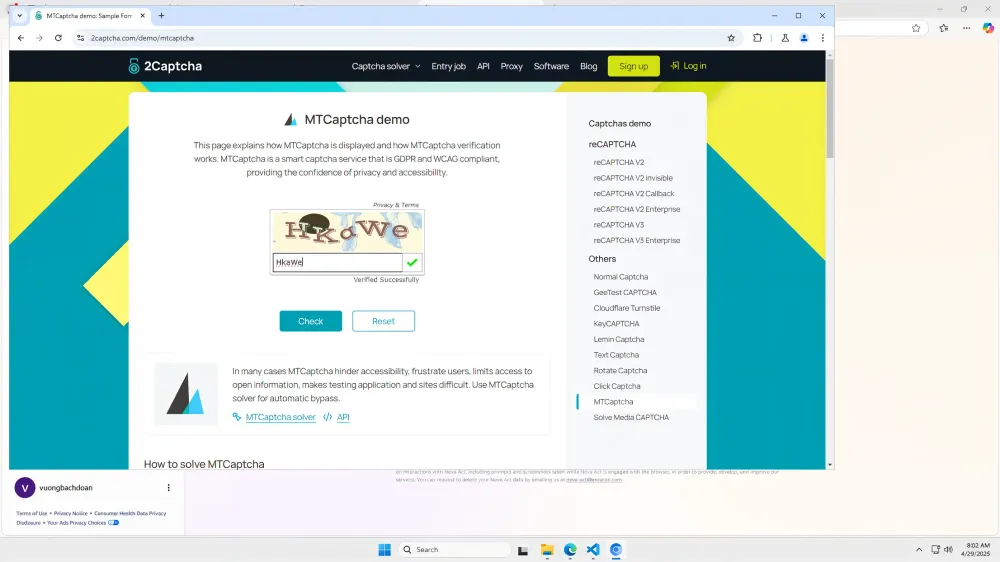
It works 🚀☁️😎
Limitation
Captcha Complexity: Nova Act performs well on most standard captchas, but extremely complex ones may still pose challenges.
Region Availability: As of now, Nova Act is only available in the US region.
Resources
Enjoyed reading this content? Let the author know!
Your likes, comments, shares, and saves help creators reach more builders.

Loading recommendations
Loading article