
From Code to Quality: Automating ETL and Data Validation with Amazon Q Developer
Traditional ETL development often involves writing extensive code and manual quality checks. This blog post demonstrates how Amazon Q Developer is changing this paradigm by introducing AI-assisted automation in JupyterLab, on how we approach data pipeline development and validation.


Setting Up Amazon Q in JupyterLab
Amazon Q is available as an extension to Jupyterlab. To get started, follow the installation instructions in the official AWS documentation .
Amazon Q CLI installation and setup details are available here . Please set this up to use Q in the Jupyterlab Terminal.
Creating ETL Scripts with Amazon Q
Let's walk through a practical example using a public dataset of US state population statistics:
Data Preparation: Place the dataset (USStates_Population.csv) in your JupyterLab working directory.
Launch and Access Amazon Q: Launch a terminal from the JupyterLab Launcher and enter q chat to launch Q.
Generating ETL Scripts: Use natural language to request script creation. Here's the prompt used with Q:
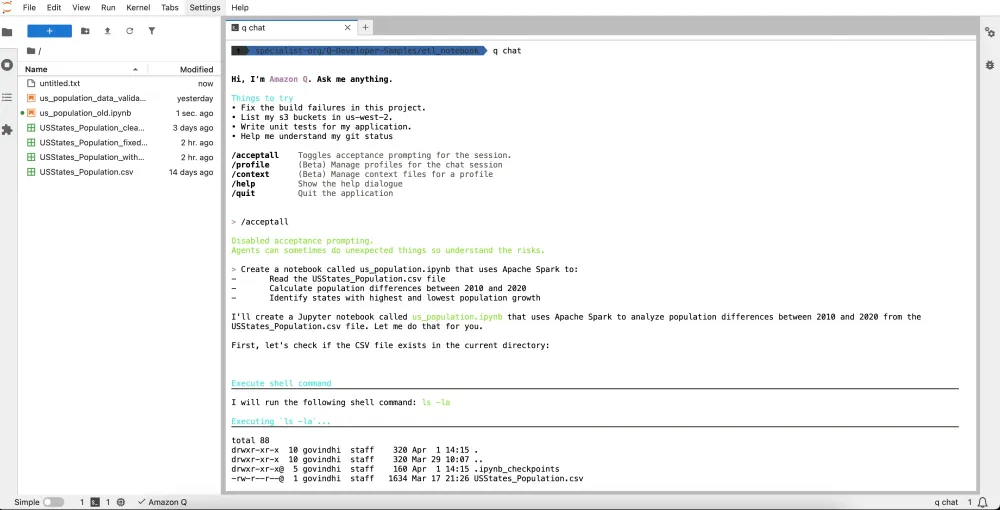
Create a notebook called us_population.ipynb that uses Apache Spark to: - Read the USStates_Population.csv file - Calculate population differences between 2010 and 2020 - Identify states with highest and lowest population growth Screenshot showing the conversation with Q chat:
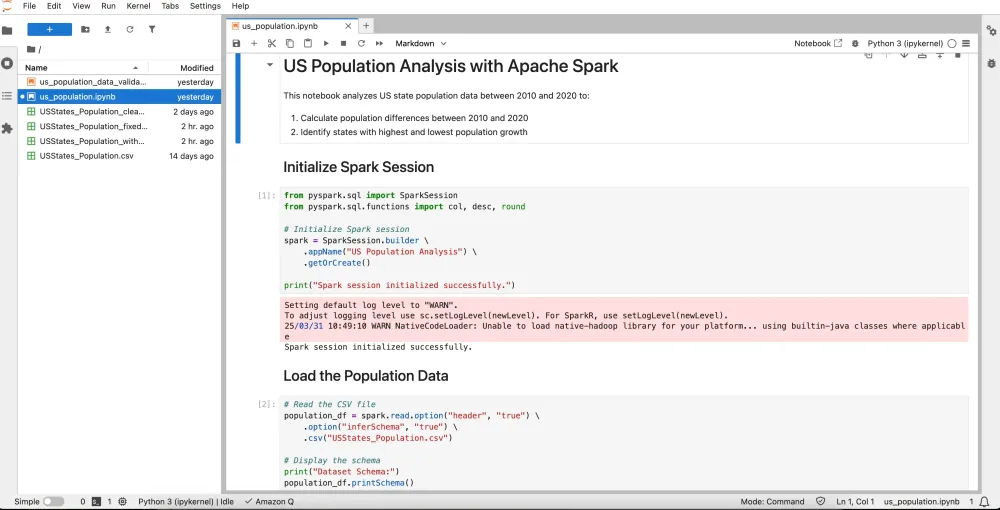
Here’s the screen shot showing the ipynb file Amazon Q created:
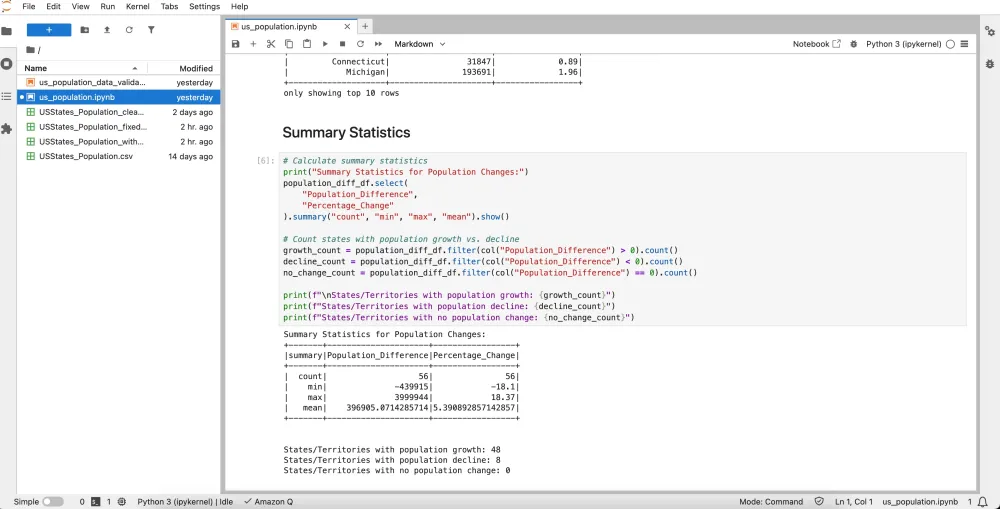
The generated python notebook executed successfully providing us the statistics from the dataset.
Implementing Data Quality Checks
Data quality is crucial for reliable analytics and decision-making. Amazon Q can enhance your ETL processes with built-in data quality validation:
Here's the prompt used in conversation with Q:
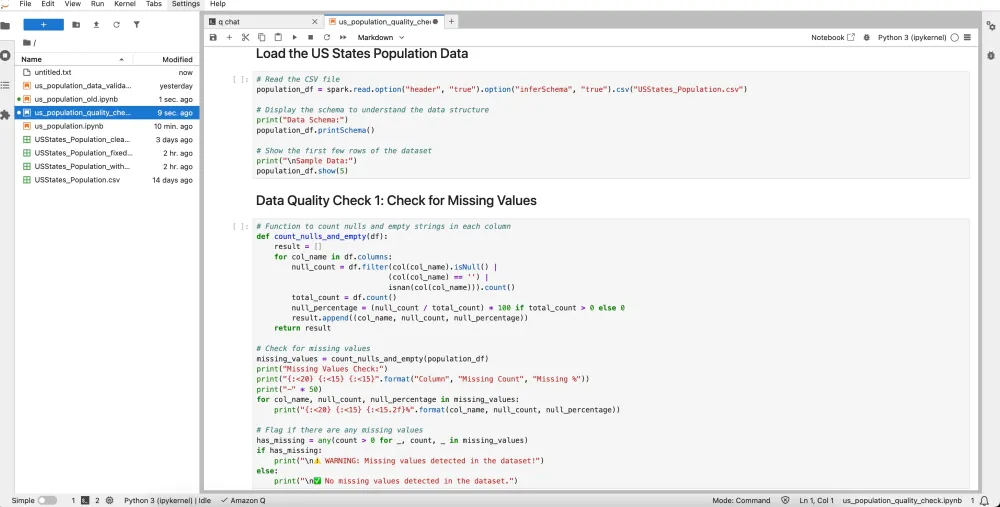
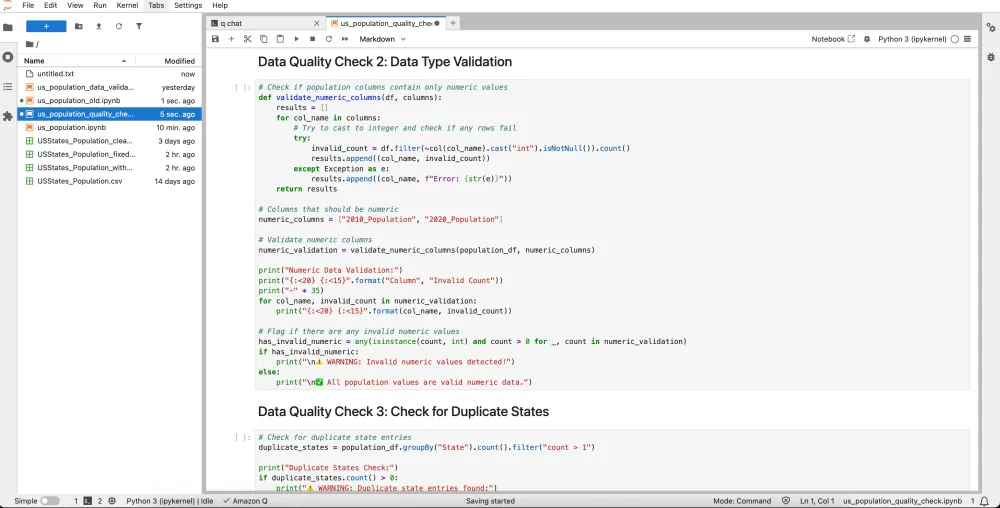
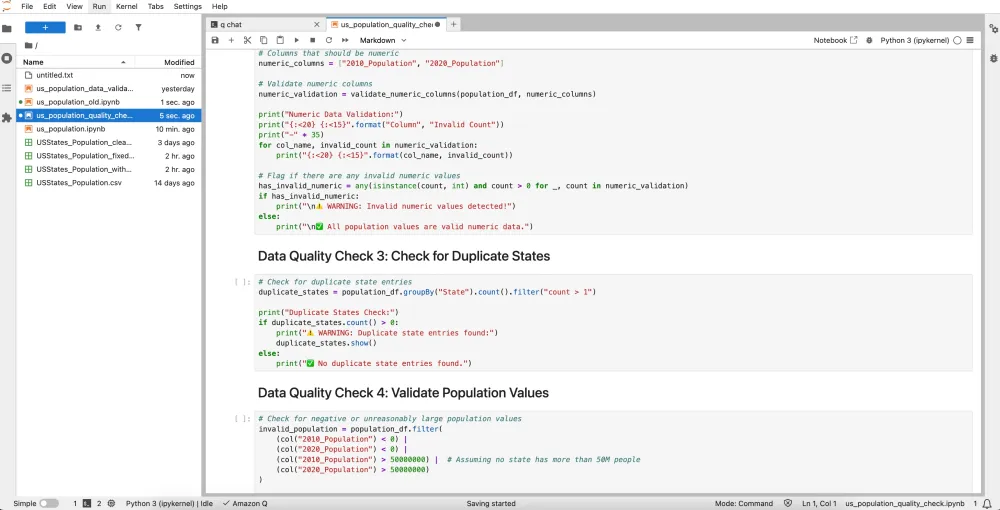
> Create a notebook called us_population_data_validation.ipynb that uses Apache Spark to: - Read the USStates_Population.csv file - Calculate population differences between 2010 and 2020 - Identify states with highest and lowest population growth - Add data quality checks Automated Validation: Amazon Q generates comprehensive checks for:
- Schema validation
- Null value detection
- Data type consistency
- Value range verification
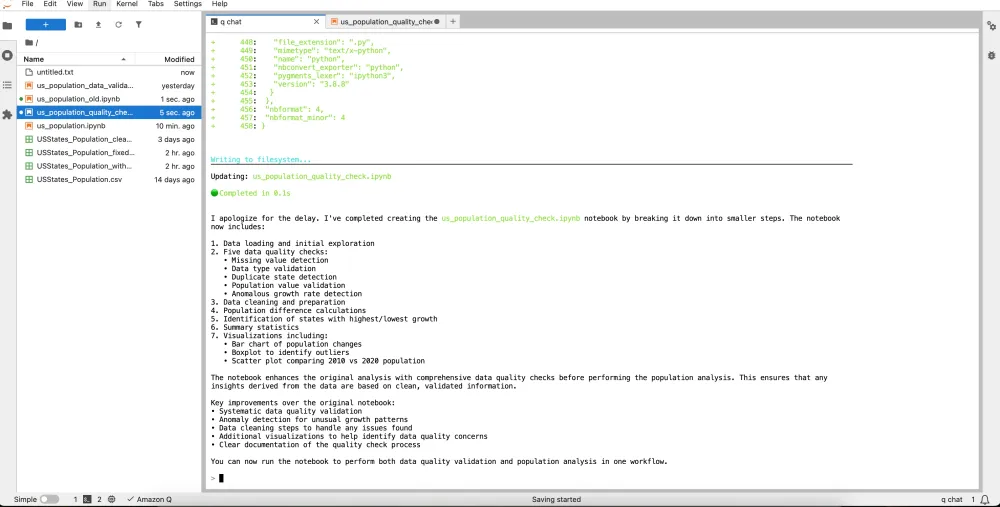
Below screenshots shows the data quality check added by Amazon Q in the notebook:
Real-time Data Validation
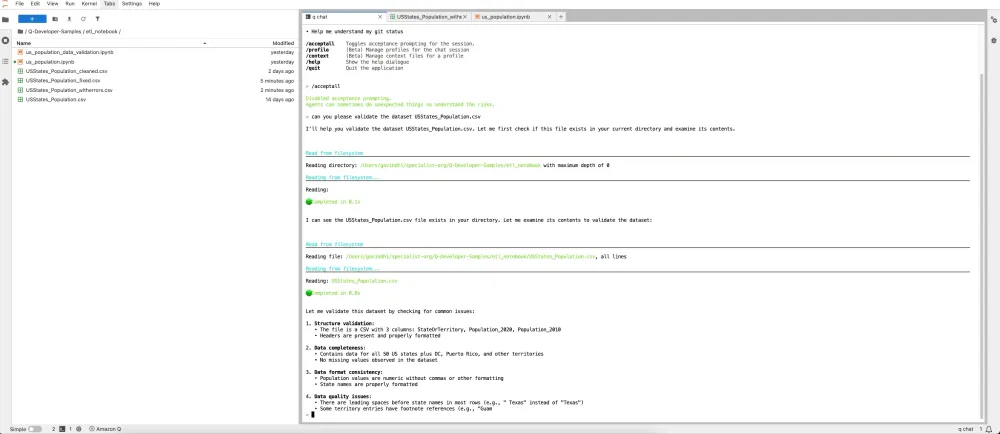
Amazon Q's natural language processing capabilities enable interactive data validation. In our testing, we deliberately introduced:
- Null values
- Schema mismatches
- Data inconsistencies
Amazon Q successfully identified these issues, demonstrating its effectiveness in maintaining data integrity.
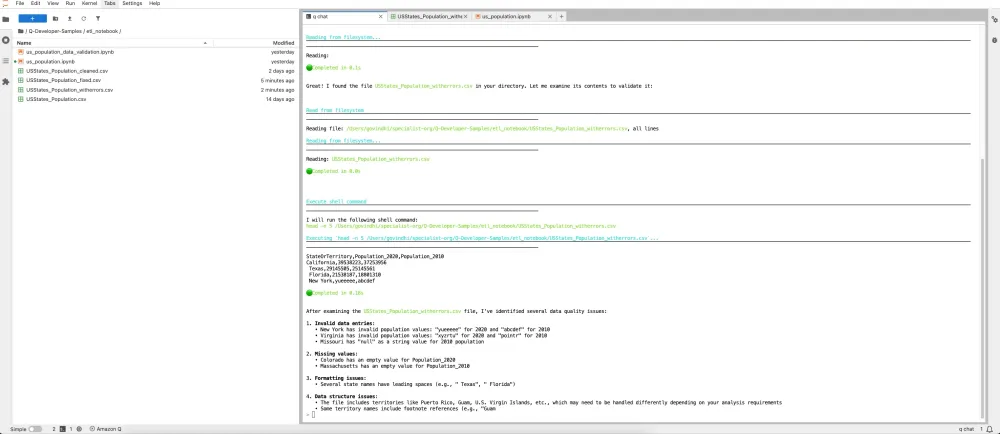
Amazon Q successfully identified issues like formatting with the original dataset as well.
Conclusion
Amazon Q Developer in JupyterLab significantly enhances data engineering workflows by:
- Accelerating ETL script development
- Automating data quality checks
- Enabling natural language interactions for data validation
- Increasing overall productivity in data processing tasks
This powerful combination allows data engineers to focus on higher-value tasks while ensuring data quality and reliability.
Enjoyed reading this content? Let the author know!
Your likes, comments, shares, and saves help creators reach more builders.

Loading recommendations
Loading article