
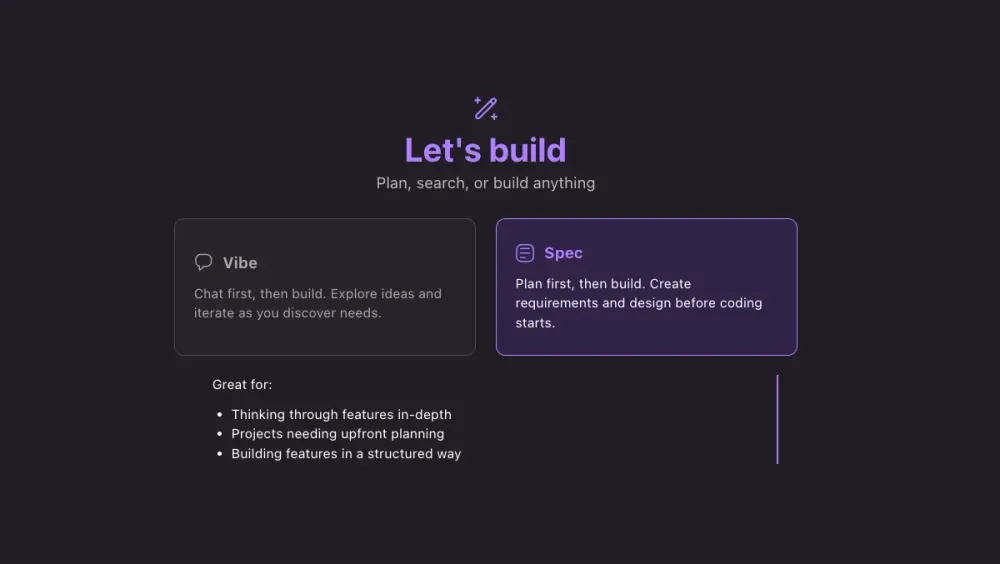
The Evolution of AI Coding: From Autocomplete to Spec-Driven Development
AI coding has evolved from autocomplete to chat-based assistants that generate code quickly. Spec-driven development takes the next step: AI that systematically generates requirements, designs, and task breakdowns before any code is written.

How many times have you built a "simple" authentication system, only to realize three sprints later that you forgot something such as rate limiting or some security edge cases? What if AI could think through all of this before you write a single line of code?
The landscape of AI-powered coding assistance has seen rapid transformation over the recent years. What began as simple autocomplete suggestions has evolved into sophisticated systems that can understand, plan, and implement entire features from high-level specifications. As we’re in a new era in software development, let’s examine the journey.
The Past: Code Completion and the Birth of AI Assistance
The first generation of AI coding tools focused on code completion and suggestions. These systems, exemplified by early versions of IntelliSense and later enhanced by tools like GitHub Copilot, revolutionized how developers write code by predicting what they intended to type next.
The Autocomplete Era
This phase was characterized by:
- Line-by-line assistance: AI would suggest the next few lines based on context
- Pattern recognition: Systems learned from vast codebases to predict common patterns
- Syntax help: Reduced typos and helped with language-specific syntax
While groundbreaking, these tools had limitations. They excelled at tactical coding but struggled with strategic thinking. Developers still needed to architect solutions, break down problems, and maintain the bigger picture themselves.
The Present: Conversational Coding with Chat-Based Assistance
The current generation of AI coding tools has shifted toward conversational interfaces. Tools like ChatGPT, Claude, and GitHub Copilot Chat allow developers to describe problems in natural language and receive comprehensive solutions.
The Chat Revolution
Modern chat-based coding assistance offers:
- Natural language interaction: Developers can explain problems conversationally
- Context awareness: AI can understand entire codebases and provide relevant suggestions
- Debugging assistance: AI can analyze errors and suggest fixes
- Code explanation: Complex code can be broken down and explained in plain English
This represents a significant leap forward. Instead of just completing code, AI now participates in the problem-solving process. However, even these advanced systems require developers to maintain project structure, track implementation progress, and ensure all requirements are met.
The Future: Spec-Driven Development with AI IDEs
We're entering a new wave of AI coding assistance: spec-driven development. This approach, pioneered by tools like the new Kiro IDE , transforms how we think about building software entirely.
Beyond Chat: Systematic Development
Spec-driven development introduces:
- Structured planning: Transform high-level ideas into detailed implementation plans
- Automated workflow management: Track progress across requirements, design, and implementation phases
Real-World Example: "Add Google OAuth to Your Existing App"
Your PM says: "Users are complaining about creating another password. Can we just add 'Sign in with Google' by Friday?"
Sounds simple, right? Let's see how each era of AI handles this:
Past Approach (Code Completion Era)
1
2
// Developer types: "function googleAuth"
// AI suggests: "function googleAuthCallback(req, res) {"
You need to manually research Google OAuth 2.0 flows, figure out the redirect URLs, handle state parameters for security, manage token storage, and integrate with their existing user system. Each autocomplete helps with syntax, but the strategic planning is entirely manual.
Present Approach (Chat-Based Era)
Developer: "Help me add Google OAuth to my Node.js app"
AI Response: Provides code snippets for OAuth configuration, redirect handling, and token exchange. You get working code, but you're still responsible for:
- Figuring out how it integrates with your existing auth system
- Remembering to handle edge cases like account linking
- Ensuring proper security measures are in place
- Managing the implementation sequence yourself
Future Approach (Spec-Driven Development)
Developer: Creates a specification: "Add Google OAuth authentication to existing user system"
But here's the critical insight that makes this approach fundamentally different: AI code generation is only as good as the clarity of what you're asking it to build. When you prompt an AI with vague instructions like "add login," you're essentially asking it to make dozens of architectural decisions for you—decisions about error handling, user experience, security boundaries, and integration patterns. The result? Code that appears to work but has a higher risk of breaking in production, or worse, code you struggle to manage because you don't understand the assumptions it made.
This is where spec-driven development changes the game. Instead of hoping the AI guesses your requirements correctly, you partner with AI to declare them explicitly first.
Kiro's Response in spec mode:
1. Requirements Phase
Kiro automatically generates a comprehensive
Requirement 1: User Authentication via Google
requirements.md file with multiple user stories, each containing detailed acceptance criteria. Here are a few examples of what it produces:Requirement 1: User Authentication via Google
- User Story: As a user, I want to sign in using my Google account, so that I can access the application without creating a separate username and password.
- Acceptance Criteria:
- WHEN a user visits the login page THEN the system SHALL display a "Sign in with Google" button
- WHEN a user clicks the "Sign in with Google" button THEN the system SHALL redirect the user to Google's OAuth consent screen
- WHEN a user grants permission on Google's consent screen THEN the system SHALL receive an authorization code from Google
- WHEN the system receives an authorization code THEN the system SHALL exchange it for access and refresh tokens
- WHEN the system successfully obtains tokens THEN the system SHALL create or update the user's session
- WHEN a user successfully authenticates THEN the system SHALL redirect the user to the application's main page
Requirement 2: User Session Management
- User Story: As a user, I want my login session to persist across page refreshes, so that I don't have to sign in repeatedly during my browsing session.
- Acceptance Criteria: (5 detailed WHEN/THEN conditions covering session creation, persistence, expiration, browser restart scenarios, and invalid session handling)
Requirement 6: Security
- User Story: As a user, I want my authentication data to be handled securely, so that my account and personal information are protected.
- Acceptance Criteria:
- WHEN the system stores tokens THEN the system SHALL encrypt sensitive data
- WHEN the system communicates with Google's OAuth endpoints THEN the system SHALL use HTTPS
- WHEN the system generates session tokens THEN the system SHALL use cryptographically secure random values
- WHEN the system stores session data THEN the system SHALL use secure, HTTP-only cookies with appropriate flags
- WHEN the OAuth flow includes a state parameter THEN the system SHALL validate the state parameter to prevent CSRF attacks
- IF the system detects suspicious authentication activity THEN the system SHALL log the activity for security monitoring
The complete requirements.md also includes detailed specifications for User Logout, User Profile Information, and Error Handling—each with their own user stories and acceptance criteria.
2. Design Phase
After requirements are aligned, Kiro creates a complete
High-Level Architecture Diagram:
design.md with technical architecture. Here are some highlights:High-Level Architecture Diagram:

OAuth 2.0 Flow Sequence: A detailed sequence diagram showing every step from the user clicking "Sign in with Google" through consent, token exchange, session creation, and final redirect.
Components and Interfaces: The design.md breaks down the system into 5 major modules:
- Authentication Module: Passport.js configuration and OAuth routes
- Session Management Module: Secure session configuration with all cookie flags
- User Module: Data models and service methods
- Middleware Module: Authentication guards and security headers
- Frontend Module: Login and application pages with client-side logic
Data Models: Complete specifications for User and Session models, including all fields, types, and relationships.
Error Handling Strategy: Comprehensive coverage of 5 error types (OAuth Denial, OAuth Failure, Network Errors, Invalid Session, Missing Configuration) with specific responses, user messages, and logging strategies.
Security Considerations: Detailed sections on environment variables, HTTPS in production, CSRF protection, session security, and data protection.
Testing Strategy: Complete breakdown of unit tests, integration tests, security tests, and a manual testing checklist.
The design.md is a technical blueprint that covers architecture, components, data models, error handling, security, testing, and deployment considerations.
Error Handling Strategy: Comprehensive coverage of 5 error types (OAuth Denial, OAuth Failure, Network Errors, Invalid Session, Missing Configuration) with specific responses, user messages, and logging strategies.
Security Considerations: Detailed sections on environment variables, HTTPS in production, CSRF protection, session security, and data protection.
Testing Strategy: Complete breakdown of unit tests, integration tests, security tests, and a manual testing checklist.
The design.md is a technical blueprint that covers architecture, components, data models, error handling, security, testing, and deployment considerations.
3. Implementation Phase
Kiro generates a detailed
tasks.md file that breaks down the feature implementation into concrete, trackable tasks. Each task explicitly links back to the requirements it satisfies. Here are some examples of what Kiro identifies for adding OAuth to your existing app:Task 2: Configure environment and OAuth settings
- Create
config/oauth.jsto load and export OAuth configuration from environment variables - Create
.envfile with placeholders forGOOGLE_CLIENT_ID,GOOGLE_CLIENT_SECRET,SESSION_SECRET, andCALLBACK_URL - Add validation to ensure required environment variables are present on startup
- Requirements: 6.1, 6.3
Task 4: Configure Passport.js with Google OAuth strategy
- Create
config/passport.jsfile - Configure GoogleStrategy with clientID, clientSecret, callbackURL, and scope ['profile', 'email']
- Implement strategy verify callback to call findOrCreateUser with Google profile
- Implement
passport.serializeUserto store googleId in session - Implement
passport.deserializeUserto retrieve user by googleId - Requirements: 1.2, 1.3, 1.4, 4.1, 4.2
Task 7: Create authentication routes
- Create
routes/auth.jsfile - Implement
GET /auth/googleroute to initiate OAuth flow usingpassport.authenticate('google') - Implement
GET /auth/google/callbackroute to handle OAuth callback with success/failure redirects - Implement
POST /auth/logoutroute to destroy session and redirect to login - Implement
GET /auth/statusroute to return authentication status and user data - Add error handling for OAuth denial and failures with appropriate redirects
- Requirements: 1.1, 1.2, 1.5, 1.6, 3.2, 3.3, 5.1, 5.2, 5.4
Task 12: Add session security features
- Implement state parameter generation and validation for CSRF protection in OAuth flow
- Configure session cookie with secure flag based on NODE_ENV
- Add session regeneration after successful authentication
- Implement session expiration handling with redirect to login
- Requirements: 2.3, 6.3, 6.4, 6.5
Plus additional tasks covering:
- Authentication middleware (ensureAuthenticated, ensureGuest)
- Error handling middleware for OAuth failures
- Frontend login page with "Sign in with Google" button
- Comprehensive testing suite (integration, session, unit, middleware tests)
- Documentation and setup instructions
- Final security validations
Note: These are some examples of the core feature-specific tasks. Tasks map to the original requirements.
The Power of Systematic AI Development
Notice how Kiro didn't just provide OAuth code; it provided:
Comprehensive Planning
Instead of jumping straight to implementation, Kiro ensured proper requirements gathering that covered edge cases and created acceptance criteria like "WHEN the system receives an authorization code THEN the system SHALL exchange it for access and refresh tokens."
Security by Design
The system automatically incorporated OAuth security best practices like state parameter validation, secure token storage, CSRF protection, helmet configuration, and HTTPS enforcement. These considerations are easy to miss when focused on just "making it work."
Implementation Roadmap
The task breakdown provides clear progress tracking, from Google Cloud Console setup through production deployment, with each task explicitly linked to specific security and functional requirements (e.g., "Requirements: 1.2, 1.3, 1.4, 4.1, 4.2").
Integration Awareness
Unlike isolated code snippets, the specification considers how Google OAuth integrates with existing authentication systems through detailed architecture diagrams, middleware patterns, and session management strategies.
This represents a fundamental shift from tactical coding assistance to strategic development orchestration. The AI doesn't just help you write OAuth code, it helps you build an authentication system that properly integrates with your existing application.
Looking Ahead: The Implications for Developers
This is a fundamental shift in how we approach software development. AI IDEs like Kiro are moving us toward a future where:
- Strategic thinking becomes paramount: As AI handles more tactical implementation, you strengthen your focus on architecture, user experience, and business logic
- Quality bar increases: Continuous quality checks and improvements happen with less manual oversight
- Requirements traceability is built-in: Implementation decisions trace back to a user need
Embracing the Spec-Driven Future
The journey from autocomplete to spec-driven development in short time reflects how fast things are moving in this space. We're moving from tools that help us write code faster to systems that help us build better software more systematically.
For developers ready to embrace this future, the key is understanding that spec-driven development isn't about replacing human creativity, it's about amplifying it. By handling the systematic aspects of software development, AI frees developers to focus on what humans do best: creative problem-solving, user empathy, and strategic thinking.
The future of coding isn't just about writing code, it's about solving problems that meet real user needs. And with spec-driven development, we have even better tools to make that vision a reality.
Try Kiro's spec-driven approach on your next feature. Even consider doing something you've built before to see what Kiro thinks of in the spec process!
As of today (Oct 16, 2025), there is no longer a waitlist to use Kiro and for a limited time, new users receive 500 bonus credits for free!
Enjoyed reading this content? Let the author know!
Your likes, comments, shares, and saves help creators reach more builders.

Loading recommendations
Loading article