
Q-Bits: Modernizing CloudFormation Templates with AWS CloudFormation Helper Scripts and Amazon Q
Discover how Amazon Q Developer streamlines the modernization of CloudFormation templates with helper scripts, making infrastructure deployment more robust and maintainable.

Welcome to another installment of Q-Bits , our regular series showcasing cool ways Amazon employees are leveraging Amazon Q Developer. Today, we're diving into how Q Developer can assist with creating a webserver using AWS CloudFormation and leveraging Cloudformation helper scripts for package installation and service management.
CloudFormation helper scripts are powerful tools for AWS infrastructure management, but they can be challenging to implement correctly. In this post, I'll share how I used Amazon Q Developer to modernize a basic CloudFormation template with these helper scripts, making it more maintainable and robust.
The Starting Point
My initial template was a basic setup that launched an EC2 instance running Apache web server. While functional, it used a simple UserData script for configuration, which had limitations in terms of maintenance and updates.
YAML
AWSTemplateFormatVersion: '2010-09-09'Description: 'Template demonstrating cfn-init, cfn-signal and cfn-hup'Parameters:KeyName:Type: AWS::EC2::KeyPair::KeyNameDescription: Name of an existing EC2 KeyPairResources:WebServerInstance:Type: AWS::EC2::InstanceProperties:ImageId: '{{resolve:ssm:/aws/service/ami-amazon-linux-latest/al2023-ami-kernel-6.1-arm64}}'InstanceType: t4g.nanoKeyName: !Ref KeyNameSecurityGroups:- !Ref WebServerSecurityGroupUserData:Fn::Base64: !Sub |#!/bin/bash -xeyum install -y httpdecho "Congratulations, you have successfully launched the Apache web server." > /var/www/html/index.htmlservice httpd startWebServerSecurityGroup:Type: AWS::EC2::SecurityGroupProperties:GroupDescription: Enable HTTP access via port 80SecurityGroupIngress:- IpProtocol: tcpFromPort: 80ToPort: 80CidrIp: 0.0.0.0/0Outputs:WebsiteURL:Description: URL for newly created web serverValue: !Sub http://${WebServerInstance.PublicDnsName}
Leveraging Amazon Q for Template Analysis
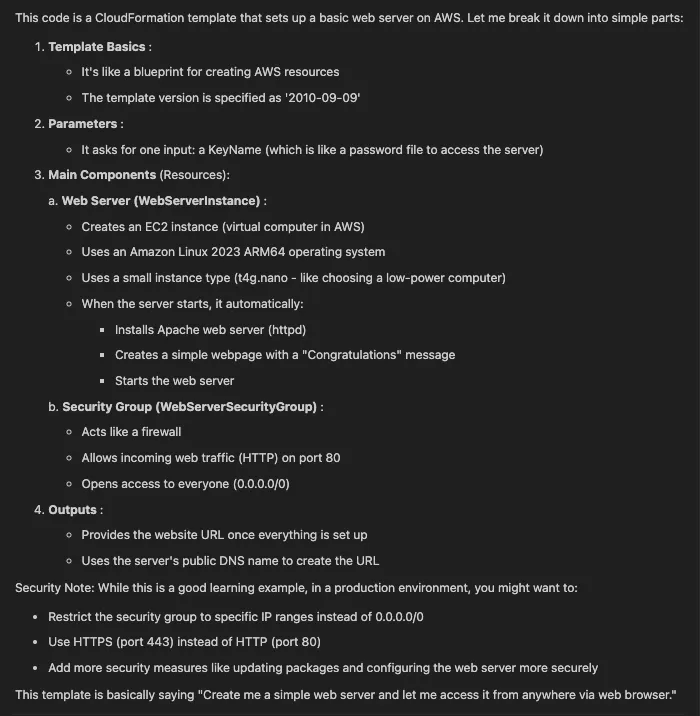
The first step was understanding my existing template. Amazon Q's explain feature provided a clear breakdown of the template's components as shown below:
Modernizing with cfn-init
I leveraged Amazon Q to modernize the CloudFormation template by replacing the traditional UserData script with cfn-init, enabling more structured and maintainable instance configuration management.
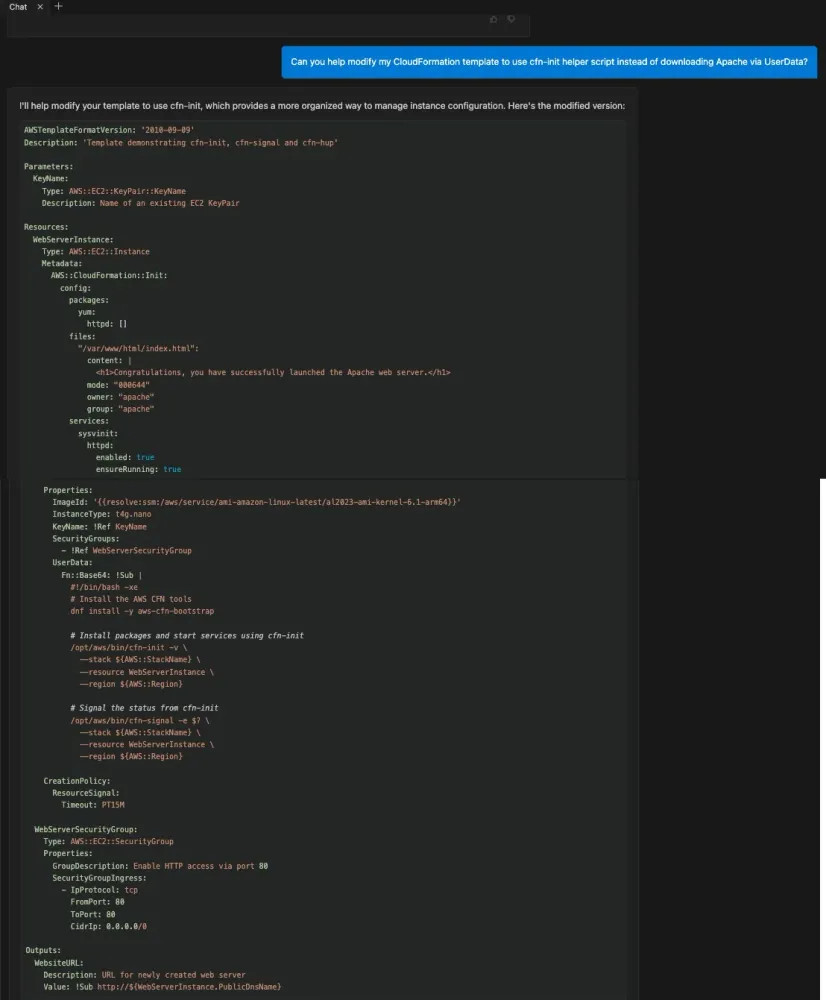
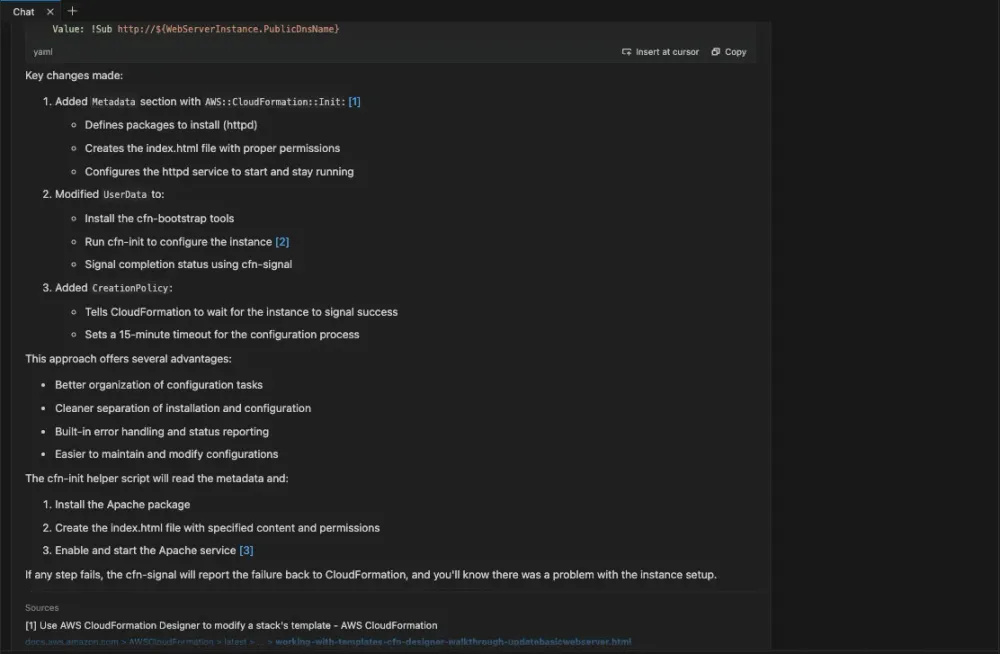
As explained by Amazon Q, this transformation delivered multiple advantages through the implementation of metadata, UserData scripts, and creation policies, enabling CloudFormation to wait for explicit success signals from the instance before proceeding with the deployment.
Implementing Automatic Updates with cfn-hup
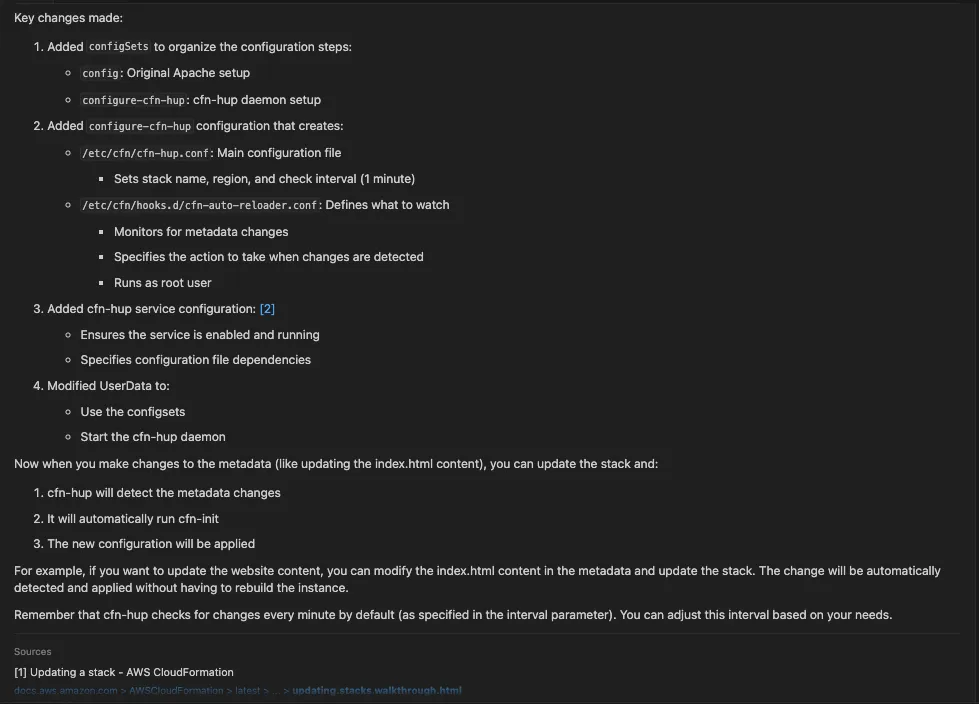
To ensure the EC2 instance stays in sync with template changes, I want to implement a daemon that monitors changes to the instance's metadata and automatically executes updates when needed. Amazon Q came to my rescue and provided the following recommendations:
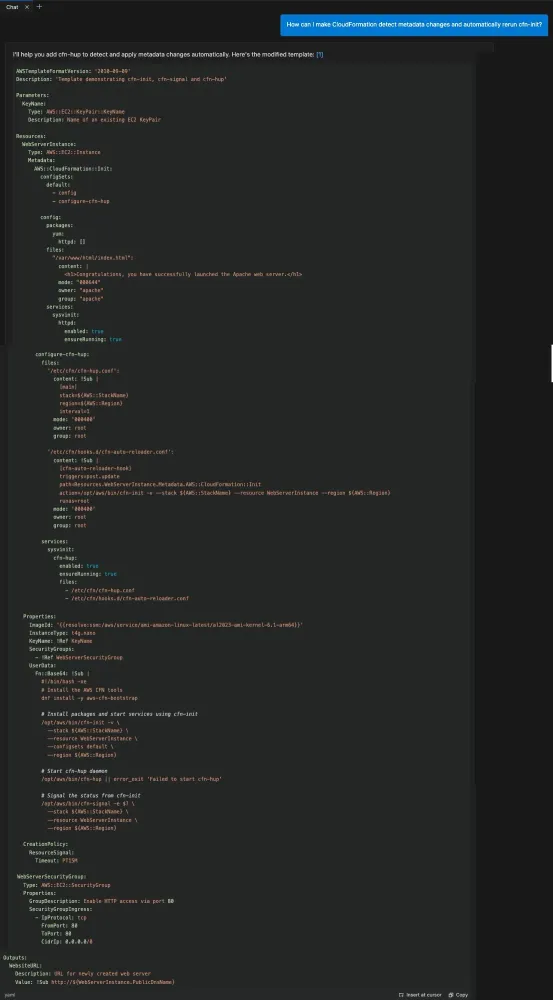
Amazon Q also demonstrated how the combination of configSets and the cfn-hup daemon works together to create an infrastructure stack that automatically updates and maintains itself, enabling dynamic configuration management.
Security Improvements
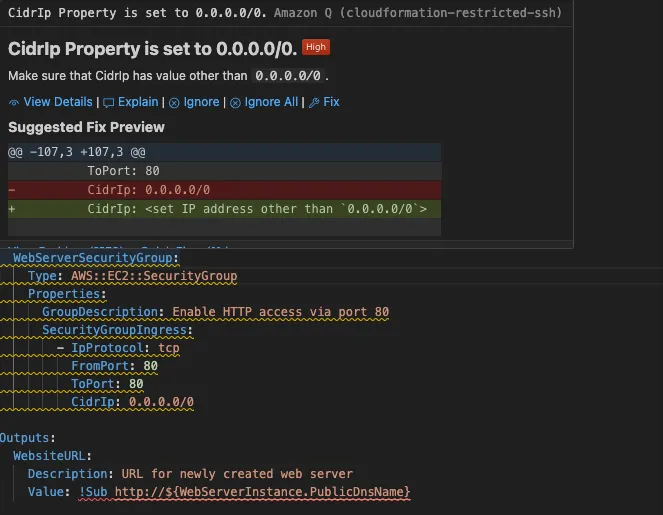
An interesting discovery came when Amazon Q flagged a security concern in my WebServerSecurityGroup. The original configuration allowed unrestricted inbound access on port 80. Following Q's recommendation, I implemented more restrictive security group rules to better align with security best practices.
Deployment and Verification
In the final deployment phase, I utilized Amazon Q to generate the necessary AWS CLI command, which I then used to successfully launch the CloudFormation stack. Upon completion, I confirmed the deployment's success by accessing the web server through the URL that was provided in the CloudFormation stack outputs.

Conclusion
Amazon Q suggested several ways to further enhance the template, including:
- Adding auto-scaling capabilities
- Parameterize template across dev, stage, and prod environments.
- Implementing more sophisticated monitoring
- Adding custom metrics and alarms
This experience showcases how modern AWS tools like Amazon Q can help modernize existing infrastructure code while ensuring best practices and security standards are maintained.
Enjoyed reading this content? Let the author know!
Your likes, comments, shares, and saves help creators reach more builders.

Loading recommendations
Loading article