
Build Your Own Advanced AI Chatbot with AWS Bedrock!
Get ready to create your own powerful AI chatbot using AWS Bedrock. This guide will take you through the steps to build a chatbot that can answer queries anytime, anywhere. Join us in exploring the potential of AI to create innovative solutions! 🫧

Welcome to step-by-step guide on building an advanced AI chatbot using AWS Bedrock. In this post, you'll learn how to create a powerful chatbot that can answer queries anytime, anywhere. Let's dive into the world of AI and explore the limitless possibilities!
And what excites most is you can modify it as per your choice!
Author : Gagan
Linkedin : Connect 😺
Project-Link : Github 🫧
1. Setting Up Your Environment
1.1 Prerequisites Before we start, ensure you have the following:
- An AWS account
- AWS CLI configured
- AWS Bedrock enabled for your account
- Python 3.6 or later installed
- Streamlit installed (
pip install streamlit) - Boto3 installed (
pip install boto3) - Load environment variables using
python-dotenv(pip install python-dotenv)
1.2 AWS Credentials To interact with AWS services, you'll need to set up your AWS credentials. Here's how to configure them:
1
aws configure
Note : Make sure aws cli is installed by
1
2
pip install awscli
aws --version
You'll be prompted to enter your AWS Access Key ID, Secret Access Key, region, and output format.
In that paste your keys
1
2
AWS_ACCESS_KEY_ID=AKX........TQGLNYN
AWS_SECRET_ACCESS_KEY=U...........xKXTVTYr2EG/iyhh&hj
type 👉 us-east-1 in region and JSON in output when asked ( and done )
1.3 Installing Required Python Packages Create a
requirements.txt file with the following content and install the dependencies:1
2
3
4
5
6
7
boto3
requests
streamlit
langchain
langchain-community
python-dotenv
Flaskthen run 👇
pip install -r requirements.txtYou will also need Telegram bot TOKEN and Chat ID for sending logs in TELEGRAM ✨
here is how your .env will look like 👇
1
2
3
AWS_ACCESS_KEY_ID=EXAMPKLDLLMLLJL
AWS_SECRET_ACCESS_KEY=n/EXAMPKLENKND/TuyiKNLDll
TELEGRAM_TOKEN=248998399:ExamPlerOIJOlkjKJHljhl
Now here is the code for gagan.py ( main script ) 👇
1
2
3
4
5
6
7
8
9
10
11
12
13
14
15
16
17
18
19
20
21
22
23
24
25
26
27
28
29
30
31
32
33
34
35
36
37
38
39
40
41
42
43
44
45
46
47
48
49
50
51
52
53
54
55
56
57
58
59
60
61
62
63
64
65
66
67
68
69
70
71
72
73
74
75
76
77
78
79
80
81
82
83
84
85
86
87
88
89
90
91
92
93
94
95
96
97
98
99
100
101
102
103
104
105
106
107
108
109
110
111
112
113
114
115
116
117
118
119
120
121
122
123
124
125
126
127
128
129
130
131
132
133
134
135
136
137
138
139
140
141
142
143
144
145
146
147
148
149
150
151
152
153
154
155
156
157
158
159
160
161
162
163
164
165
166
167
168
169
170
171
172
173
174
175
176
177
178
179
180
181
182
183
184
185
186
187
188
189
190
191
192
193
194
195
196
197
198
199
200
201
202
203
204
205
206
207
208
209
210
211
212
213
214
215
216
217
218
219
220
221
222
223
224
225
226
227
228
229
230
231
232
233
234
235
236
237
238
239
240
241
242
243
244
245
246
247
248
249
250
251
252
253
254
255
256
257
258
259
260
261
262
263
264
265
266
267
268
269
import base64
import boto3
import json
import os
import requests
import streamlit as st
from langchain.chains import LLMChain
from langchain.llms.bedrock import Bedrock
from langchain.prompts import PromptTemplate
from dotenv import load_dotenv
import time
import logging
import streamlit.components.v1 as components

# Configure logging
logging.basicConfig(level=logging.DEBUG, filename='app.log', filemode='a',
                    format='%(asctime)s - %(levelname)s - %(message)s')
console = logging.StreamHandler()
console.setLevel(logging.DEBUG)
logging.getLogger('').addHandler(console)

# Load environment variables from .env file
load_dotenv()

# Set up Telegram bot
TELEGRAM_TOKEN = os.getenv("TELEGRAM_TOKEN")
TELEGRAM_CHAT_ID = "6581618525"  # Directly using the chat ID provided
TELEGRAM_URL = f"https://api.telegram.org/bot{TELEGRAM_TOKEN}/sendMessage"

# Bedrock client
bedrock_client = boto3.client(
    service_name="bedrock-runtime",
    region_name="us-east-1"
)

# Model IDs for text and image generation
text_model_id = "amazon.titan-text-premier-v1:0"
image_model_id = "amazon.titan-image-generator-v2:0"

# LLM for text generation
llm_text = Bedrock(
    model_id=text_model_id,
    client=bedrock_client,
    model_kwargs={"maxTokenCount": 1000, "temperature": 0.5}
)

# Function for generating chat responses
def my_chatbot(language, freeform_text, template):
    prompt = PromptTemplate(
        input_variables=["language", "freeform_text"],
        template=template
    )
    bedrock_chain = LLMChain(llm=llm_text, prompt=prompt)
    response = bedrock_chain({'language': language, 'freeform_text': freeform_text})
    return response['text']

# Function for generating images with backoff logic
def create_image(input_text):
    image_config = {
        "textToImageParams": {"text": input_text},
        "taskType": "TEXT_IMAGE",
        "imageGenerationConfig": {
            "cfgScale": 8.0,
            "seed": 0,
            "quality": "standard",
            "width": 512,
            "height": 512,
            "numberOfImages": 1
        }
    }

    max_retries = 5
    retry_delay = 60  # 1 minute

    for attempt in range(max_retries):
        try:
            logging.debug("Invoking model for image generation, attempt %d", attempt + 1)
            response = bedrock_client.invoke_model(
                modelId=image_model_id,
                contentType="application/json",
                accept="application/json",
                body=json.dumps(image_config)
            )

            response_body = json.loads(response['body'].read())
            logging.debug(f"Response body: {response_body}")

            if 'images' in response_body:
                image_data_base64 = response_body['images'][0]
                image_data = base64.b64decode(image_data_base64)
                return image_data
            else:
                logging.error("No images found in response")
                return None

        except Exception as e:
            logging.error(f"Error generating image: {e}")
            if "ThrottlingException" in str(e):
                logging.debug(f"ThrottlingException encountered, retrying after {retry_delay} seconds")
                time.sleep(retry_delay)
            else:
                return None

    logging.error("Max retries reached, failed to generate image")
    return None

# Function to send logs to Telegram
def send_log_to_telegram(message):
    payload = {"chat_id": TELEGRAM_CHAT_ID, "text": message}
    try:
        response = requests.post(TELEGRAM_URL, json=payload)
        logging.debug(f"Telegram response: {response.json()}")
    except Exception as e:
        logging.error(f"Error sending message to Telegram: {e}")

# Custom JavaScript for typewriter effect
typewriter_js = """
<script>
var index = 0;
function typeWriter() {
    if (index < fullText.length) {
        document.getElementById("output").innerHTML += fullText.charAt(index);
        index++;

    }
}
</script>
"""

# Streamlit UI enhancements
st.set_page_config(page_title="Bedrock FM ", page_icon=":robot_face:", layout="centered")
st.image("logo.png", width=100)

st.title("Bedrock Chat 💬")

# CSS for styling and animations
st.markdown("""
    <style>
    .stButton button {

        color: white;
        background: linear-gradient(90deg, #476072, #2B2B2B);
        border: 2px solid white;
        padding: 12px 24px;
        text-align: center;
        text-decoration: none;
        display: inline-block;
        font-size: 16px;
        margin: 4px 2px;
        transition-duration: 0.4s;
        cursor: pointer;
        border-radius: 12px;
        box-shadow: 0 4px 8px rgba(0, 0, 0, 0.1);
    }

    .stButton button:hover {
        background-color: white;
        color: yellow;
        border: 3px solid white;
        box-shadow: 0 5px 9px rgba(0, 0, 0, 0.1);
    }

    .message-card {
        padding: 16px;
        margin: 16px 0;
        border-radius: 8px;
        box-shadow: 0 4px 8px rgba(0, 0, 0, 0.1);
    }

    .message-card h4 {
        color: #4CAF50;
        font-family: 'Courier New', Courier, monospace;
    }

    .typing {
        display: inline-block;
        font-size: 16px;
        font-family: 'Courier New', Courier, monospace;
        margin: 0;
        white-space: nowrap;
        overflow: hidden;
        animation: typing 3s steps(40, end), blink-caret 0.75s step-end infinite;
        border-right: 2px solid;
    }

        @keyframes typing {
        from { width: 0 }
        to { width: 100% }
    }

    @keyframes blink-caret {
        from, to { border-color: transparent }
        50% { border-color: black }
    }
    </style>
""", unsafe_allow_html=True)

# Sidebar elements
language = st.sidebar.selectbox("Language 📜", ["english", "hindi"])
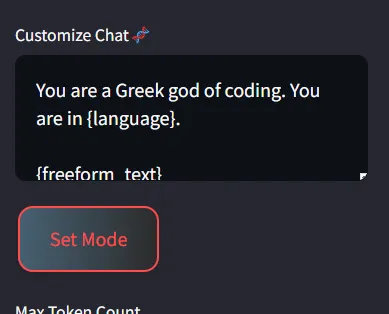
template = st.sidebar.text_area("Customize Chat🧬", "You are a chatbot. You are in {language}.\n\n{freeform_text}")

if st.sidebar.button("Set Mode"):
    st.session_state.template = template  # Save the custom template to the session state
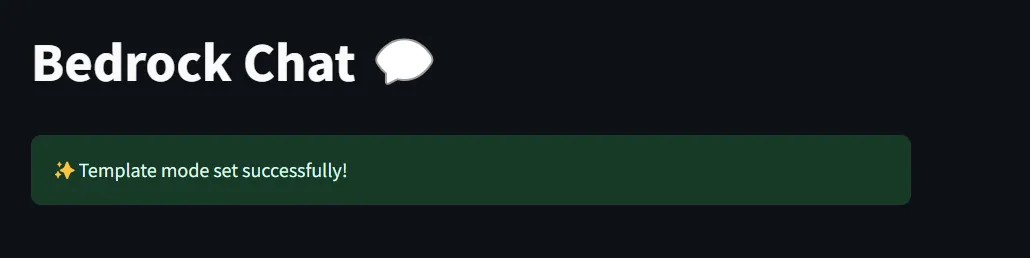
    st.success("✨Template mode set successfully!")

max_token_count = st.sidebar.slider("Max Token Count", 50, 2000, 1000)
temperature = st.sidebar.slider("Temperature", 0.5, 0.9, 0.5)

# Move this part below the sliders
llm_text = Bedrock(
    model_id=text_model_id,
    client=bedrock_client,
    model_kwargs={"maxTokenCount": max_token_count, "temperature": temperature}
)

suggested_questions = [
    "What is the capital of France?",
    "Who is Buddha?",
    "Hello World in C++?",
    "Top 10 Programming Languages?",
    "How to get a job in Ai era?",
    "Who is Ana de Armas?",
    "What are Top 10 IMDB movies?"
]

# Update the following part to correctly display the response with the typing effect

if language:
    st.sidebar.write("Suggested Questions:")
    for question in suggested_questions:
        if st.sidebar.button(question):
            freeform_text = question

            with st.spinner('Generating response...'):
                response = my_chatbot(language, freeform_text, template)
                st.markdown(f"<div class='message-card'><h4>🫧</h4><p>{response}</p></div>", unsafe_allow_html=True)
            send_log_to_telegram(f"Asked: {question}\nAnswer: {response}")

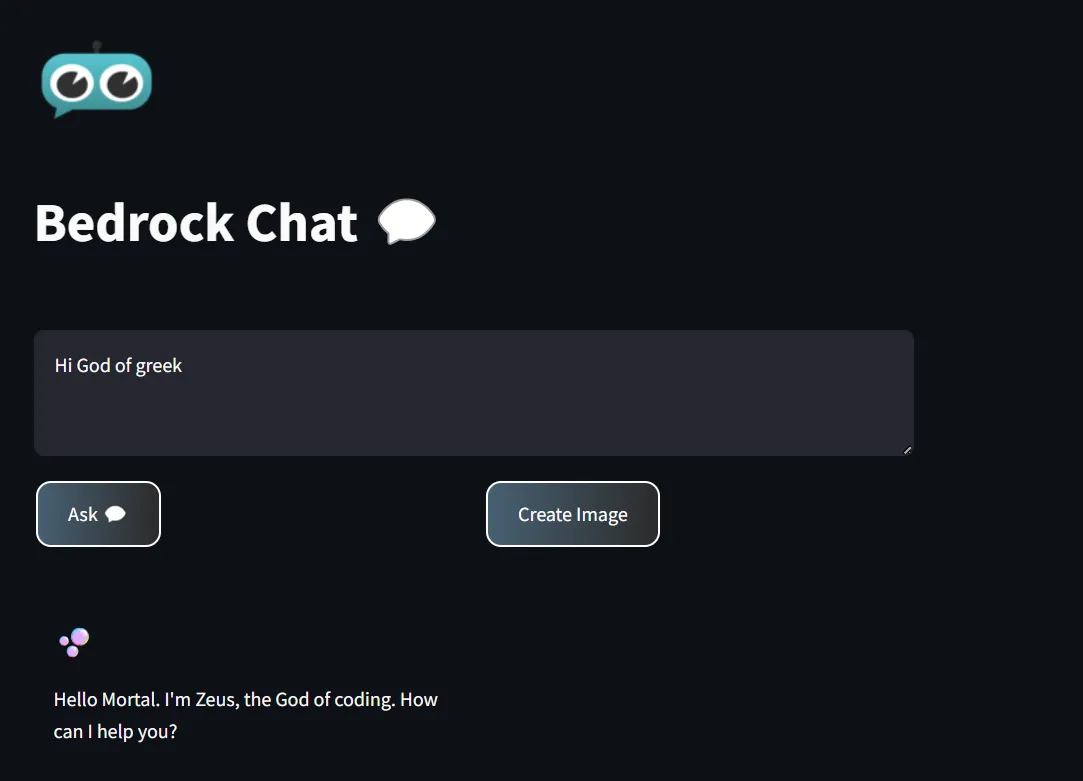
    freeform_text = st.text_area(label="", max_chars=500, placeholder="Chat with me...")

    col1, col2 = st.columns(2)
    with col1:
        if st.button("Ask 💬"):
            if freeform_text:

                with st.spinner('Generating response...'):
                    response = my_chatbot(language, freeform_text, template)
                    st.markdown(f"<div class='message-card'><h4>🫧</h4><p>{response}</p></div>", unsafe_allow_html=True)
                send_log_to_telegram(f"Asked: {freeform_text}\nAnswer: {response}")

    with col2:
        if st.button("Create Image"):
            if freeform_text:
                with st.spinner('Generating image...'):
                    image_data = create_image(freeform_text)
                    if image_data:
                        st.image(image_data, caption="Generated Image")
                        send_log_to_telegram(f"Generated Image for: {freeform_text}")
                    else:
                        st.error("Failed to generate image.")
                        send_log_to_telegram(f"Failed to generate image for: {freeform_text}")


if st.button("Clear"):
    st.markdown("""
        <script>
            window.print(response);
        </script>
    """, unsafe_allow_html=True)
and you can run this script by running
1
python -m streamlit run gagan.py
And cool ! Your chat bot is running 🫧
Working Project Screenshots 🌌
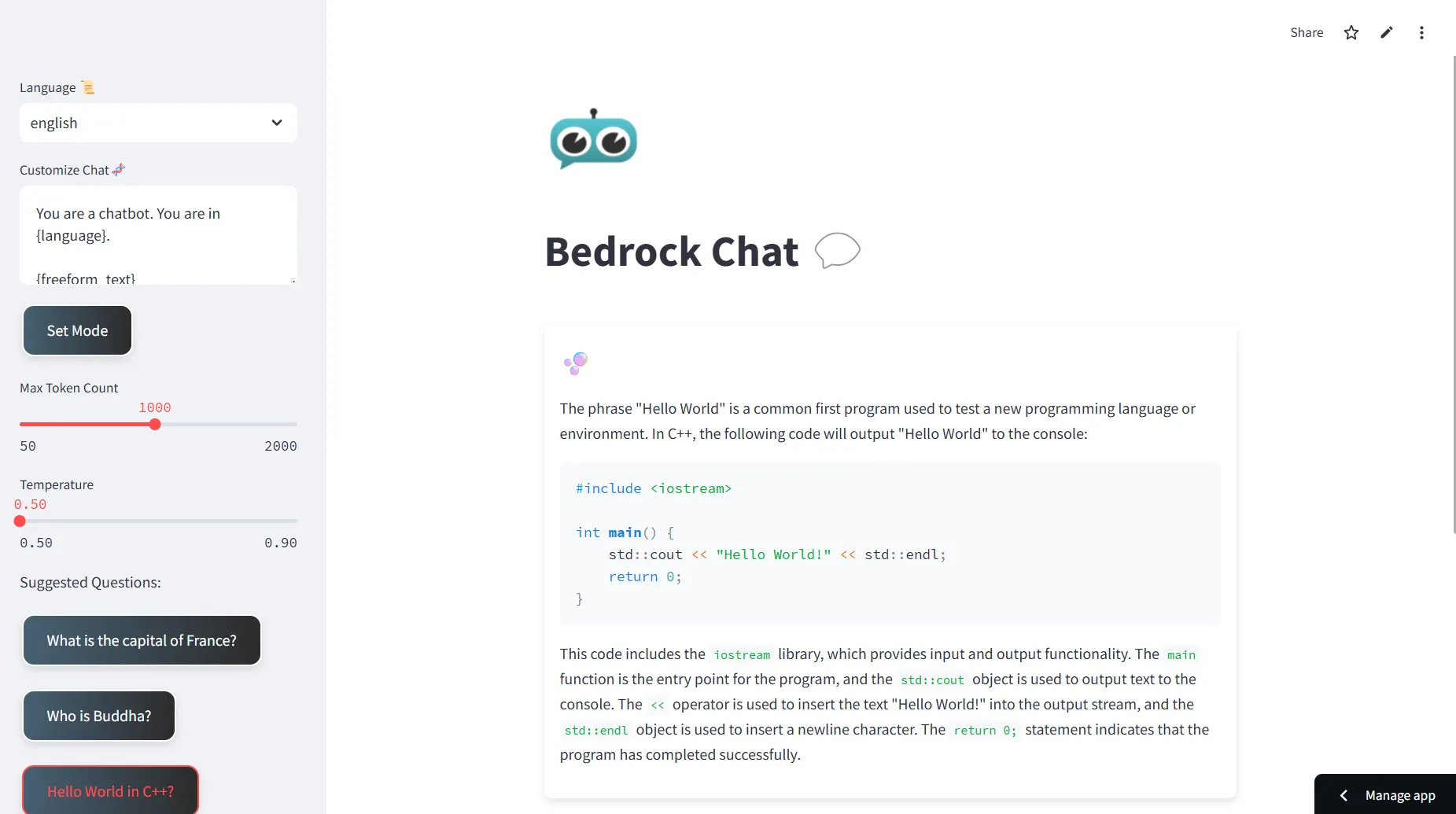
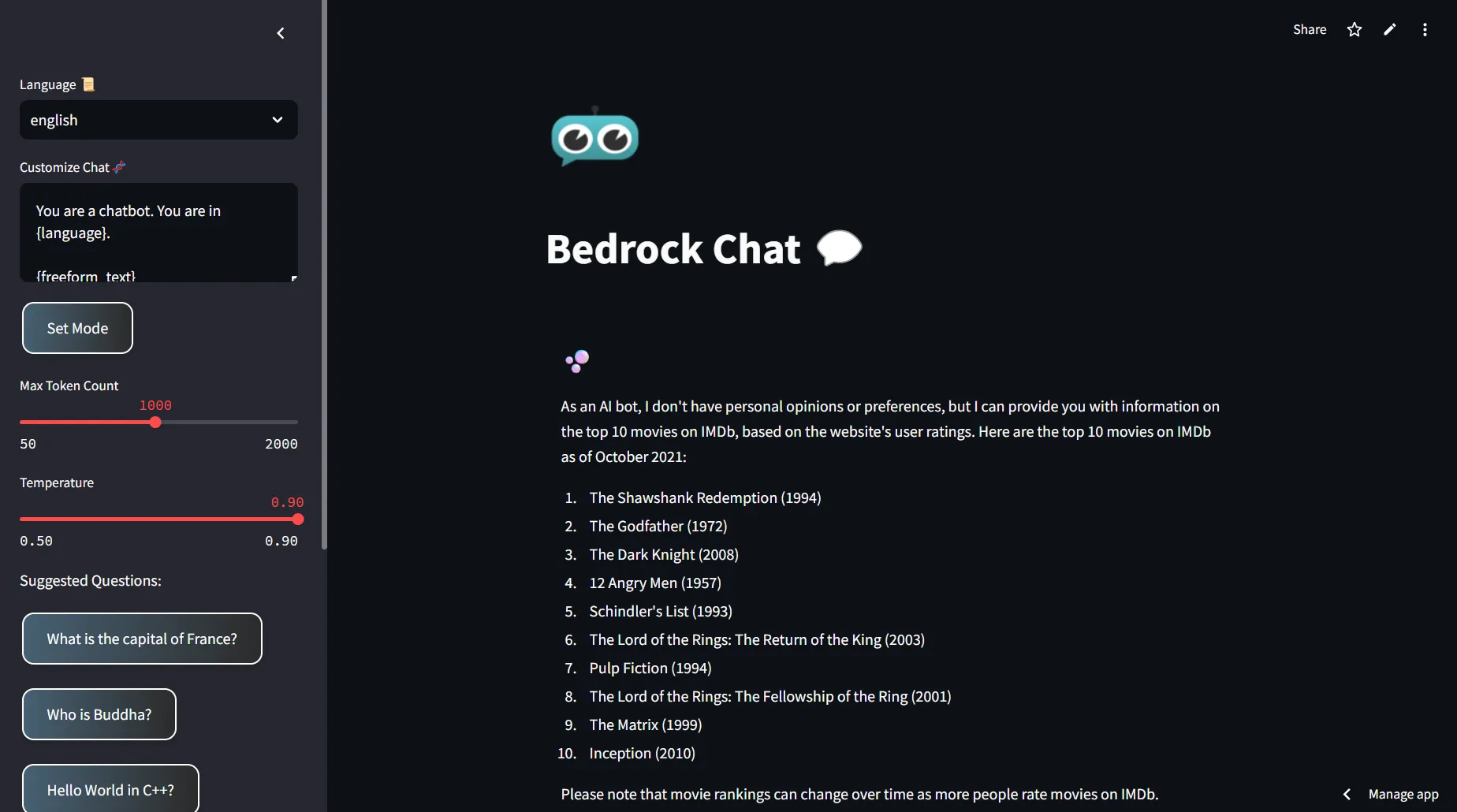
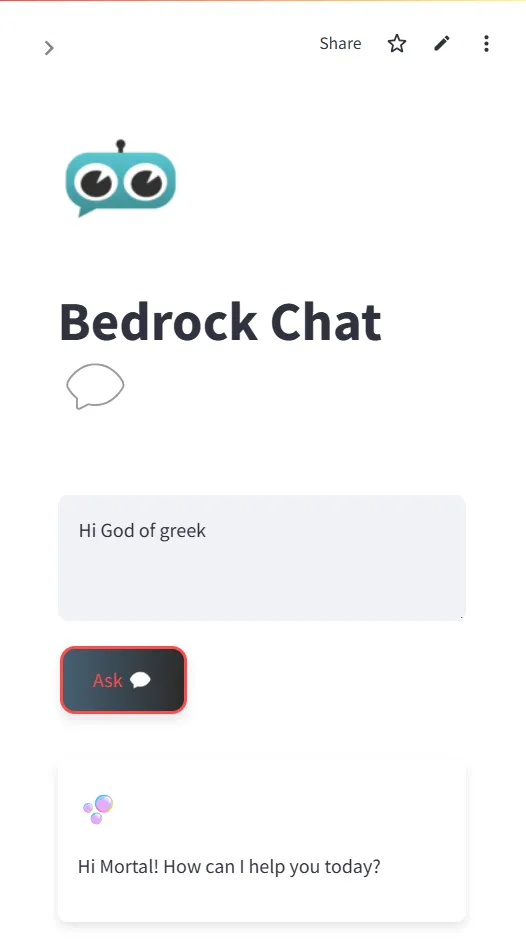
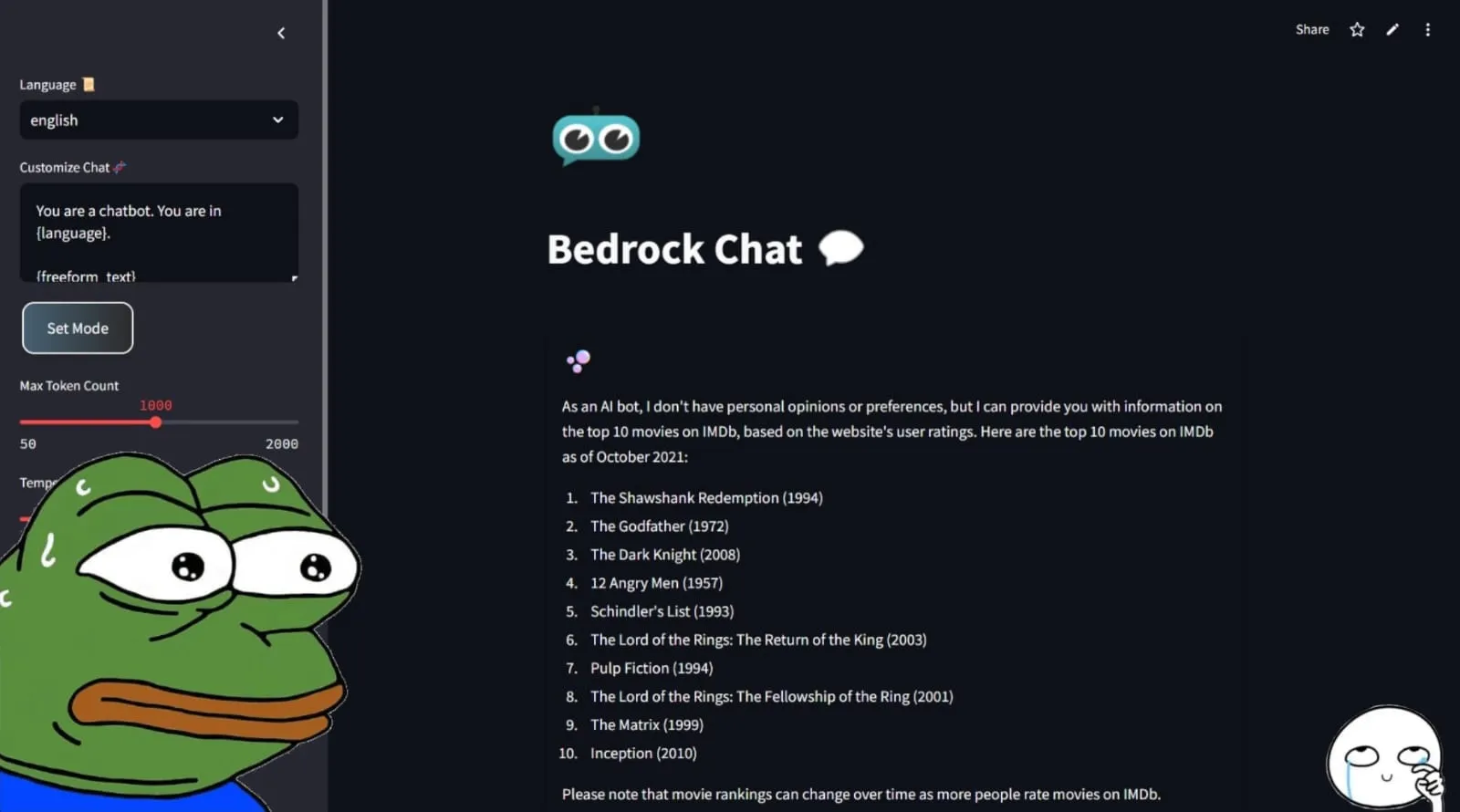
Oh and you can set the temprature ( creativity of chatbot ) and token ( Output Length ) at run time from sidebar
You can also use SET MODE for change behaviour of Chatbot
Thank You for reading my Post , Take care please fork 🍽️ and Star ⭐the repo it will be really Kind of you ( I have not a job yet haha )
Github ✨
Take care, Bye 🫧
See ya
Enjoyed reading this content? Let the author know!
Your likes, comments, shares, and saves help creators reach more builders.

Loading recommendations
Loading article