
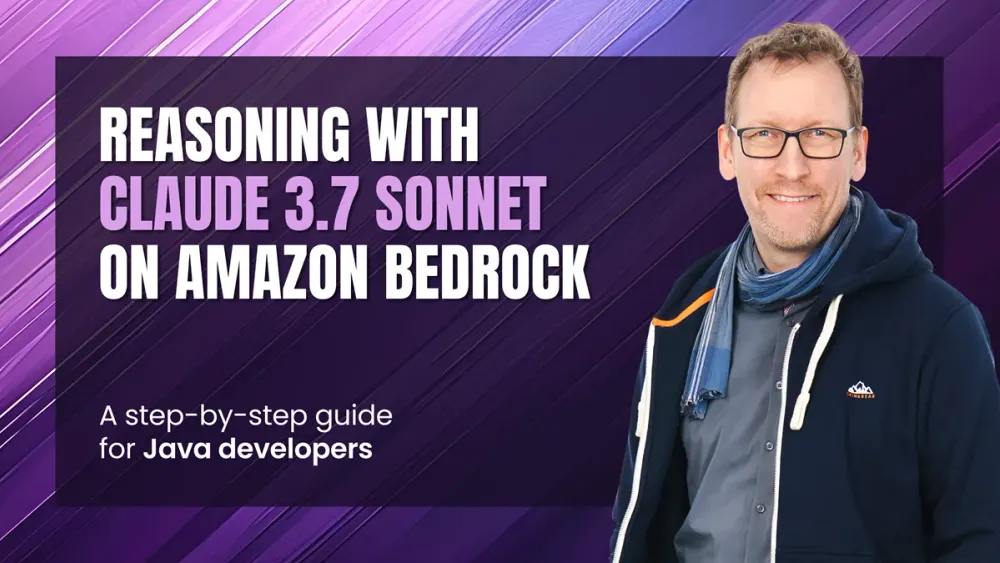
How to use Reasoning with Claude 3.7 Sonnet on Amazon Bedrock - Java Edition
Learn how to use Claude 3.7 Sonnet's step-by-step thinking process with the AWS SDK for Java. This tutorial walks you through a practical example to receive Claude's internal thought process in your own applications.

Have you ever wondered what goes on inside Claude when answering a complex question? With Claude 3.7 Sonnet's new reasoning feature, you can now peek behind the curtain and see the AI's step-by-step thought process. This capability offers unprecedented transparency into how Claude approaches problems, breaks them down, and reaches conclusions.
In this guide, we'll build a Java application that taps into this powerful capability through Amazon Bedrock . You'll learn how to enable reasoning, allocate appropriate computational resources for it, and process the structured responses that include both Claude's internal reasoning and its final answer. Whether you're debugging prompts, verifying calculations, or using Claude as an educational tool, understanding its reasoning process can significantly enhance your AI interactions.
👨💻 Want to jump straight to the code? If you're familiar with Claude and Amazon Bedrock and just need the technical details, skip directly to the step-by-step implementation guide .
What is Reasoning?
Reasoning is Claude's ability to explicitly work through complex problems step by step before providing an answer. When enabled, Claude doesn't just give you the final response – it reveals its complete thought process, similar to how a human might think aloud when solving a problem.
This feature allows Claude to:
- Break down complex questions into manageable components
- Explore multiple approaches to solving a problem
- Analyze information systematically and draw logical conclusions
- Show its work, particularly valuable for mathematical or logical problems
- Identify potential flaws in its own thinking
Reasoning is particularly useful for problems that require multi-step thinking, such as complex mathematical calculations, logical puzzles, or nuanced analytical questions. By exposing Claude's internal thought process, you gain transparency into how the AI arrives at its conclusions, which can help build trust and provide educational value.
When reasoning is enabled, Claude allocates a portion of its computational resources (specified by your token budget) to this explicit thinking process, which is then returned to you alongside the final answer. This gives you unprecedented visibility into the AI's problem-solving approach.
Prerequisites
Before we begin, make sure you have:
- An AWS account with access to Amazon Bedrock
- The AWS SDK for Java properly set up
- Access to Claude 3.7 Sonnet enabled in your account¹
¹ At the time of writing, Claude 3.7 is available in us-east-1, us-east-2, and us-west-2.
Setting Up Dependencies
You'll need to add the AWS SDK for Java v2 to your project. Here's how to include the required dependencies:
Maven
Add the following to your
pom.xml file:1
2
3
4
5
6
7
8
9
10
11
12
<dependencies>
<dependency>
<groupId>software.amazon.awssdk</groupId>
<artifactId>bedrockruntime</artifactId>
<version>2.30.27</version>
</dependency>
<dependency>
<groupId>software.amazon.awssdk</groupId>
<artifactId>sts</artifactId>
<version>2.30.27</version>
</dependency>
</dependencies>Gradle
Add the following to your
build.gradle file:1
2
3
4
dependencies {
implementation 'software.amazon.awssdk:bedrockruntime:2.30.27'
implementation 'software.amazon.awssdk:sts:2.30.27'
}Step 1: Create a Basic File Structure
Start by creating a Java class with our
main() method and the reasoningExample() method that will handle interaction with Claude. We'll also create a record to store the response:1
2
3
4
5
6
7
8
9
10
11
12
13
14
public class ReasoningWithClaude {
// Our main converse method that will interact with Claude
public static ReasoningResponse reasoningExample() {
// We'll implement this method in the next steps
return null;
}
public static void main(String[] args) {
// We'll call our converse method here
}
}
// Record to hold both reasoning and final response
record ReasoningResponse(ReasoningContentBlock reasoning, String text) {}Step 2: Set Up the Amazon Bedrock Client
First, we need to create a Bedrock runtime client that will handle our API requests. Add the following to the
reasoningExample() method:1
2
3
4
5
6
7
8
// Create the Amazon Bedrock runtime client
var client = BedrockRuntimeClient.builder()
.credentialsProvider(DefaultCredentialsProvider.create())
.region(Region.US_EAST_1)
.build();
// Specify the model ID for Claude 3.7 Sonnet
var modelId = "us.anthropic.claude-3-7-sonnet-20250219-v1:0";Step 3: Create a Message for Claude
Next, we'll create a simple message to send to Claude:
1
2
3
4
5
6
// Create the message with the user's prompt
var prompt = "Describe the purpose of a 'hello world' program in one line.";
var message = Message.builder()
        .content(ContentBlock.fromText(prompt))
        .role(ConversationRole.USER)
        .build();
Step 4: Configure Reasoning Parameters
Here's where the magic happens - we need to enable reasoning and set a token budget for it:
1
2
3
4
5
6
7
// Configure reasoning parameters with a 2000 token budget
Document reasoningConfig = Document.mapBuilder()
        .putDocument("thinking", Document.mapBuilder()
                .putString("type", "enabled")
                .putNumber("budget_tokens", 2000)
                .build())
        .build();
The
budget_tokens parameter defines the maximum number of tokens Claude can use for its reasoning process. Adjust this value based on the complexity of your prompt.Step 5: Send the Request to Claude
Now we'll send our prompt along with the reasoning configuration:
1
2
3
4
5
6
// Send message and reasoning configuration to the model
ConverseResponse bedrockResponse = client.converse(request -> request
        .additionalModelRequestFields(reasoningConfig)
        .messages(message)
        .modelId(modelId)
);
The
additionalModelRequestFields parameter is what allows us to pass the reasoning configuration.Step 6: Process the Response
Claude will return both its reasoning and final response, which we need to extract:
1
2
3
4
5
6
7
8
9
10
11
12
13
14
15
// Extract both reasoning and final response
var content = bedrockResponse.output().message().content();
ReasoningContentBlock reasoning = null;
String text = null;

// Process each content block to find reasoning and response text
for (ContentBlock block : content) {
    if (block.reasoningContent() != null) {
        reasoning = block.reasoningContent();
    } else if (block.text() != null) {
        text = block.text();
    }
}

return new ReasoningResponse(reasoning, text);
The response contains multiple content blocks, with the reasoning in one block and the final response text in another.
Step 7: Display the Results
Finally, we'll display both the reasoning process and the final answer. Add the following to the
main() method1
2
3
4
5
6
// Execute the example and display reasoning and final response
ReasoningResponse response = reasoningExample();
System.out.println("\n<thinking>");
System.out.println(response.reasoning().reasoningText());
System.out.println("</thinking>\n");
System.out.println(response.text());Complete Example
Here's the complete working example:
1
2
3
4
5
6
7
8
9
10
11
12
13
14
15
16
17
18
19
20
21
22
23
24
25
26
27
28
29
30
31
32
33
34
35
36
37
38
39
40
41
42
43
44
45
46
47
48
49
50
51
52
53
54
55
56
57
58
59
60
61
62
63
64
65
66
67
68
69
70
71
72
73
74
75
76
77
78
79
80
81
82
83
84
85
86
87
88
import software.amazon.awssdk.auth.credentials.DefaultCredentialsProvider;
import software.amazon.awssdk.core.document.Document;
import software.amazon.awssdk.core.exception.SdkClientException;
import software.amazon.awssdk.regions.Region;
import software.amazon.awssdk.services.bedrockruntime.BedrockRuntimeClient;
import software.amazon.awssdk.services.bedrockruntime.model.*;

/**
 * This example demonstrates how to use Anthropic Claude 3.7 Sonnet's reasoning capability
 * with a synchronous Amazon Bedrock runtime client.
 * It shows how to:
 * - Set up the Amazon Bedrock runtime client
 * - Create a message
 * - Configure reasoning parameters
 * - Send a request with reasoning enabled
 * - Process both the reasoning output and final response
 */
public class ReasoningWithClaude {

    public static ReasoningResponse reasoningExample() {

        // Create the Amazon Bedrock runtime client
        var client = BedrockRuntimeClient.builder()
                .credentialsProvider(DefaultCredentialsProvider.create())
                .region(Region.US_EAST_1)
                .build();

        // Specify the model ID. For the latest available models, see:
        // https://docs.aws.amazon.com/bedrock/latest/userguide/models-supported.html
        var modelId = "us.anthropic.claude-3-7-sonnet-20250219-v1:0";

        // Create the message with the user's prompt
        var prompt = "Describe the purpose of a 'hello world' program in one line.";
        var message = Message.builder()
                .content(ContentBlock.fromText(prompt))
                .role(ConversationRole.USER)
                .build();

        // Configure reasoning parameters with a 2000 token budget
        Document reasoningConfig = Document.mapBuilder()
                .putDocument("thinking", Document.mapBuilder()
                        .putString("type", "enabled")
                        .putNumber("budget_tokens", 2000)
                        .build())
                .build();

        try {
            // Send message and reasoning configuration to the model
            ConverseResponse bedrockResponse = client.converse(request -> request
                    .additionalModelRequestFields(reasoningConfig)
                    .messages(message)
                    .modelId(modelId)
            );

            // Extract both reasoning and final response
            var content = bedrockResponse.output().message().content();
            ReasoningContentBlock reasoning = null;
            String text = null;

            // Process each content block to find reasoning and response text
            for (ContentBlock block : content) {
                if (block.reasoningContent() != null) {
                    reasoning = block.reasoningContent();
                } else if (block.text() != null) {
                    text = block.text();
                }
            }

            return new ReasoningResponse(reasoning, text);

        } catch (SdkClientException e) {
            System.err.printf("ERROR: Can't invoke '%s'. Reason: %s", modelId, e.getMessage());
            throw new RuntimeException(e);
        }
    }

    public static void main(String[] args) {
        // Execute the example and display reasoning and final response
        ReasoningResponse response = reasoningExample();
        System.out.println("\n<thinking>");
        System.out.println(response.reasoning().reasoningText());
        System.out.println("</thinking>\n");
        System.out.println(response.text());
    }
}

// Record to hold both reasoning and final response
record ReasoningResponse(ReasoningContentBlock reasoning, String text) {}
Example Output
When you run this code, you'll see output similar to:
1
2
3
4
5
6
7
8
9
10
11
12
13
14
15
16
<thinking>
I need to explain the purpose of a "Hello World" program in a single line.

A "Hello World" program is typically the simplest program that can be written in
a programming language. Its purpose is to:
1. Verify that the programming environment is set up correctly
2. Demonstrate the minimal syntax needed to create a functioning program
3. Provide a simple introduction to the language
4. Output the text "Hello, World!" or a similar message

I need to condense this information into a concise, one-line description that
captures the essence of what a "Hello World" program is for.
</thinking>

A "Hello World" program serves as the simplest introduction to a programming
language by demonstrating basic syntax while verifying the environment works correctly.
Summary and next steps
The reasoning capability transforms how we interact with AI by providing valuable insight into the model's thinking process. By following the steps in this guide, you can now access and leverage this powerful feature through Amazon Bedrock using Java.
The reasoning feature opens up exciting possibilities to enhance trust, improve outcomes, and gain deeper insights from your AI interactions. For more advanced use cases, consider:
- Adjusting the token budget based on your problem complexity – more complex problems may benefit from larger reasoning budgets
- Using the reasoning output to validate multi-step calculations or complex analytical processes
- Comparing different reasoning approaches by adjusting your prompts
- Integrating reasoning with other Claude capabilities like function calling for powerful, transparent AI solutions
- Using reasoning as an educational tool to understand expert-level problem-solving approaches
By incorporating reasoning into your applications, you're not just getting answers – you're gaining insight into the full problem-solving journey. This transparency can help build trust with users and provide richer, more valuable AI interactions.
Happy coding!
Enjoyed reading this content? Let the author know!
Your likes, comments, shares, and saves help creators reach more builders.

Loading recommendations
Loading article