
Amazon Q Developer CLI: 4 ways to code with the latest libraries
From the first time I presented Amazon Q Developer, at that time CodeWhisperer, to my customer, I received the same questions. "We are working with libraries that evolve frequently. How often is the LLM behind Q retrained." A variation of this question was. " We have our own libraries. How do we get Q to know about them?" Today, there are at least 4 options to manage these situations with Q Developer CLI Chat.

In this article, I will seek to answer how we can make Q Developer CLI Chat know about the most recent libraries updates and our internal libraries. There are at least four options. And to illustrate them, I'll use the recently released Agentic AI Framework: Strands .
Option 1: Use the execute_bash tool from Q Developer CLI Chat to browse documentation and code
Q Developer CLI Chat has the concept of context . With this technique, we will bring the documentation related to Strands available on Internet in the context of Q Developer CLI Chat via a markdown. We'll let Q Developer CLI Chat use unix commands to browse the documentation website. Here is the prompt:
Collect information on the Strands Framework whose documentation is available here: https://strandsagents.com/0.1.x/. Use your execute tool and your knowledge of the unix commands to navigate this website. Start by analyzing the structure of the website. Continue by researching information about: Getting Started, Agent Loops, usage of tools, multi-agents setup and model providers. Collect both code and documentation. Write the result into a markdown file called strands-overview.md Once Q Developer CLI Chat has finished its work add the file into its context with the command:
/context add strands-overview.md .Time to prompt Q Developer CLI Chat with:
Implement an hello-world-like application with the new Agentic AI Framework Strands In the video, in this LinkedIn blog post , I demonstrate how this prompt fails without adding information about Strands in the context and how it works once this step is completed.
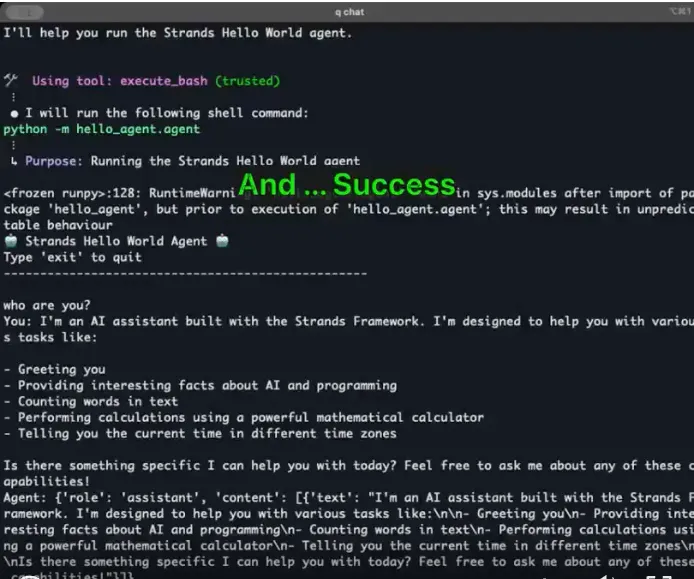
This option works in many situation. As long as, you have some website or even a directory on a file system, you can let Q Developer CLI Chat do the research job for you. The prompt may need to be tweaked to get the expected outcome. It will also have to be triggered whenever the documentation is updated and the library evolves.
Option 2: Use the MCP Server from the library
Strands offers an MCP Server which has been written to provide a way to keep Q Developer CLI Chat updated with the latest improvements on the framework.
Here is the configuration for Q Developer CLI, to be written into the file: ~/.aws/amazonq/mcp.json.
JSON
{"mcpServers": {"strands": {"command": "uvx","args": ["strands-agents-mcp-server"]}}}
Have a look at the documentation on how to use MCP Servers with Q Developer CLI here: https://docs.aws.amazon.com/amazonq/latest/qdeveloper-ug/command-line-mcp.html .
Once you've configured Q Developer CLI Chat, you can run the q chat command in your shell and check that it's properly configured.
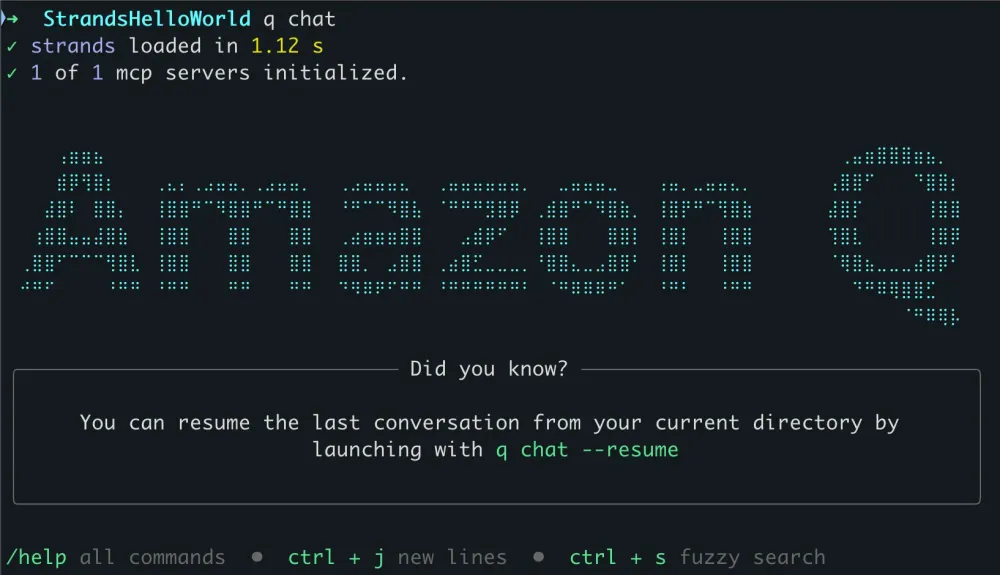
Now let's run the same prompt with Amazon Q Developer CLI Chat:
Implement an hello-world-like application with the new Agentic AI Framework Strands .This option is less fragile than the first one which may require to tune the prompt. It's quick and easy to configure. But it also requires an MCP Server to be delivered by the library. Actually, it's very few lines of code in the case of Strands.
Python
from importlib import resourcesfrom mcp.server.fastmcp import FastMCPpkg_resources = resources.files("strands_mcp_server")mcp = FastMCP("strands-agents-mcp-server",instructions="""# Strands Agents MCP ServerThis server provides tools to access Strands Agents documentation.Strands Agents is a Python SDK for building AI agents.It may also be referred to as simply 'Strands'.The full documentation can be found at https://strandsagents.com.""",)@mcp.tool()async def quickstart() -> str:"""Quickstart documentation for Strands Agents SDK."""return pkg_resources.joinpath("content", "quickstart.md").read_text(encoding="utf-8")@mcp.tool()async def model_providers() -> str:"""Documentation on using different model providers in Strands Agents."""return pkg_resources.joinpath("content", "model_providers.md").read_text(encoding="utf-8")@mcp.tool()async def agent_tools() -> str:"""Documentation on adding tools to agents using Strands Agents."""return pkg_resources.joinpath("content", "tools.md").read_text(encoding="utf-8")def main():mcp.run()
Option 3: Use the MKDocs MCP Server from Michael Walmsley
All libraries may not provide MCP Servers to access its documentation. It's still a recent technology.
Now if their doc is written by MKDocs, Michael Walmsley has you covered with his MCP Server for MKDocs .
So let's do the same experiment with a different MCP Server configuration.
JSON
{"mcpServers": {"my-docs": {"command": "npx","args": ["-y","@serverless-dna/mkdocs-mcp","https://strandsagents.com","The documentation for the new Agentic AI Framework: Strands"]}}}
Now a last time the same prompt in Q Developer CLI Chat:
Implement an hello-world-like application with the new Agentic AI Framework Strands .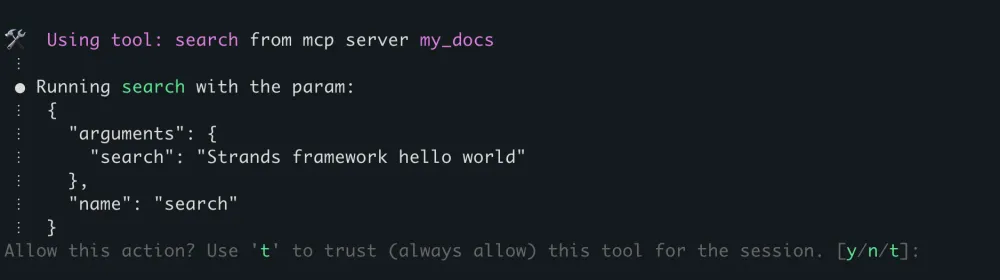
After a few such iterations. Hourray! The code looks good.
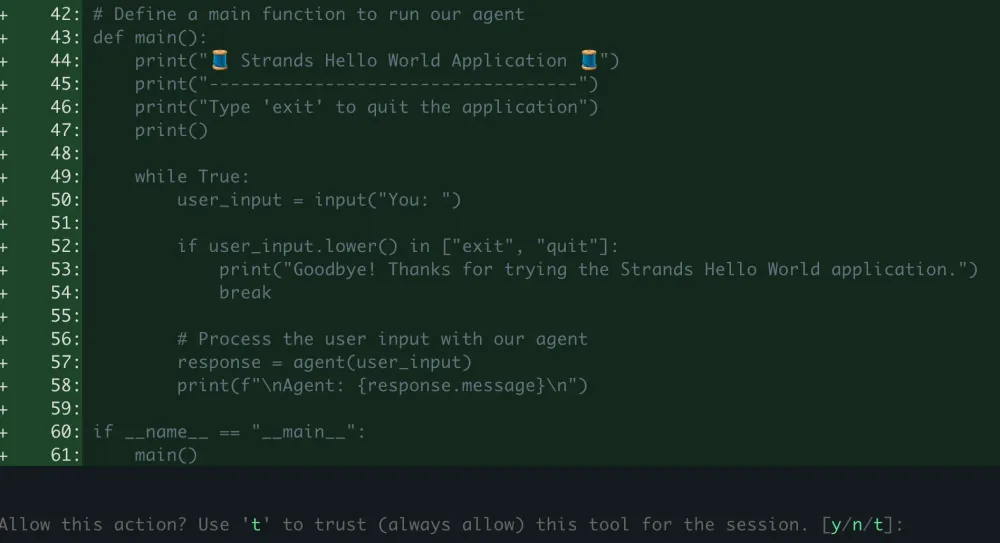
Et voilà.
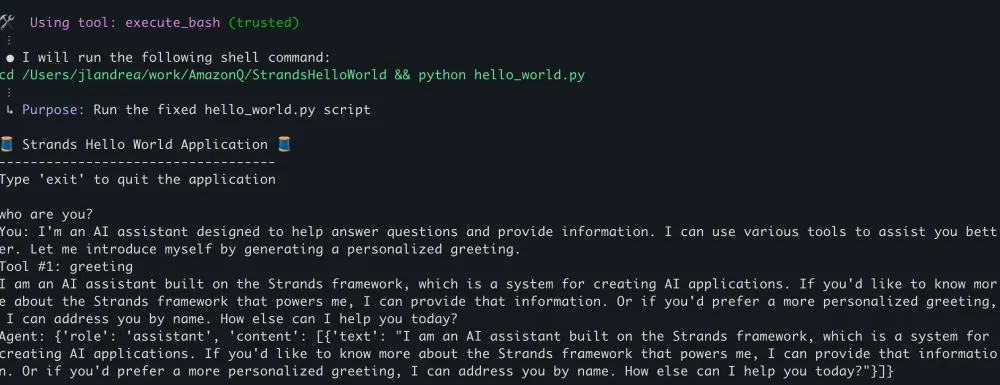
This option removes the constraint of the MCP server to be delivered by the owners of the library. The documentation still have to be implemented with MKDocs.
One more option: Bringing context to Q Developer CLI Chat manually
The last option is to simply come back to a manual research and writing of the strands-overview.md file from the first option.
As long as you provide enough context to Q Developer CLI Chat, you'll reduce the risk of generating confidently wrong code.
Also, it overall more energy efficient but still more time consuming.
Last note, I have made the prompt available in the library of prompts website operated by Christian Bonzelet : Promptz . Follow the link .
Enjoyed reading this content? Let the author know!
Your likes, comments, shares, and saves help creators reach more builders.

Loading recommendations
Loading article