
Creating My GitLab CI/CD Pipeline with Amazon Q Developer
Creating a simple gitlab-ci-.yml - with amazon Q!

Creating My GitLab CI/CD Pipeline with Amazon Q Developer
Recently, I set out to create a simple CI/CD pipeline on GitLab.com for a project I'm working on. The goal was to automate the deployment process and ensure a smooth workflow. Enter Amazon Q Developer—a tool that made scaffolding my pipeline code not only effortless but also efficient.
Using Q Developer, I was able to quickly generate the necessary scripts and configurations for my CI/CD setup.
How? Talking to Amazon Q via the extension, and right-clicking going into the context menu > Amazon Q > Send to Prompt!
The intuitive interface and intelligent code suggestions saved me countless hours of manual coding. What impressed me the most was how seamlessly it integrated with GitLab, allowing me to focus more on refining my application rather than wrestling with deployment mechanics!
All I had to do, was the configurations!
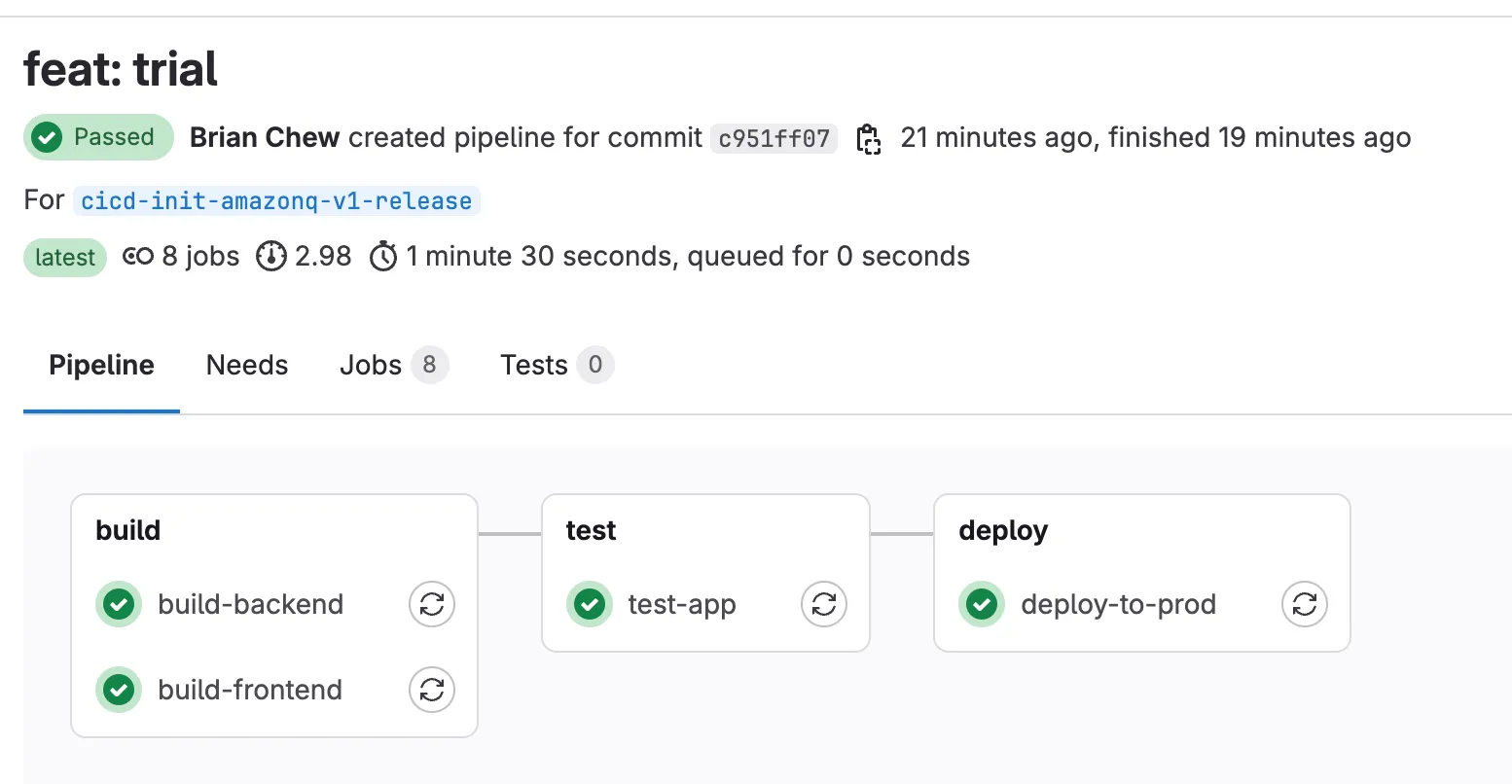
Here's a short video of Amazon Q Developer in action regarding optimizing code, and a screenshot showcasing the scaffolded pipeline code ready for deployment!
Enjoyed reading this content? Let the author know!
Your likes, comments, shares, and saves help creators reach more builders.

Loading recommendations
Loading article