
A single API for all your conversational generative AI applications
Use the Converse API to create conversational generative AI applications with a single API across multiple models

You can now use the Converse API in Amazon Bedrock to create conversational applications like chatbots and support assistants. It is a consistent, unified API that works with all Amazon Bedrock models that support messages. The benefit is that you have a single code-base (application) and use it with different models – this makes it preferable to use the
Converse API over InvokeModel (or InvokeModelWithResponseStream ) APIs.I will walk you through how to use this API with the AWS SDK for Go v2 .
Converse API overview
Here is a super-high level overview of the API - you will see these in action when we go through some of the examples.
- The API consists of two operations -
ConverseandConverseStream - The conversations are in the form of a
Messageobject, which are encapsulated in aContentBlock. - A
ContentBlockcan also have images, which are represented by anImageBlock. - A message can have one of two roles -
userorassistant - For streaming response, use the
ConverseStreamAPI - The streaming output (
ConverseStreamOutput) has multiple events, each of which has different response items such as the text output, metadata etc.
Let's explore a few sample apps now.
Basic example
Refer to Before You Begin section in this blog post to complete the prerequisites for running the examples. This includes installing Go, configuring Amazon Bedrock access and providing necessary IAM permissions.
Let's start off with a simple example. You can refer to the complete code here .
To run the example:
1
2
3
4
git clone https://github.com/abhirockzz/converse-api-bedrock-go
cd converse-api-bedrock-go

go run basic/main.go
The response may be different in your case:
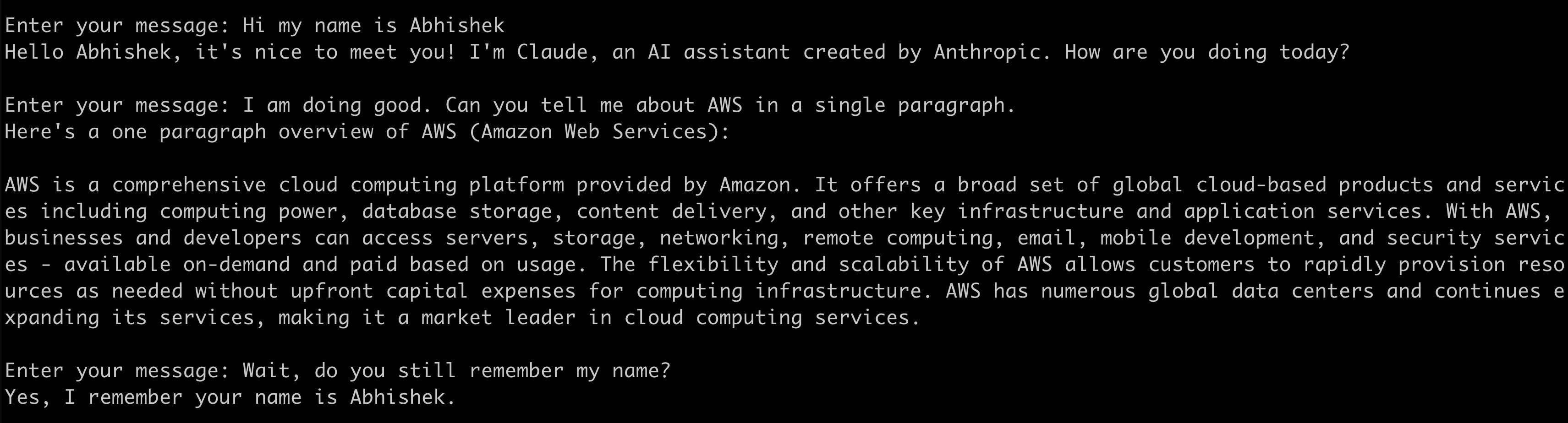
The crux of the app is a
for loop in which:- A types.Message instance is created with the appropriate role (
userorassistant) - Sent using the
ConverseAPI - The response is collected and added to existing list of messages
- The conversation continues, until the app is exited
1
2
3
4
5
6
7
8
9
10
11
12
13
14
15
16
17
18
19
20
21
22
23
24
25
26
27
28
29
30
31
32
33
34
35
36
//...
	for {
		fmt.Print("\nEnter your message: ")
		input, _ := reader.ReadString('\n')
		input = strings.TrimSpace(input)

		userMsg := types.Message{
			Role: types.ConversationRoleUser,
			Content: []types.ContentBlock{
				&types.ContentBlockMemberText{
					Value: input,
				},
			},
		}

		converseInput.Messages = append(converseInput.Messages, userMsg)
		output, err := brc.Converse(context.Background(), converseInput)

		if err != nil {
			log.Fatal(err)
		}

		reponse, _ := output.Output.(*types.ConverseOutputMemberMessage)
		responseContentBlock := reponse.Value.Content[0]
		text, _ := responseContentBlock.(*types.ContentBlockMemberText)

		fmt.Println(text.Value)

		assistantMsg := types.Message{
			Role:    types.ConversationRoleAssistant,
			Content: reponse.Value.Content,
		}

		converseInput.Messages = append(converseInput.Messages, assistantMsg)
	}
//...
I used the Claude Sonnet model in the example. Refer to Supported models and model features for a complete list.
Multi-modal conversations: Combine image and text
You can also use the
Converse API to build multi-modal application that work images - note that they only return text, for now.You can refer to the complete code here .
To run the example:
1
go run multi-modal-chat/main.go
I used the following picture of pizza and asked "what's in the image?":
Here is the output:
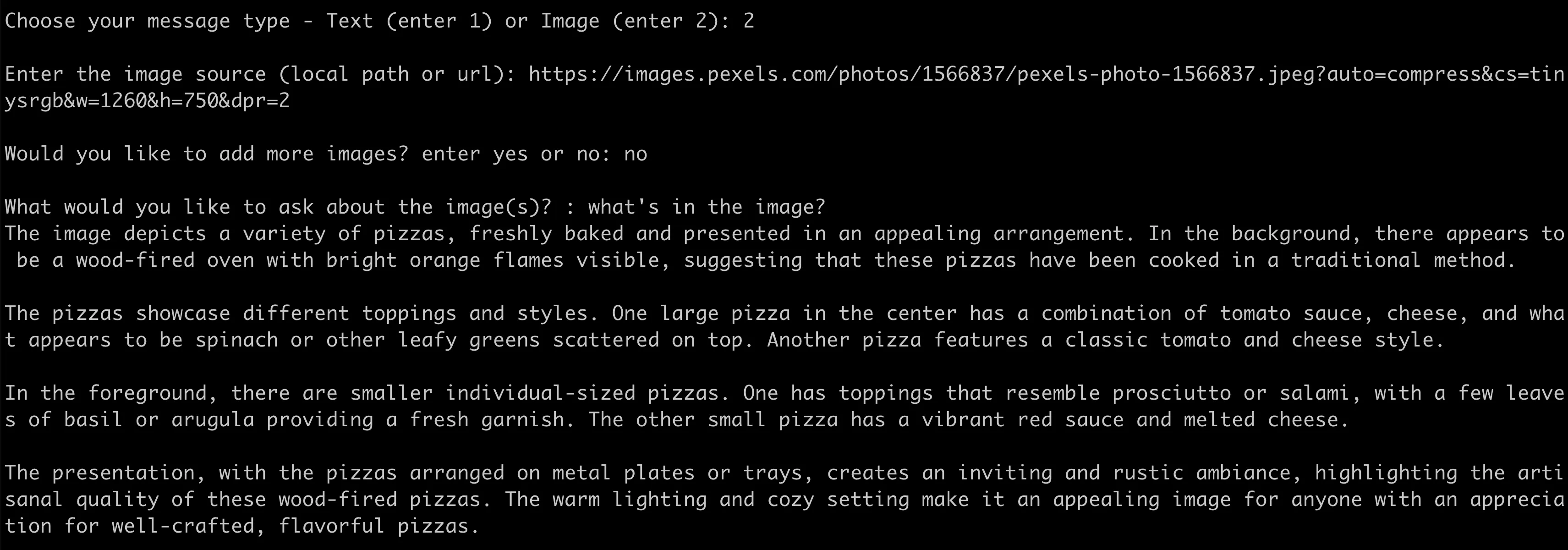
The is a simple single-turn exchange, but feel free to continue using a combination of images and text to continue the conversation.
The conversation for loop is similar to the previous example, but it has an added benefit of using the image data type with the help of types.ImageBlock :
1
2
3
4
5
6
7
8
9
10
//...
types.ContentBlockMemberImage{
	Value: types.ImageBlock{
		Format: types.ImageFormatJpeg,
		Source: &types.ImageSourceMemberBytes{
			Value: imageContents,
		},
	},
}
//...
Note:
imageContents is nothing but a []byte representation of the image.Streaming chat
Streaming provide a better user experience because the client application does not need to wait for the complete response to be generated for it start showing up in the conversation.
You can refer to the complete code here .
To run the example:
1
go run chat-streaming/main.go
Streaming based implementations can be a bit complicated. But in this case, it was simplified due to the clear API abstractions that the Converse API provided, including partial response types such as types.ContentBlockDeltaMemberText .
The application invokes ConverseStream API and then processes the output components in bedrockruntime.ConverseStreamOutput .
1
2
3
4
5
6
7
8
9
10
11
12
13
14
15
16
17
18
19
20
21
22
23
24
25
26
27
28
29
30
31
func processStreamingOutput(output *bedrockruntime.ConverseStreamOutput, handler StreamingOutputHandler) (types.Message, error) {

	var combinedResult string

	msg := types.Message{}

	for event := range output.GetStream().Events() {
		switch v := event.(type) {
		case *types.ConverseStreamOutputMemberMessageStart:

			msg.Role = v.Value.Role

		case *types.ConverseStreamOutputMemberContentBlockDelta:

			textResponse := v.Value.Delta.(*types.ContentBlockDeltaMemberText)
			handler(context.Background(), textResponse.Value)
			combinedResult = combinedResult + textResponse.Value

		case *types.UnknownUnionMember:
			fmt.Println("unknown tag:", v.Tag)
		}
	}

	msg.Content = append(msg.Content,
		&types.ContentBlockMemberText{
			Value: combinedResult,
		},
	)

	return msg, nil
}
Wrap up
There are a few other awesome things the
Converse API does to make your life easier.- It allows you to pass inference parameters specific to a model.
- You can also use the
ConverseAPI to implement tool use in your applications . - If you are using Mistral AI or Llama 2 Chat models, the
ConverseAPI will embed your input in a model-specific prompt template that enables conversations - one less thing to worry about!
Like I always say, Python does not have to be the only way to build generative AI powered machine learning applications. As an AI engineer, choose the right tools (including foundation models) and programming languages for your solutions. I maybe biased towards Go but this applies equally well to Java, JS/TS, C# etc.
Happy building!
Enjoyed reading this content? Let the author know!
Your likes, comments, shares, and saves help creators reach more builders.

Loading recommendations
Loading article