
Simplify RAG applications with MongoDB Atlas and Amazon Bedrock
Integrate MongoDB Atlas as the vector store and setup the entire workflow for your RAG application

By fetching data from the organization’s internal or proprietary sources, Retrieval Augmented Generation (RAG) extends the capabilities of FMs to specific domains, without needing to retrain the model. It is a cost-effective approach to improving model output so it remains relevant, accurate, and useful in various contexts.
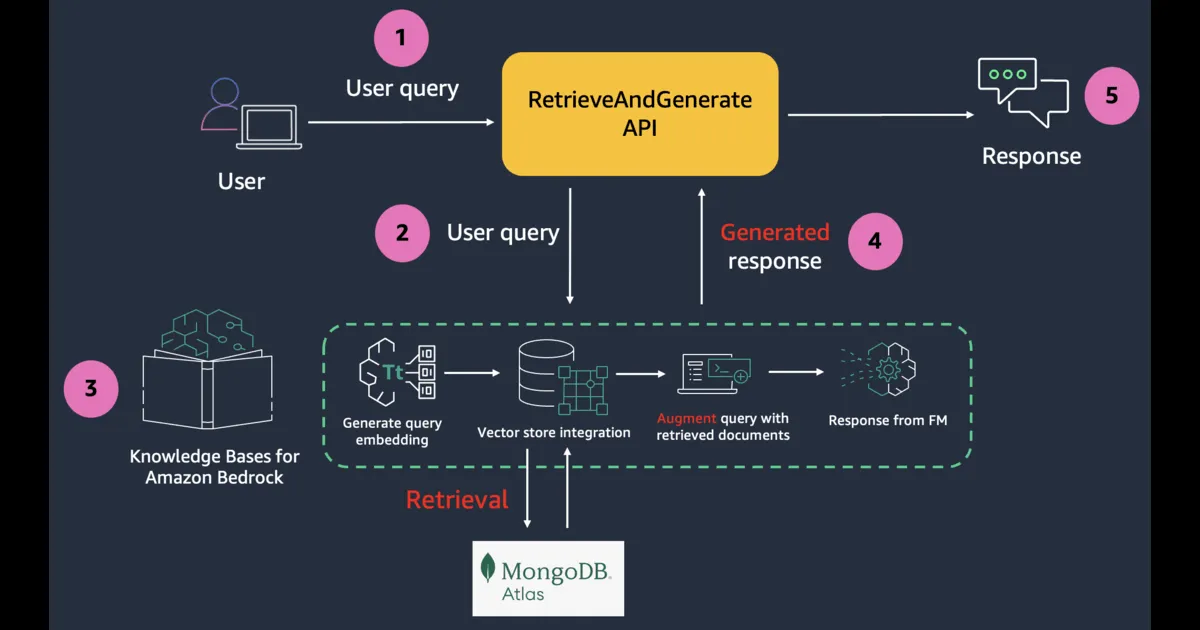
Knowledge Bases for Amazon Bedrock is a fully managed capability that helps you implement the entire RAG workflow from ingestion to retrieval and prompt augmentation without having to build custom integrations to data sources and manage data flows. With MongoDB Atlas vector store integration, you can build RAG solutions to securely connect your organization’s private data sources to FMs in Amazon Bedrock.
Let's see how the MongoDB Atlas integration with Knowledge Bases can simplify the process of building RAG applications.
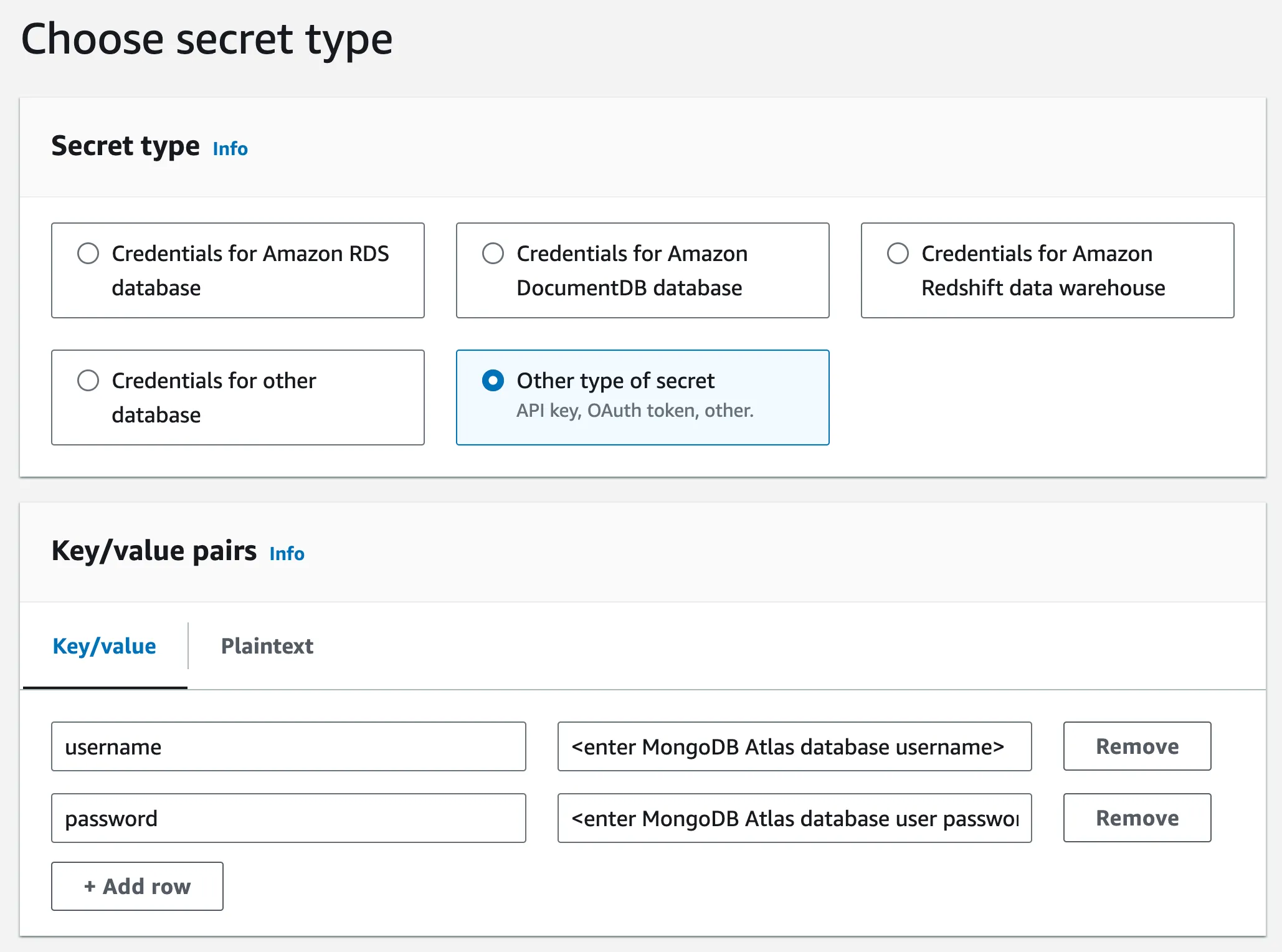
Configure MongoDB Atlas
- This integration requires an Atlas cluster tier of at least M10 . During cluster creation, choose an M10 dedicated cluster tier.
- Create a database and collection .
- For authentication, create a database user . Select Password as the Authentication Method. Grant the Read and write to any database role to the user.
- Modify the IP Access List – add IP address
0.0.0.0/0to allow access from anywhere. For production deployments, AWS PrivateLink is the recommended way to have Amazon Bedrock establish a secure connection to your MongoDB Atlas cluster .
Create the Vector Search index in MongoDB Atlas
JSON
{"fields": [{"numDimensions": 1536,"path": "AMAZON_BEDROCK_CHUNK_VECTOR","similarity": "cosine","type": "vector"},{"path": "AMAZON_BEDROCK_METADATA","type": "filter"},{"path": "AMAZON_BEDROCK_TEXT_CHUNK","type": "filter"}]}
-
AMAZON_BEDROCK_TEXT_CHUNK– Contains the raw text for each data chunk. We are usingcosinesimilarity and embeddings of size1536(we will choose the embedding model accordingly - in the the upcoming steps).
-
AMAZON_BEDROCK_CHUNK_VECTOR– Contains the vector embedding for the data chunk.
-
AMAZON_BEDROCK_METADATA– Contains additional data for source attribution and rich query capabilities.
Configure the Knowledge Base in Amazon Bedrock
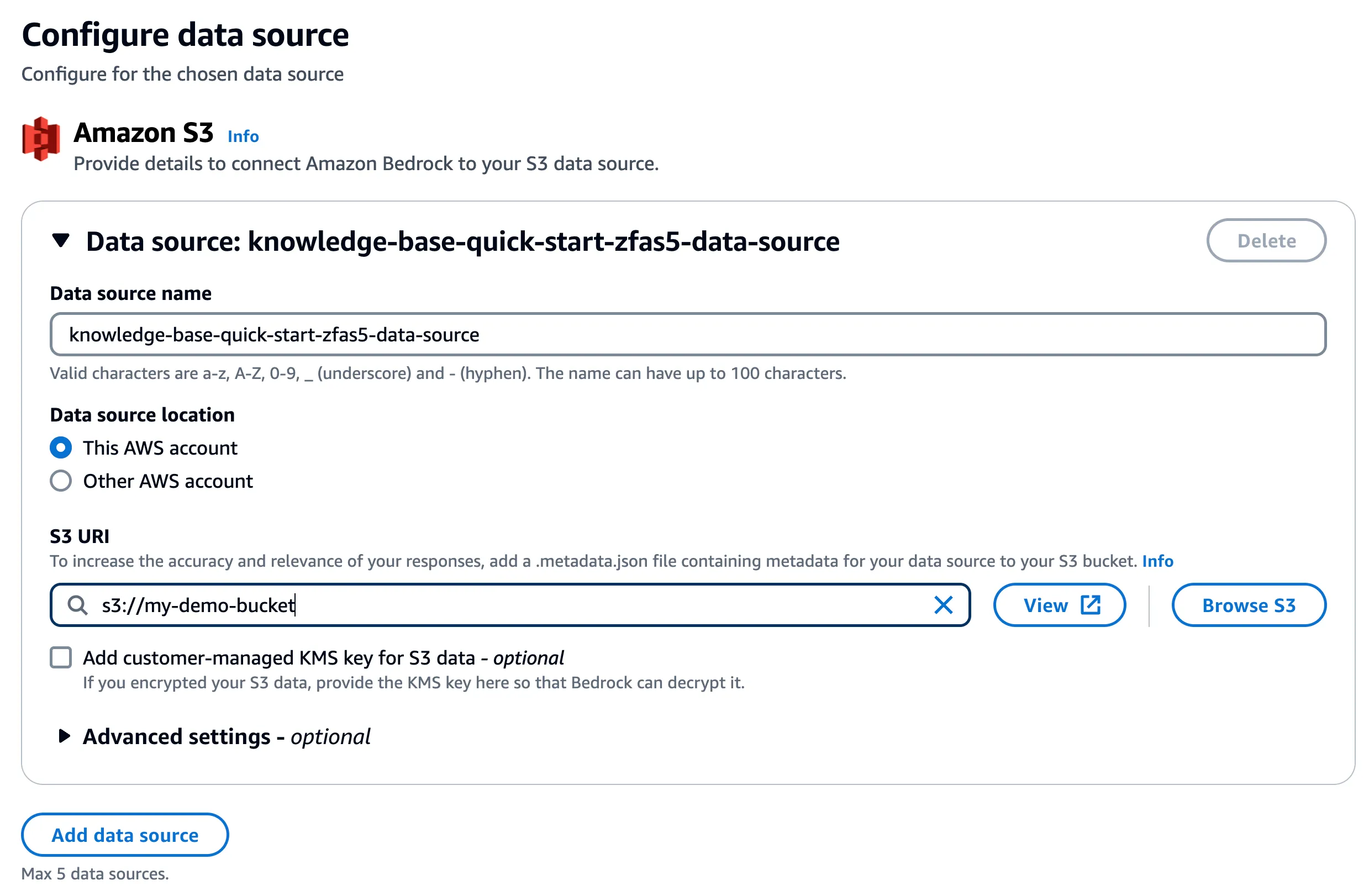
Create an Amazon Simple Storage Service (Amazon S3) storage bucket and upload any document(s) of your choice - Knowledge Base supports multiple file formats (including text, HTML, and CSV). Later, you will use the knowledge base to ask questions about the contents of these documents.
Navigate to the Amazon Bedrock console and start configuring the knowledge base. In step 2, choose the S3 bucket you created earlier:
Select Titan Embeddings G1 – Text embedding model MongoDB Atlas as the vector database.
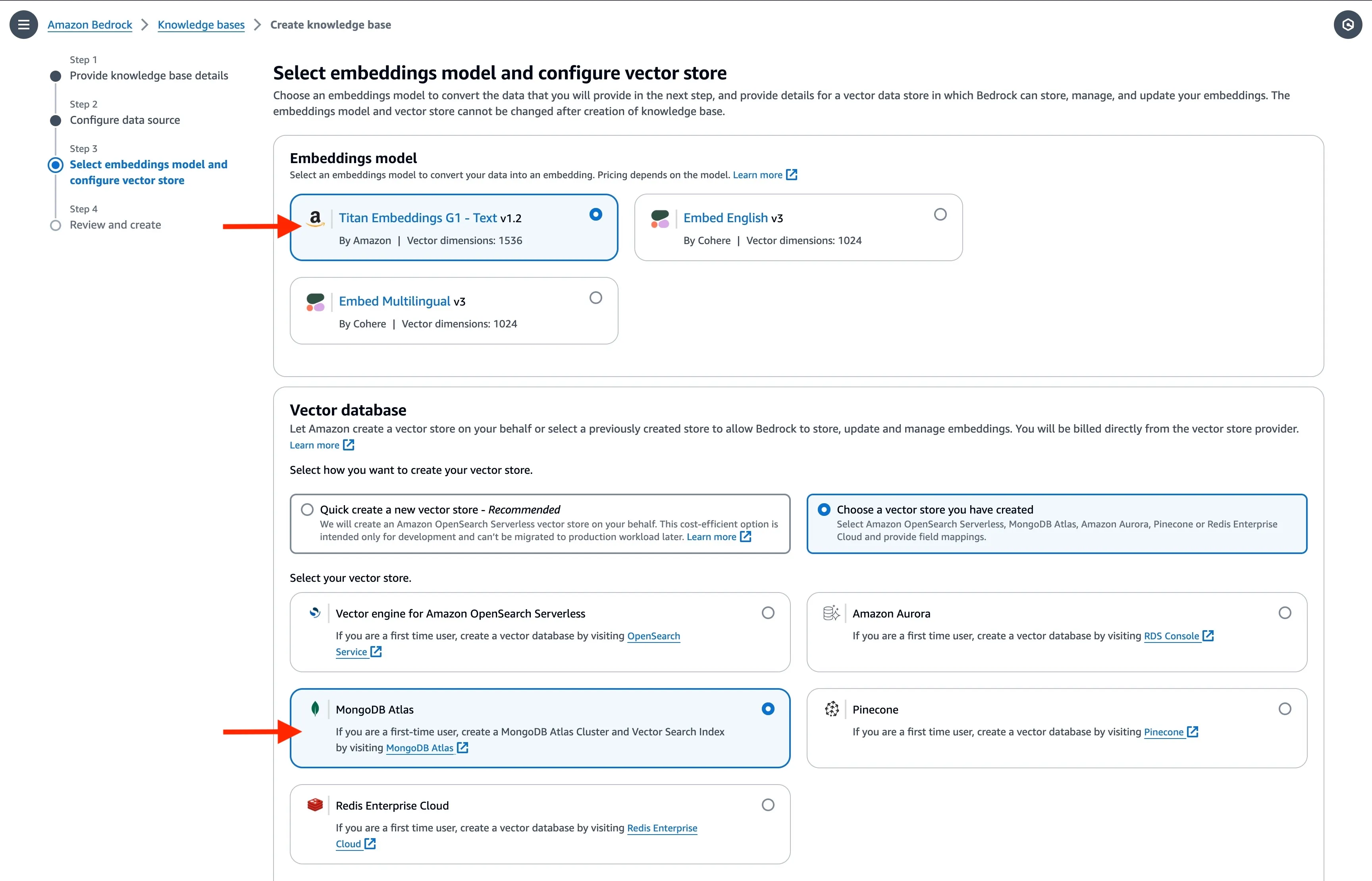
Enter the basic information for the MongoDB Atlas cluster along with the
ARN of the AWS Secrets Manager secret you had created earlier. In the Metadata field mapping attributes, enter the vector store specific details. They should match the vector search index definition you used earlier.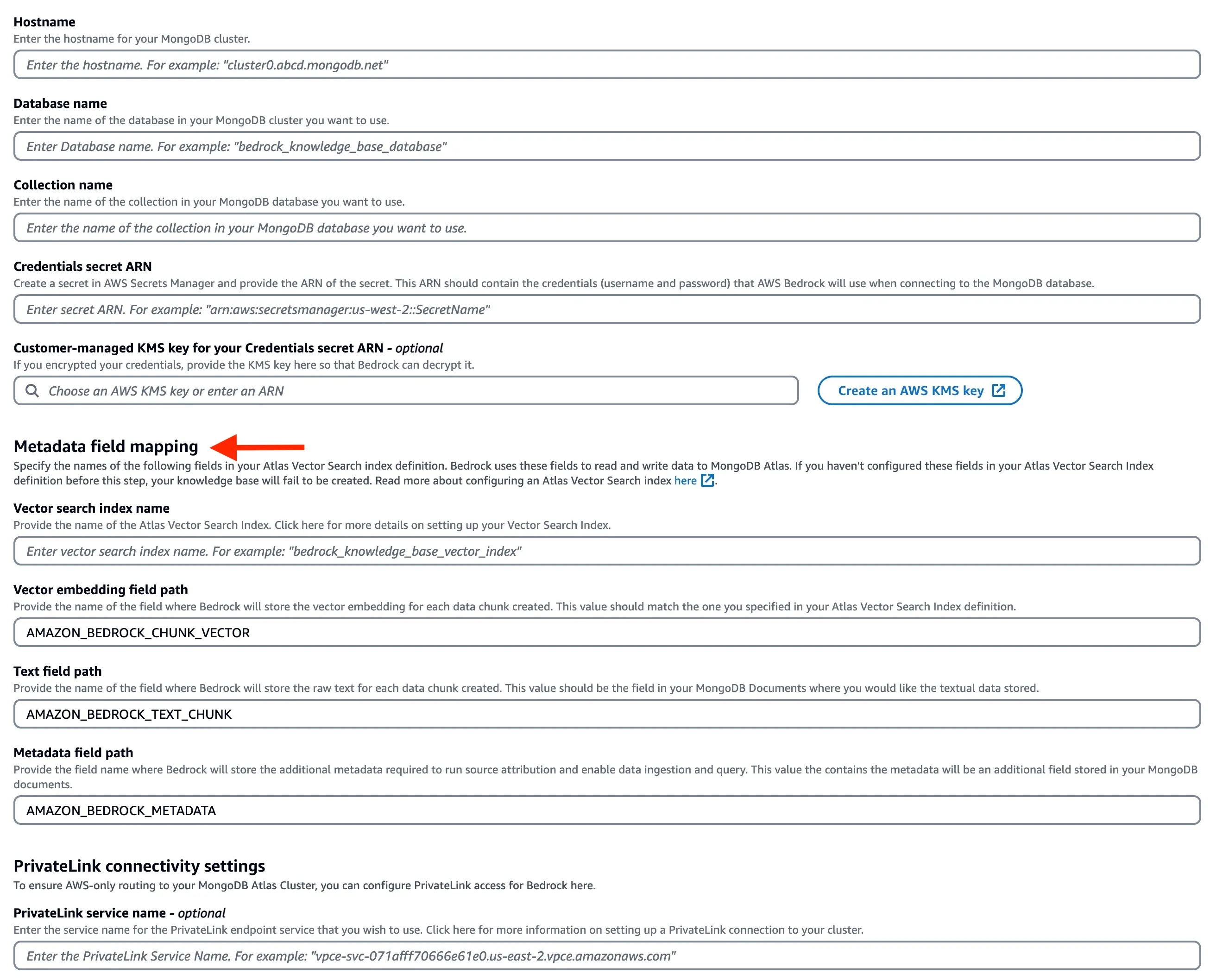
Once the knowledge base is created, you need to synchronise the data source (S3 bucket data) with the MongoDB Atlas vector search index.

Once that's done, you can check the MongoDB Atlas collection to verify the data. As per index definition, the vector embeddings have been stored in
AMAZON_BEDROCK_CHUNK_VECTOR along with the text chunk and metadata in AMAZON_BEDROCK_TEXT_CHUNK and AMAZON_BEDROCK_METADATA , respectively.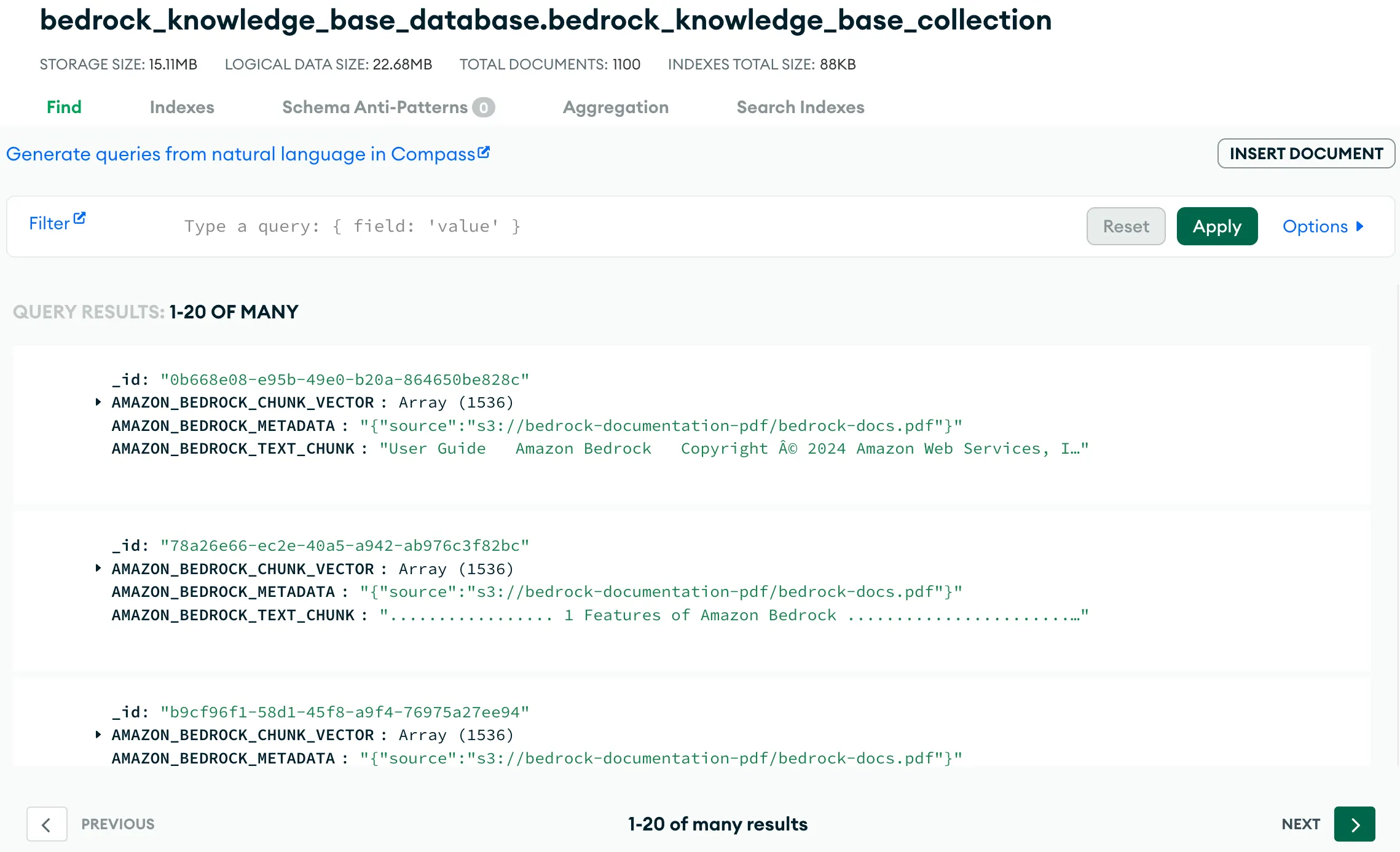
Query the knowledge base
You can now ask question about your documents by querying the knowledge base - select Show source details to see the chunks cited for each footnote.
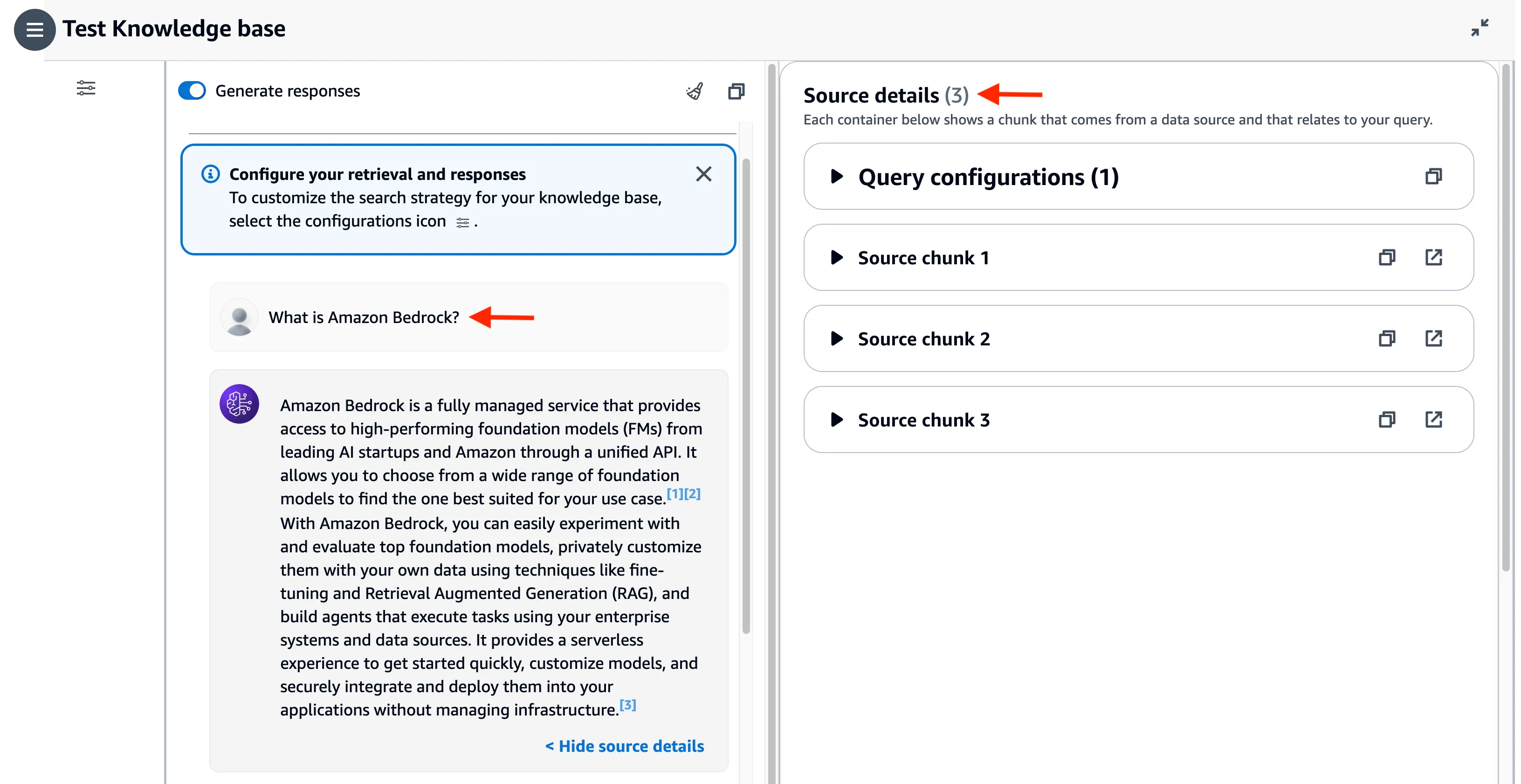
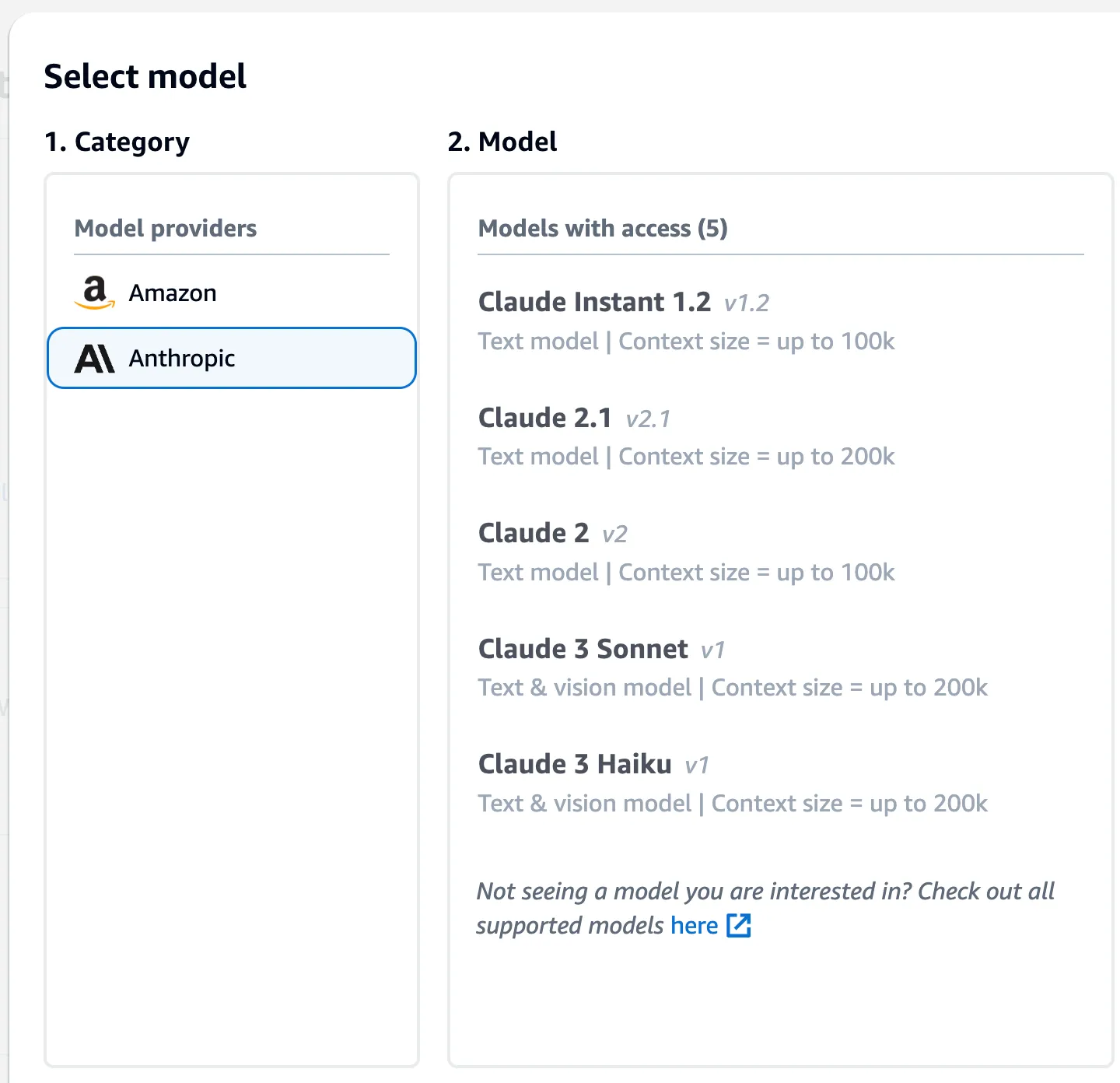
You can also change the foundation model. For example, I switched to Claude 3 Sonnet.
Use Retrieval APIs to integrate knowledge base with applications
To build RAG applications on top of Knowledge Bases for Amazon Bedrock, you can use the RetrieveAndGenerate API which allows you to query the knowledge base and get a response.
If you want to further customize your RAG solutions, consider using the Retrieve API , which returns the semantic search responses that you can use for the remaining part of the RAG workflow.
Additional configurations
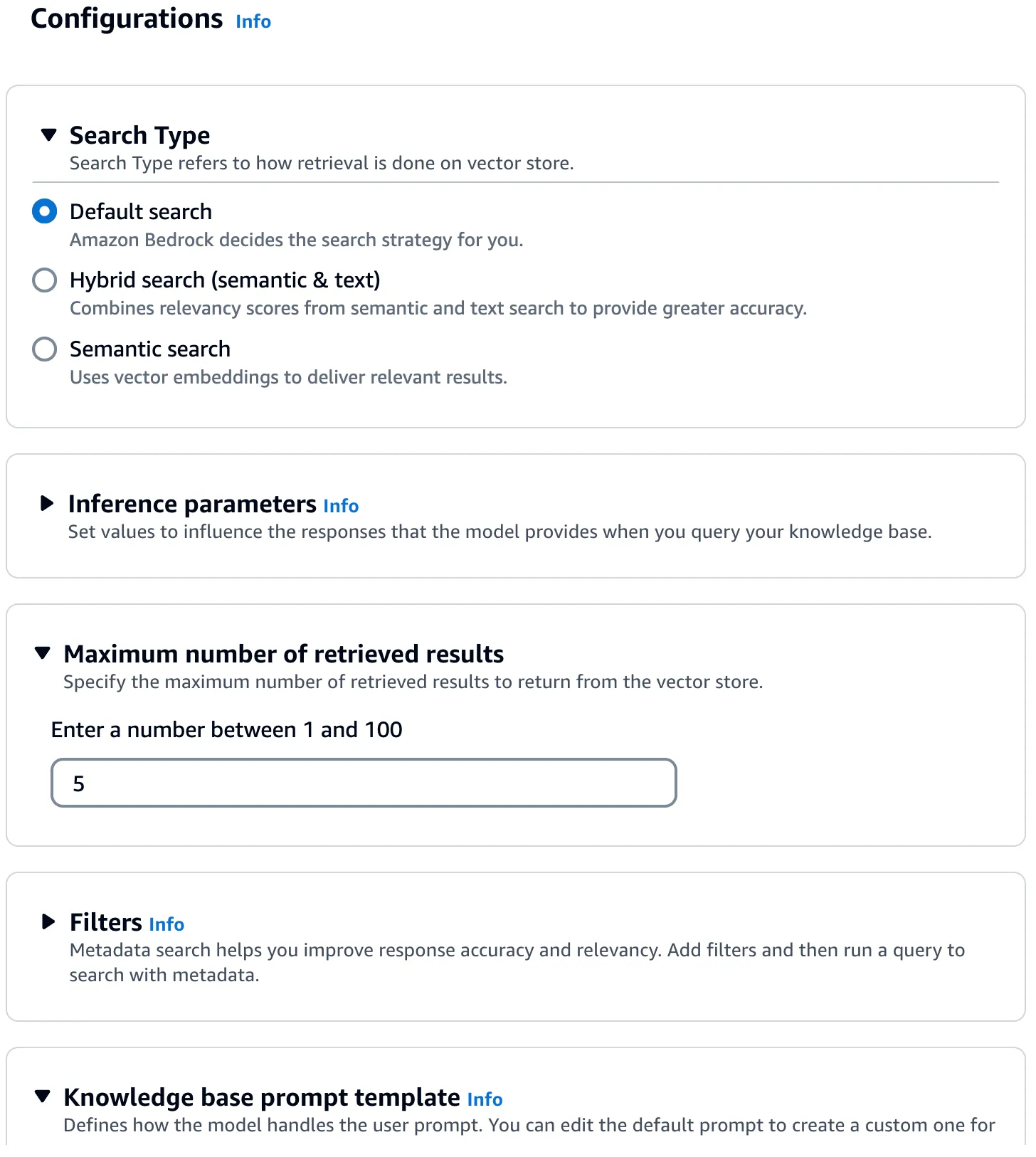
You can further customize your knowledge base queries using a different search type, additional filter, different prompt, etc.
Conclusion
Thanks to the MongoDB Atlas integration with Knowledge Bases for Amazon Bedrock, most of the heavy lifting is taken care of. Once the vector search index and knowledge base are configured, you can incorporate RAG into your applications.
Behind the scenes, Amazon Bedrock will convert your input (prompt) into embeddings, query the knowledge base, augment the FM prompt with the search results as contextual information and return the generated response.
Happy building!
Enjoyed reading this content? Let the author know!
Your likes, comments, shares, and saves help creators reach more builders.

Loading recommendations
Loading article