

Running Small Language Models on AWS Lambda 🤏
Learn how to run small language models (SLMs) at scale on AWS Lambda with function URLs and response streaming.
Overview
In this post, I'm going to show you a neat way to deploy small languages models (SLMs) or quantized versions of larger ones on AWS Lambda using function URLs and response streaming .
🚩 As of this writing, Lambda supports response streaming only on Node.js managed runtimes (14.x+).
News 📢
-
26-06-2024: Added SLaMbda Chat (UI) and AWS SAM support
-
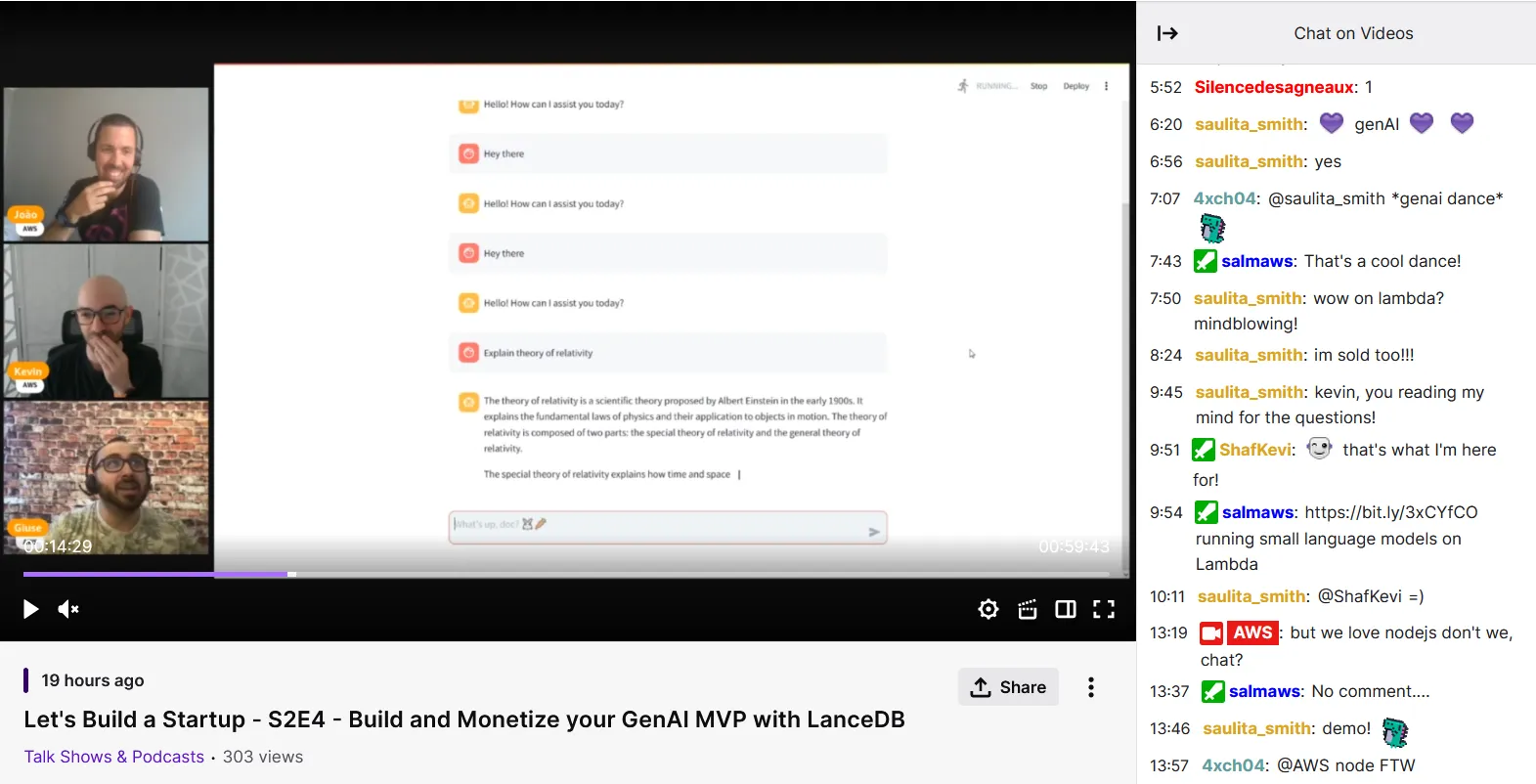
27-06-2024: SLaMbda was featured in Let's Build a Startup! (S2E4) ! 🎥
Build 🛠️
Since I'm not a Node.js expert, I'll be using GPT4All which has a simple Node.js package for LLM bindings with some nice streaming capabilities . The code should be easy to adapt to other frameworks anyway.
Inspired by makit's article ' Running an LLM inside an AWS Lambda function ', I'm also going to deploy
gpt4all-falcon-newbpe-q4_0.gguf (trained by TII, fine-tuned by Nomic AI) just to have a baseline for comparison.Bash
# Download modelcurl -L https://gpt4all.io/models/gguf/gpt4all-falcon-newbpe-q4_0.gguf \-o ./gpt4all-falcon-newbpe-q4_0.gguf
We'll also need to download the model config file to run in
offline mode i.e. without the need to pull anything from the GPT4All website.Bash
# Download model config filecurl -L https://gpt4all.io/models/models3.json \-o ./models3.json
If you're interested, here's our model configuration:
JSON
{"order": "e","md5sum": "c4c78adf744d6a20f05c8751e3961b84","name": "GPT4All Falcon","filename": "gpt4all-falcon-newbpe-q4_0.gguf","filesize": "4210994112","requires": "2.6.0","ramrequired": "8","parameters": "7 billion","quant": "q4_0","type": "Falcon","systemPrompt": "","description": "<strong>Very fast model with good quality</strong><br><ul><li>Fastest responses</li><li>Instruction based</li><li>Trained by TII<li>Finetuned by Nomic AI<li>Licensed for commercial use</ul>","url": "https://gpt4all.io/models/gguf/gpt4all-falcon-newbpe-q4_0.gguf","promptTemplate": "### Instruction:\n%1\n\n### Response:\n"}
Next, we need to create the handler function. So time to RTFM!
There's a nice section on the AWS Lambda developer guide on how to configure Lambda functions for response streaming with a tutorial and all.
In a nutshell, here's what we need to do:
- Create a
pipelineto handle the stream (⚠️ StackOverflow has a nice entry on why you should avoidpipeandwrite)
- Load the model to CPU using the
offlinemode (this is not mandatory, but it does speed things up).
- Create a completion stream to handle user requests
I'm sure the Node.js purists will have a field day with this one 😅 Here goes nothing:
JavaScript
// index.mjsimport util from 'util';import stream from 'stream';import { loadModel, createCompletionStream } from 'gpt4all';const pipeline = util.promisify(stream.pipeline);const model = await loadModel("gpt4all-falcon-newbpe-q4_0.gguf", {allowDownload: false,modelPath: ".",modelConfigFile: "./models3.json",verbose: true,device: "cpu",nCtx: 2048,});export const handler = awslambda.streamifyResponse(async (event, responseStream, _context) => {const completionStream = createCompletionStream(model, JSON.parse(event.body).message, {verbose: true});await pipeline(completionStream.tokens, responseStream);});
Bash
npm initnpm install gpt4all
Finally, let's package the whole thing inside a Docker image 🐋
dockerfile
FROM public.ecr.aws/lambda/nodejs:20COPY *.gguf ${LAMBDA_TASK_ROOT}COPY index.mjs package.json models3.json ${LAMBDA_TASK_ROOT}RUN npm installCMD [ "index.handler" ]
I'm calling it SLaMbda, as in SLM on Lambda, because I suck with names. Feel free to choose another one if you wish.
Bash
docker build --rm -t slambda:latest .
Time to get this up and running!
Deploy 🚀
I'll be using the AWS CLI to perform all the deployment steps, but there are certainly better tools for the job like AWS SAM or Serverless .
The commands below assume that you have defined some environment variables for the account ID (
AWS_ACCOUNT_ID ) and the region where you want to deploy the function ( AWS_DEFAULT_REGION ). If you don't have these set up, just run the following commands:
Bash
# Get AWS Regionread -e -i "us-east-1" -p "AWS Region: " AWS_DEFAULT_REGION# Retrieve account IDAWS_ACCOUNT_ID=`aws sts get-caller-identity --query Account --output text`
First, we need to push the Docker image to an ECR repository.
Let's log into the ECR registry
Bash
aws ecr get-login-password --region ${AWS_DEFAULT_REGION} | docker login --username AWS \--password-stdin ${AWS_ACCOUNT_ID}.dkr.ecr.${AWS_DEFAULT_REGION}.amazonaws.com
and create a new one
Bash
aws ecr create-repository --repository-name slambda \--image-scanning-configuration scanOnPush=true \--image-tag-mutability MUTABLE
Once the repository is ready, just tag the image and push it to ECR
Bash
docker tag slambda:latest ${AWS_ACCOUNT_ID}.dkr.ecr.${AWS_DEFAULT_REGION}.amazonaws.com/slambda:latestdocker push ${AWS_ACCOUNT_ID}.dkr.ecr.${AWS_DEFAULT_REGION}.amazonaws.com/slambda:latest
Next, we need to create the Lambda function that is going to run my spaghetti script 🍝. This function will need an execution role, so let's take that out of the way
Bash
# Create IAM roleaws iam create-role --role-name slambda \--assume-role-policy-document '{"Version": "2012-10-17","Statement": [{ "Effect": "Allow", "Principal": {"Service": "lambda.amazonaws.com"}, "Action": "sts:AssumeRole"}]}'# Attach policy# https://docs.aws.amazon.com/aws-managed-policy/latest/reference/AWSLambdaBasicExecutionRole.htmlaws iam attach-role-policy --role-name slambda \--policy-arn arn:aws:iam::aws:policy/service-role/AWSLambdaBasicExecutionRole
Now it's time to create the Lambda function λ
Bash
aws lambda create-function --function-name slambda \--description "Run SLMs with AWS Lambda" \--role arn:aws:iam::${AWS_ACCOUNT_ID}:role/slambda \--package-type Image \--code ImageUri=${AWS_ACCOUNT_ID}.dkr.ecr.${AWS_DEFAULT_REGION}.amazonaws.com/slambda:latest \--timeout 300 \--memory-size 10240 \--publish
Here are a few important things to notice:
- 📦 Package type is set to
Image, which we're grabbing from ECR, but you can also implement this withZipand add a Lambda layer for the model.
- ⏱️ Timeout is set to
5minsso it has enough time to load the model, handle the user's request and generate the tokens.
- 🧠 Memory size is set to the maximum allowed value (
10GB) to improve performance cf. AWS Lambda now supports up to 10 GB of memory and 6 vCPU cores for Lambda Functions for more information.
Finally, let's create a URL endpoint for our function
Bash
aws lambda create-function-url-config --function-name slambda \--auth-type AWS_IAM \--invoke-mode RESPONSE_STREAM
🔐 Notice that the authentication to our function URL is handled by IAM, which means that all requests must be signed using AWS Signature Version 4 (SigV4) cf. Invoking Lambda function URLs for additional details.
We're also enabling
RESPONSE_STREAM ing as promised to reduce the time-to-first token (TTFT). Be aware that if you're testing your function through the Lambda console, you'll always see responses as BUFFERED .Save the function URL somewhere or just run this little snippet
Bash
FUNCTION_URL=`aws lambda get-function-url-config --function-name slambda --query FunctionUrl --output text`
Test 📋
Bash
curl --no-buffer \--aws-sigv4 "aws:amz:$AWS_DEFAULT_REGION:lambda" \--user "$AWS_ACCESS_KEY_ID:$AWS_SECRET_ACCESS_KEY" \-H "x-amz-security-token: $AWS_SESSION_TOKEN" \-H "content-type: application/json" \-d '{"message": "Explain the theory of relativity."}' \$FUNCTION_URL
The
--no-buffer/-N option disables the buffering of the output stream so we can see the chunks arriving in real time.The first run will be slow 🐢 because it has to load the model, but the second time will be a lot faster 🐇 Just make sure you keep the Lambda function warm!
plaintext
The theory of relativity is a fundamental concept in modern physics that describes the relationshipbetween space, time, and motion. It was first proposed by Albert Einstein in 1905 and has since beenextensively tested and confirmed through various experiments.The theory of relativity is based on the idea that time and space are not absolute, but rather theyare relative to the observer. This means that an object in motion will appear to move slower or fasterdepending on the observer's frame of reference.One of the most famous aspects of the theory of relativity is the concept of time dilation. This occurswhen an object in motion appears to slow down as it approaches the speed of light. This is because timeappears to pass slower for objects that are moving at high speeds.Another important aspect of the theory of relativity is the concept of length contraction. This occurswhen an object in motion appears to shrink in length as it approaches the speed of light. This is becausetime appears to pass slower for objects that are moving at high speeds, and therefore the object appearsto be moving faster than it actually is.Overall, the theory of relativity has had a significant impact on our understanding of the universe andhas led to many important discoveries in physics.
Thanks for reading this far and see you next time! 👋
References 📚
- GPT4All - free-to-use, locally running, privacy-aware chatbot
Enjoyed reading this content? Let the author know!
Your likes, comments, shares, and saves help creators reach more builders.

Loading recommendations
Loading article