

Amazon IVS Live Stream Playback with Chat Replay using the Sync Time API
Let's look at the sync time API available in version 1.26.0 of the Amazon IVS Player SDK.

In a previous post , we looked at an undocumented approach to assist with chat replay by using an event listener for the
IVSPlayer.MetadataEventType.ID3 event type and using the transcode time from the stream's metadata to help with chat replay on VOD playback. In this post, we'll update the approach used in that post to utilize a new documented and reliable method which is available in the Amazon IVS Player SDK version 1.26.0 and beyond.In the last post, we continued on a short series of posts where we looked at auto-recording Amazon Interactive Video Service (Amazon IVS) live streams to Amazon S3 , and logging messages sent to an Amazon IVS chat room . Once you've got a stream in S3 and a log of chat messages, the next step is to combine them for VOD playback. Since chat messages are logged to the logging destination include a GMT based timestamp representing the wall clock time that the message was posted, we can use the
getTimeSync method (and associated SYNC_TIME_UPDATE event) to know what messages should be visible at any point in time.💡Tip: ThegetSyncTimeAPI is not just for chat replay! Any application that needs the exact wall clock time for a live stream at any point in time can utilize this API. For example: trivia apps, live sports scores, live polls, gaming, etc!
The getSyncTime API
The synchronized time is a UTC time that represents a specific time during playback, at a granularity of 1 second. It can be used to sync external events and state to a specific moment during playback.
Listening for Sync Time Events
Let's set up an Amazon IVS player to playback a recorded stream using the Player SDK. First, we'll include the latest Amazon IVS player SDK via a
<script> tag. New to Amazon IVS? Check out the blog series Getting Started with Amazon Interactive Video Service . If you have questions on getting started, post a comment on any post in that series (or below)!
HTML
<script src="https://player.live-video.net/1.26.0/amazon-ivs-player.min.js"></script>
As usual, we'll need to include a
<video> element in our HTML markup that will be used for playback.HTML
<video id="video-player" muted controls autoplay playsinline></video>
Now we can create an instance of the IVS player. I'm hardcoding the URL below, but you can obtain this URL via the method described in this post .
JavaScript
const streamUrl = 'https://[redacted].cloudfront.net/ivs/v1/[redacted]/[redacted]/2022/11/17/18/6/[redacted]/media/hls/master.m3u8';const videoEl = document.getElementById('video-player');const ivsPlayer = IVSPlayer.create();ivsPlayer.attachHTMLVideoElement(videoEl);ivsPlayer.load(streamUrl);ivsPlayer.play();
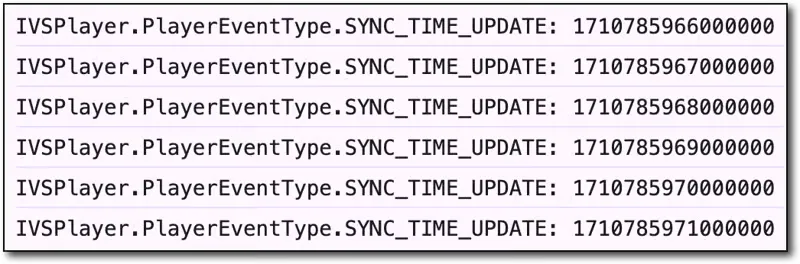
Next, we can set up a listener for the
IVSPlayer.PlayerEventType.SYNC_TIME_UPDATE event and log out the timestamp:JavaScript
ivsPlayer.addEventListener(IVSPlayer.PlayerEventType.SYNC_TIME_UPDATE, (ts) => {console.log(`IVSPlayer.PlayerEventType.SYNC_TIME_UPDATE: ${ts * 1000}`);});
Retrieving the Chat Logs
When my page loads, I can utilize the method outlined in the previous post in this series to retrieve the entire chat log for the stream and render it in the chat container
<div> . Since no messages should be visible at the very start of the stream, I'll make sure that they call contain a class that hides them from the user and store a data attribute with the proper timestamp so that I can know which messages should be visible given any timestamp in the stream.JavaScript
window.chatLog = await getChatLogs(logGroupName, chatArn, startTime, endTime);renderChat();
My
renderChat() function handles posting each message to the chat container.JavaScript
const renderChat = () => {const chatContainer = document.getElementById('chat');window.chatLog.forEach(msg => {const msgTemplate = document.getElementById('chatMsgTemplate');const msgEl = msgTemplate.content.cloneNode(true);const ts = new Date(msg.event_timestamp).getTime() * 1000;msgEl.querySelector('.msg-container').setAttribute('data-timestamp', ts);msgEl.querySelector('.chat-username').innerHTML = msg.payload.Attributes.username;msgEl.querySelector('.msg').innerHTML = msg.payload.Content;chatContainer.appendChild(msgEl);});};
Now I can modify the
IVSPlayer.PlayerEventType.SYNC_TIME_UPDATE listener to call a replayChat() function and pass it the current timestamp.JavaScript
ivsPlayer.addEventListener(IVSPlayer.PlayerEventType.SYNC_TIME_UPDATE, (evt) => {console.log(`IVSPlayer.PlayerEventType.SYNC_TIME_UPDATE: ${evt * 1000}`);replayChat(evt * 1000);});
In
replayChat() , I can find all of the chat nodes that contain a timestamp less than or equal to the current timestamp from the recorded stream and show/hide any chat message based on that timestamp.JavaScript
const replayChat = (currentTimestamp) => {Array.from(document.querySelectorAll('[data-timestamp]')).forEach(node => {const chatMsgTs = Number(node.getAttribute('data-timestamp'));const isVisible = chatMsgTs <= currentTimestamp;if (isVisible) {node.classList.remove('d-none');}else {node.classList.add('d-none');}});const chatContainer = document.getElementById('chat');chatContainer.scrollTop = chatContainer.scrollHeight;}
At this point, we have achieved the goal of playing back a recorded Amazon IVS live stream with full chat replay.
Summary
In this post, we looked at how to combine recorded Amazon IVS live streams with logged chat messages to create an on-demand replay of a stream with properly timed chat messages.
Enjoyed reading this content? Let the author know!
Your likes, comments, shares, and saves help creators reach more builders.

Loading recommendations
Loading article