

EKS Pod Identities Explained: Managing AWS Credentials in Kubernetes Pods
EKS Pod Identities Explained: Managing AWS Credentials in Kubernetes Pods

In the latest AWS re:Invent, the EKS team introduced a new feature called Pod Identity. This feature makes it easier to manage IAM credentials in Kubernetes applications.
In the past, applications in a pod could use AWS SDK or aws cli to make API requests to AWS services, leveraging AWS Identity and Access Management (IAM) permissions. With EKS Pod Identities, there's now a simpler way to manage credentials for your EKS applications, similar to how Amazon EC2 instance profiles access credentials to interact with other services. Instead of distributing AWS credentials to the containers, you can associate an IAM role with a Kubernetes service account and configure your pods to use this service account.
In this blog, I will guide you through the process of getting started with EKS Pod Identity. We will configure a simple API running in my Amazon EKS cluster to access Amazon S3 and create files there.
Step 0: Before you start
- AWS account.
- EKSctl used for communicating with the cluster API server.
- AWS-IAM-Authenticator – with necessary permissions to call the EKS API.
- EKS Cluster (v1.27) - If you don't know how to set up an EKS cluster, click here .

As of writing this article, EKS is not included in AWS Free Tier For every cluster you create on EKS, you pay $0.10/hour. Additionally, you will also be paying for the resources you consume separately.
Step 1: Install EKS pod Identity Agent add-on and create an IAM role
Our first step is to set up a new IAM role with required permissions to access my S3 bucket.
{ "Version": "2012-10-17", "Statement": [ { "Effect": "Allow", "Principal": { "Service": "pods.eks.amazonaws.com" }, "Action": [ "sts:AssumeRole", "sts:TagSession" ] } ]}
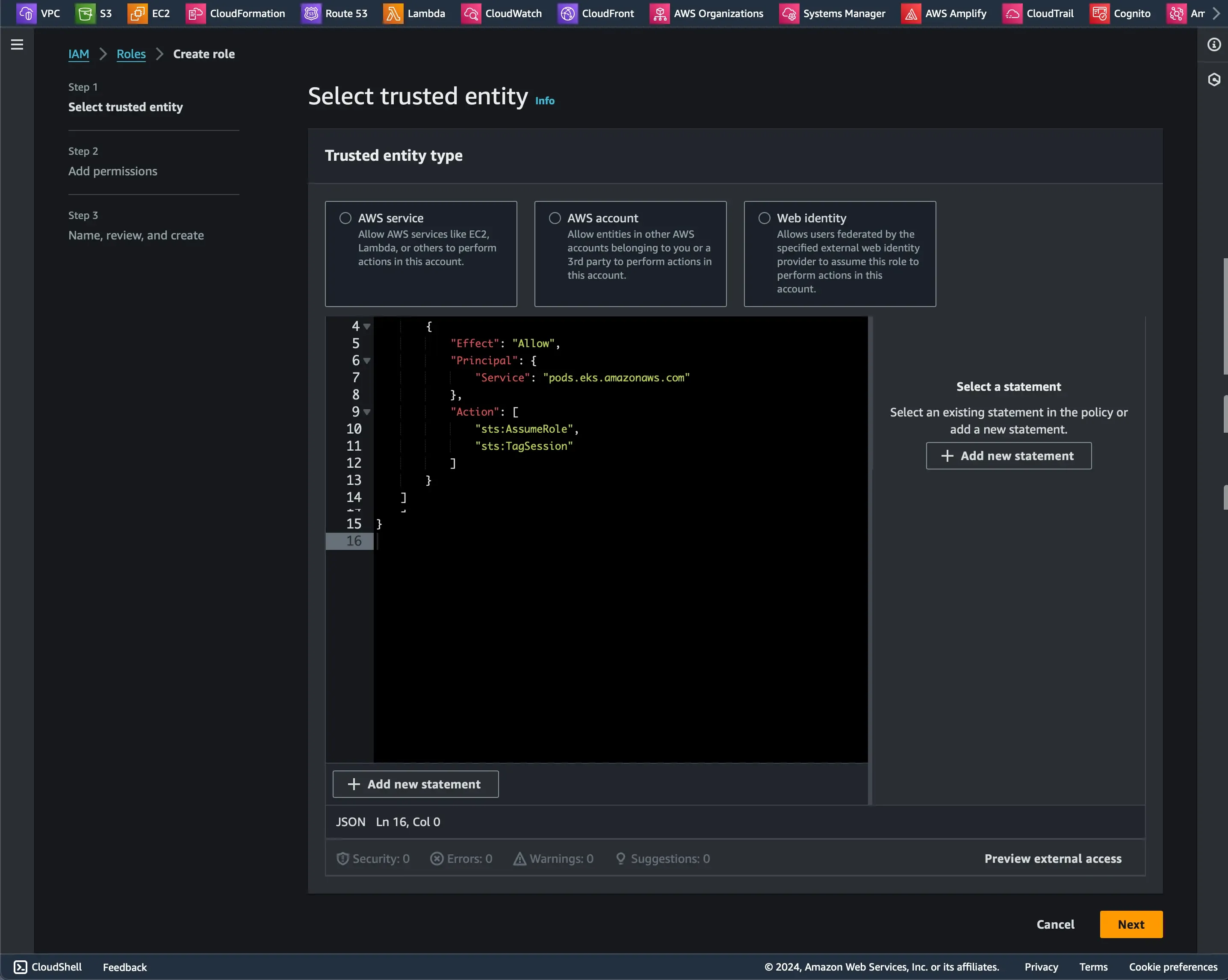
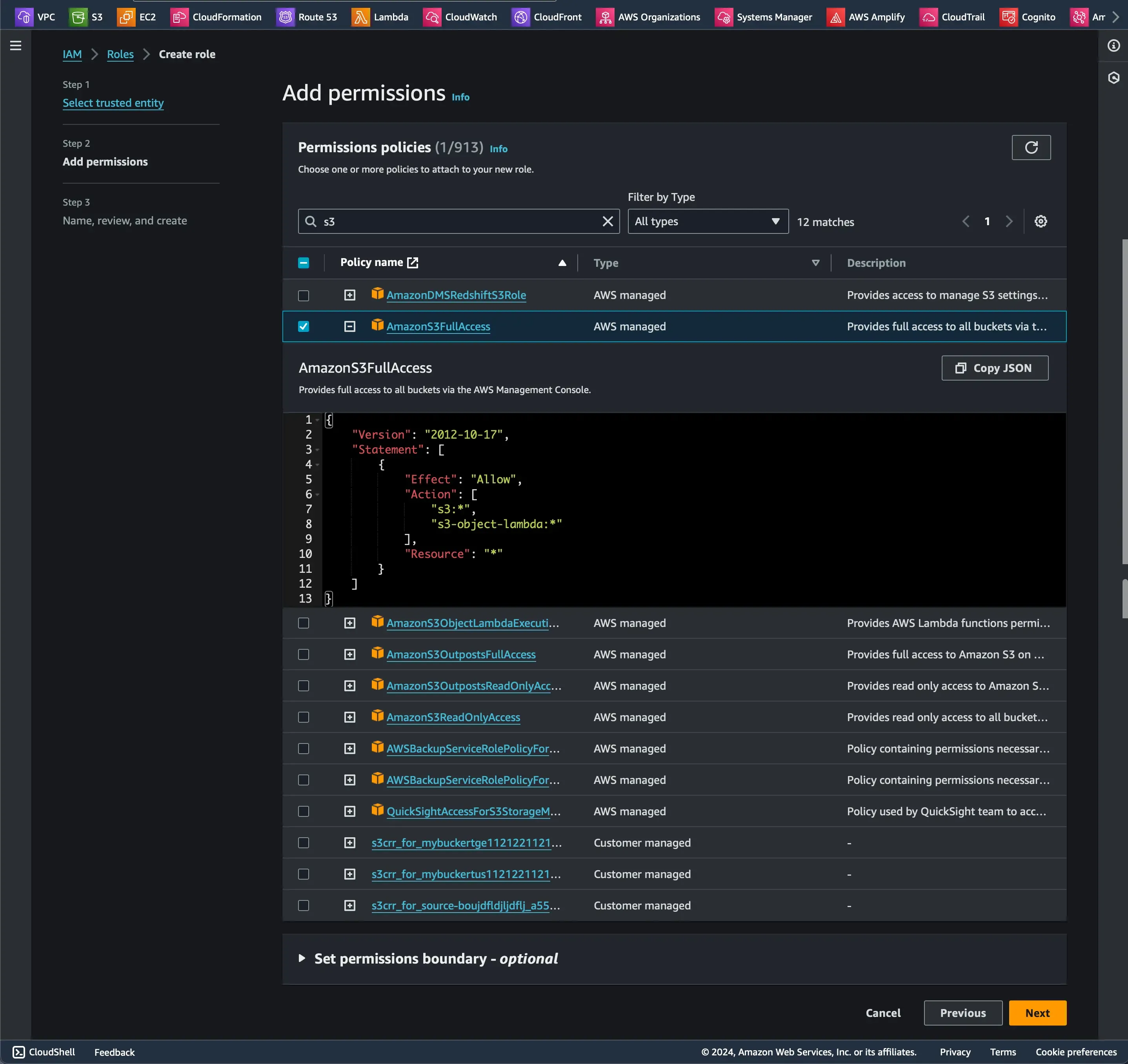
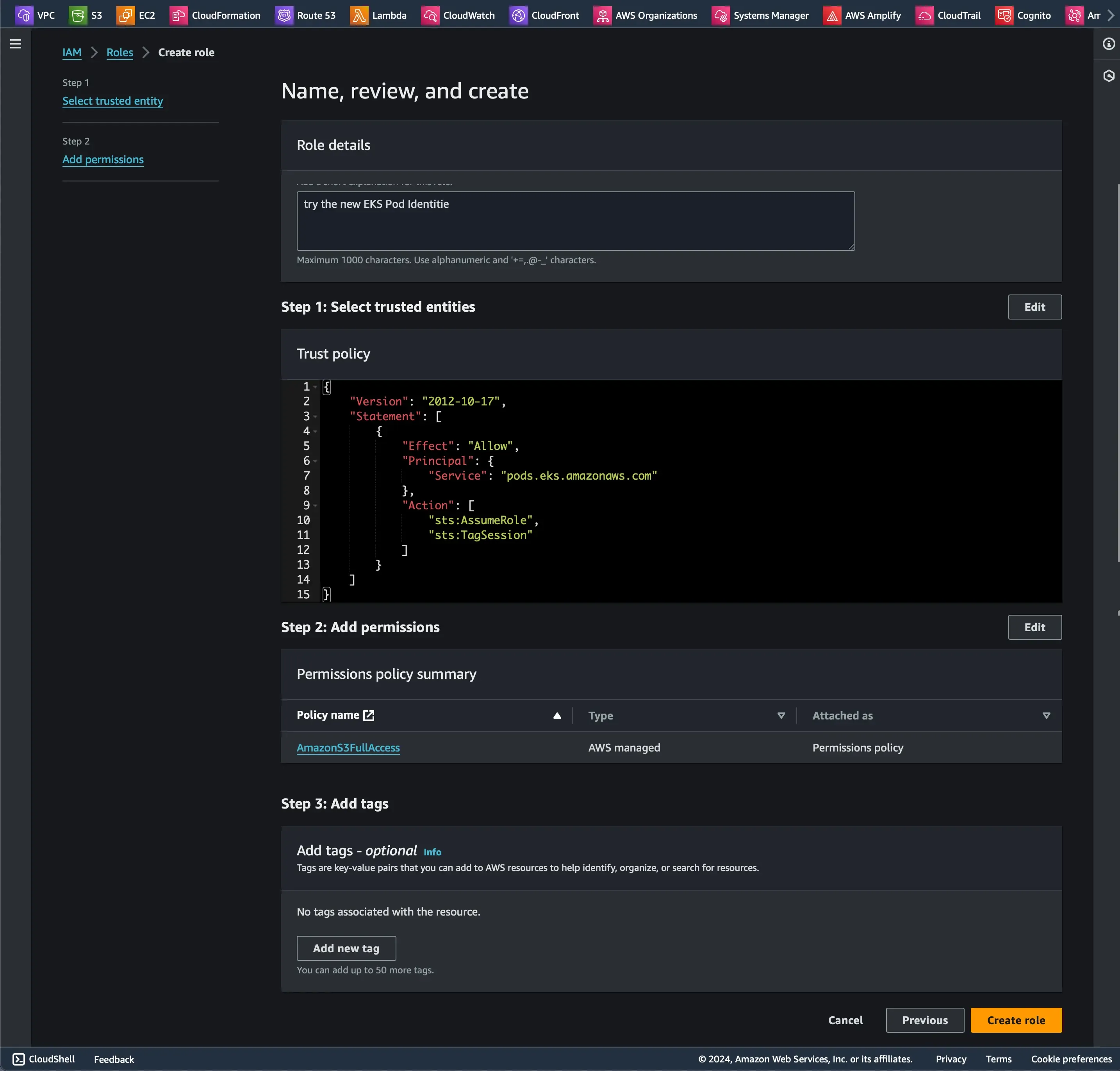
Then you need to install the eks pod identity agent addon, You can do it via the console or eksctl. I will choose eksctl because it's easier and quicker, Don't forget to replace the name of the cluster and the region that you chose.
eksctl create addon --cluster EKS-pod-identity --name eks-pod-identity-agent --region us-east-1 
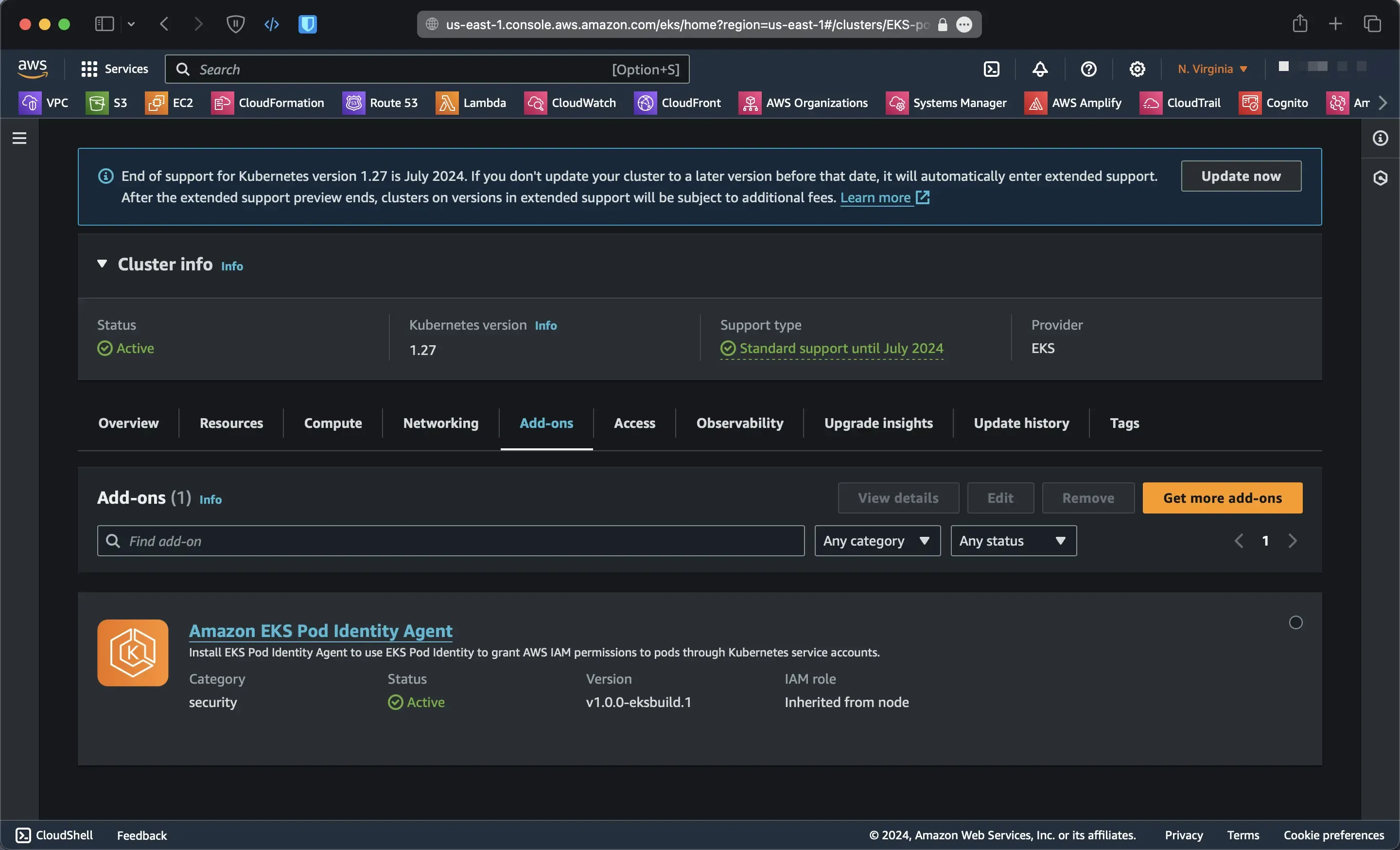
Now, navigate to the 'Access' tab in the EKS cluster, click on 'Pod Identity Associations' to map our IAM role to Kubernetes pods
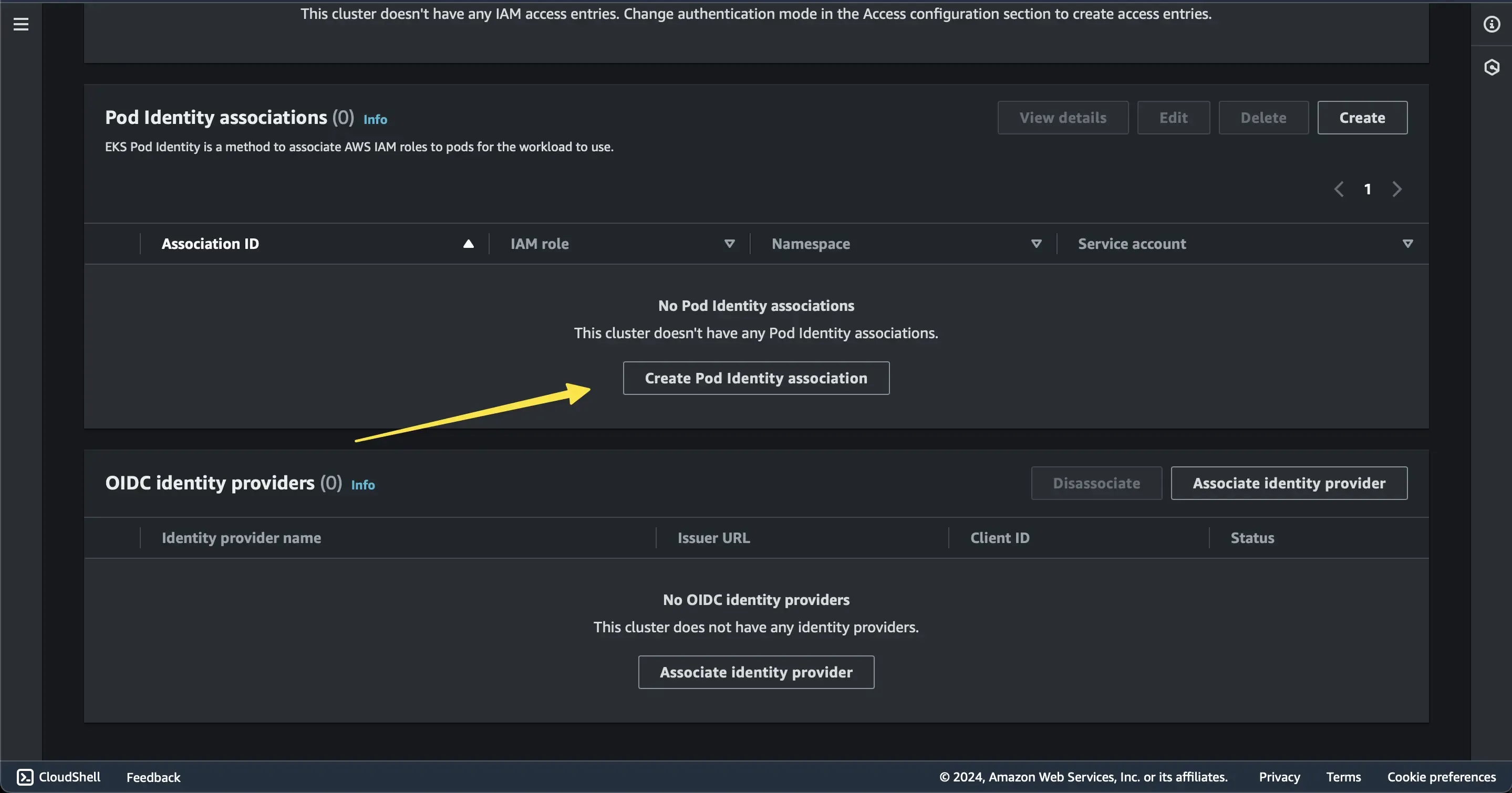
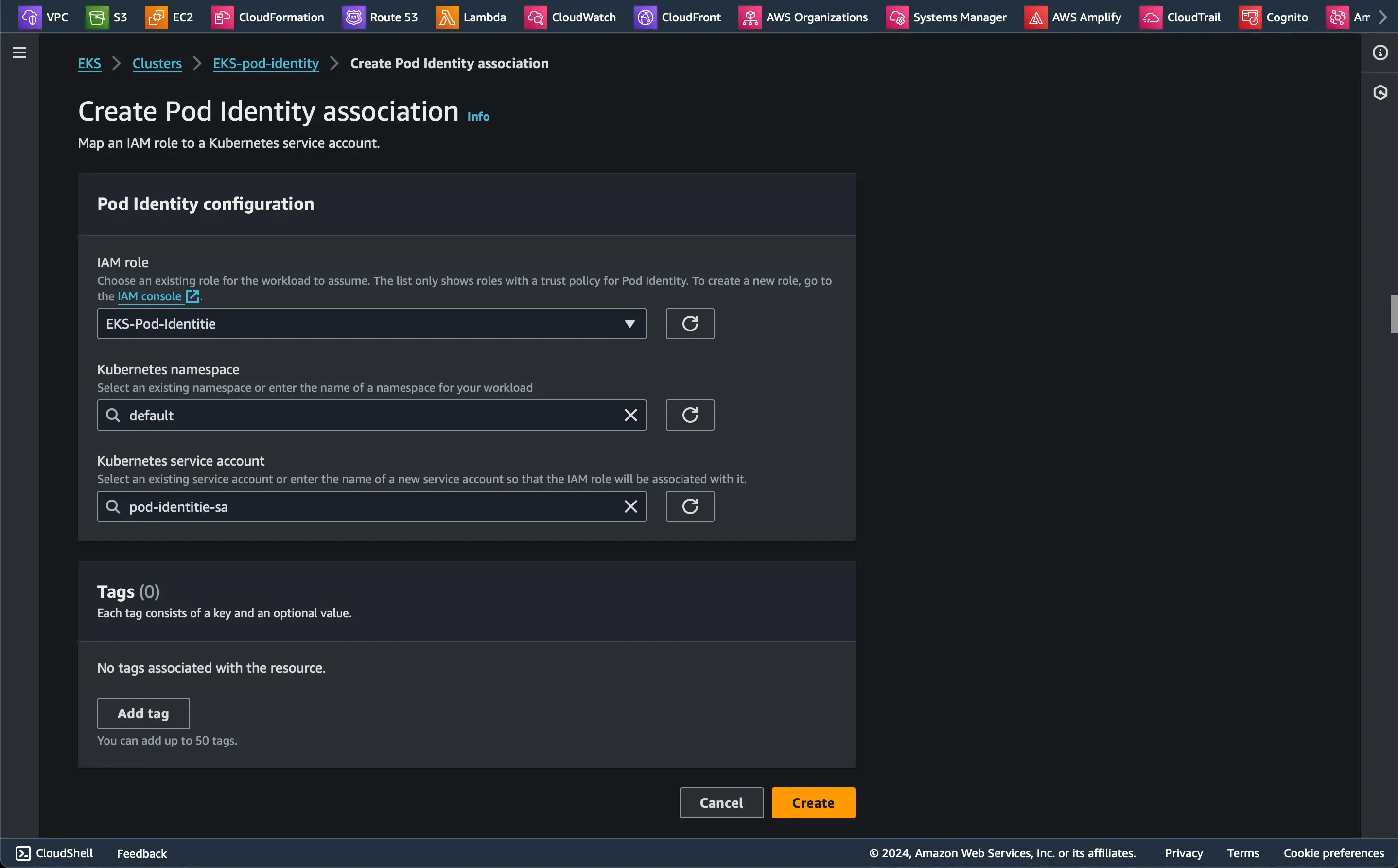
Step 2: Create an S3 bucket and a service account to test the new Pod Identitie
Create an S3 bucket for testing, again, you can do it via the console or AWS CLI
`aws s3api create-bucket --bucket fadyio-eks-pod-identity --region us-east-1`
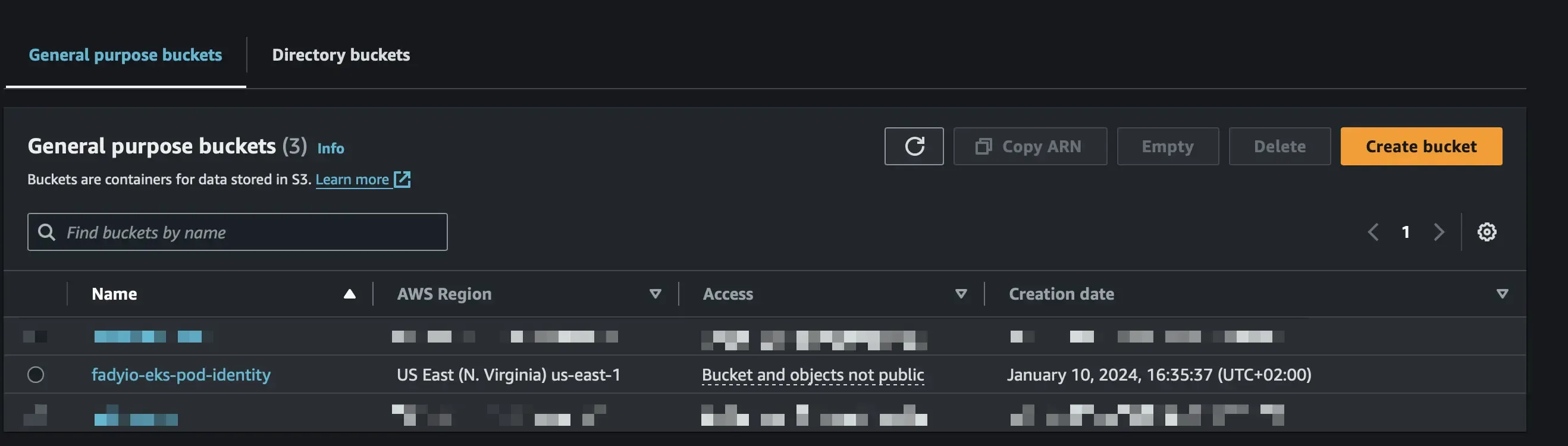
Then, create a service account with the IAM role that we previously created
apiVersion: v1kind: ServiceAccountmetadata: annotations: eks.amazonaws.com/role-arn: arn:aws:iam::<YOUR-ACCOUNTID>:role/EKS-Pod-Identitie name: pod-identitie-sa namespace: default
Step 3: Create a Pod to test access to the S3 bucket
apiVersion: v1kind: Podmetadata: name: ubuntu-identitiespec: serviceAccountName: pod-identitie-sa containers: - command: - sleep - "3600" image: ubuntu name: ubuntu-identitiekubectl apply -f FILENAME.yam we will go into the pod to install the AWS CLI and try to list S3 buckets
kubectl exec -it ubuntu-identitie -- /bin/bash apt update && apt install unzip curl -y
curl "https://awscli.amazonaws.com/awscli-exe-linux-x86_64.zip" -o "awscliv2.zip"unzip awscliv2.zip./aws/installLet's try to copy the AWS CLI zip file to the S3 bucket
aws s3 cp awscliv2.zip s3://fadyio-eks-pod-identity/ 
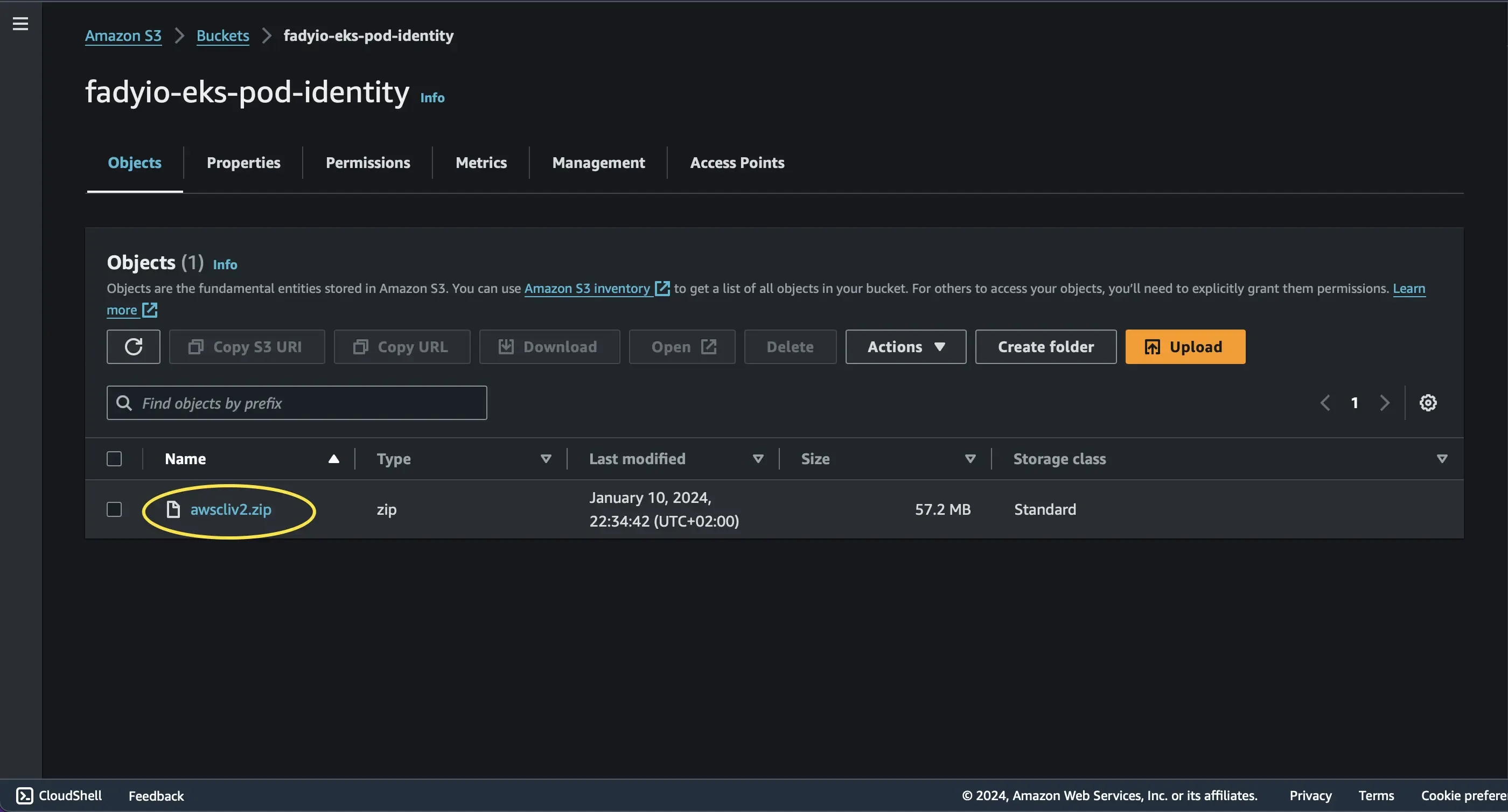
Summing it up
EKS Pod Identity is a game-changer that simplifies IAM permissions for applications that run on EKS, A hassle-free configuration experience that makes it easy to define the necessary IAM permissions for your applications in Amazon EKS, Plus, it brings a bunch of security perks like Least Privilege, Credential Isolation, Auditability, Reusability, and better Scalability into the mix.
Enjoyed reading this content? Let the author know!
Your likes, comments, shares, and saves help creators reach more builders.

Loading recommendations
Loading article